Phone apps fail by freezing or draining a battery. A humanoid action can fail by falling, striking furniture, slipping on a floor, or surprising a person in the room. So the useful question is not simply "can my robot download new skills?" It is: what physical risk comes with the skill, and who checked that it fits my robot and my home?
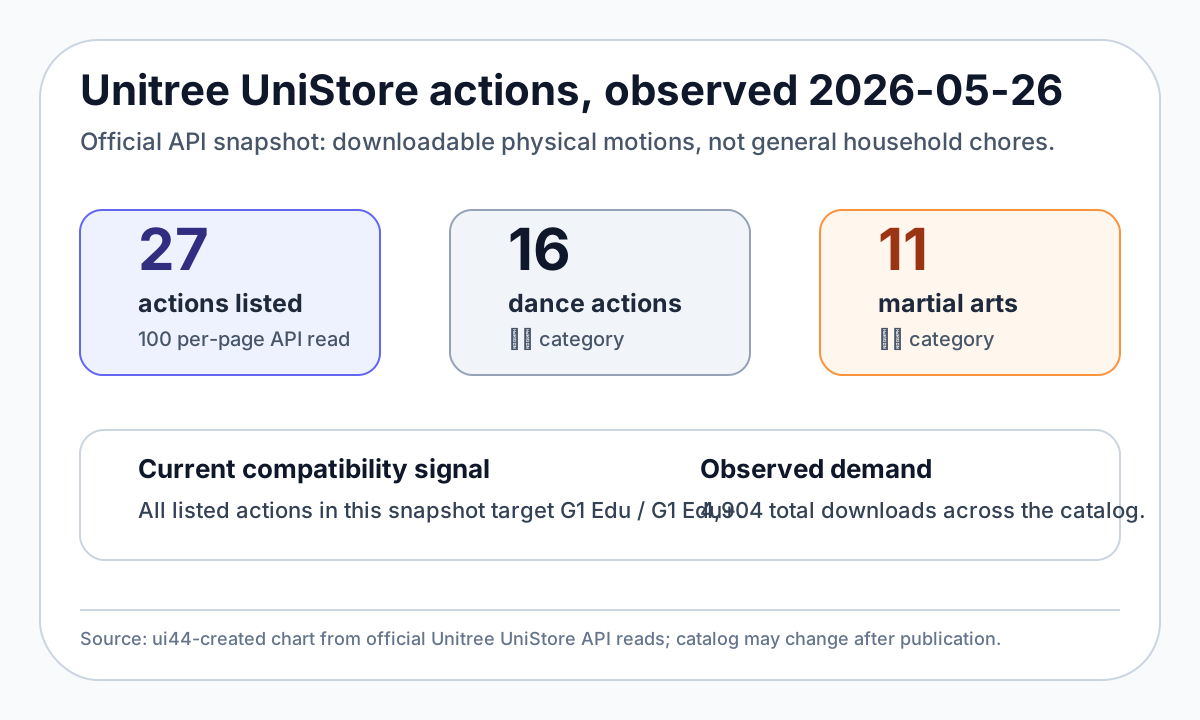
The short version: UniStore is a real signal that robot abilities are becoming more software-like, but today's catalog is not a household chore store. In an official API snapshot read by ui44 on 2026-05-26, UniStore listed 27 actions: 16 dance actions and 11 martial-arts actions, all targeting G1 Edu or G1 Edu+. That makes it a good safety case study before future home robots start offering object handovers, tidying routines, kitchen skills, or elder-care behaviors.
What is Unitree UniStore?
UniStore is Unitree's action platform for downloadable robot behaviors. The public web page is sparse, but the official UniStore API exposes a live action catalog with names, categories, supported models, preview media, version numbers, publish times, download counts, and manual text for individual actions.
As of the snapshot used for this article, the catalog was narrow but meaningful:
UniStore signal
Actions listed
- ui44 observation from official API
- 27
UniStore signal
Categories
- ui44 observation from official API
- 16 dance, 11 martial arts
UniStore signal
Supported models in the catalog
- ui44 observation from official API
- G1 Edu and G1 Edu+
UniStore signal
Total downloads shown
- ui44 observation from official API
- 4,904
UniStore signal
Highest-risk example
- ui44 observation from official API
- G1 Webster front flip action id 185
UniStore signal
Household chore skills
- ui44 observation from official API
- None observed in this snapshot
| UniStore signal | ui44 observation from official API |
|---|---|
| Actions listed | 27 |
| Categories | 16 dance, 11 martial arts |
| Supported models in the catalog | G1 Edu and G1 Edu+ |
| Total downloads shown | 4,904 |
| Highest-risk example | G1 Webster front flip action id 185 |
| Household chore skills | None observed in this snapshot |
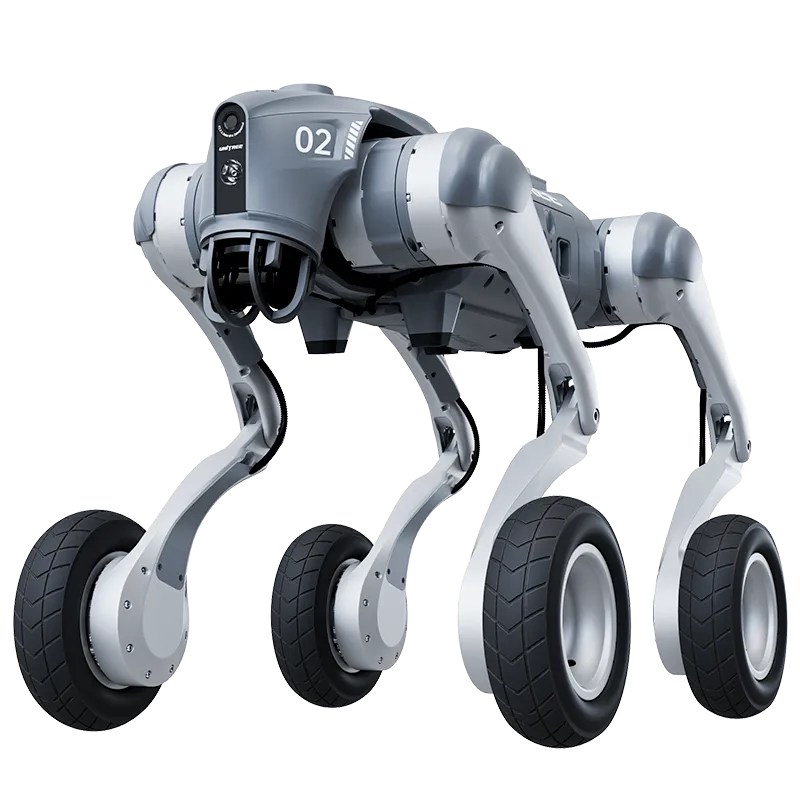
That distinction matters. A dance or martial-arts routine is a bounded demo motion. It can still be risky, but it does not claim to understand your home, recognize fragile objects, or adapt to a pet crossing its path. A future "clear the coffee table" skill would have to combine navigation, perception, gripping, force limits, recovery behavior, and privacy controls. UniStore shows the storefront shape. It does not yet prove the consumer-home chore layer.
This is also why the existing broader question of robot app stores needs a second, more physical checklist. Downloading a behavior is only the easy part. Running it safely is the product.
Why the G1 front flip is the useful warning sign
The most instructive UniStore listing is not a household task. It is action id 185, named G1-韦伯斯特前空翻, a Webster front flip for G1 29-DOF hardware. The action description says the robot performs a complete 360-degree forward flip: standing start, crouch, jump, airborne rotation, landing buffer, and return to standing. Unitree's action info says it moves forward about 1.3 meters and reaches roughly a 1-meter airborne peak.
That is a remarkable downloadable motion. It is also a clear reminder that a robot skill can be a kinetic event, not a convenience feature.
The listing's own prerequisites are the headline:
- G1 29-DOF movable-waist hardware only, with mode-machine values 5, 11, 13, or 15.
- Not for 23-DOF versions, locked-waist versions, or dual-arm variants; the action exits on unsupported modes.
- Robot standing stably in motion-control state before launch.
- Battery recommended above 50%.
- A flat, hard floor that is not too slippery.
- Clear space of 2 meters in front, 2 meters left and right, and 1 meter behind.
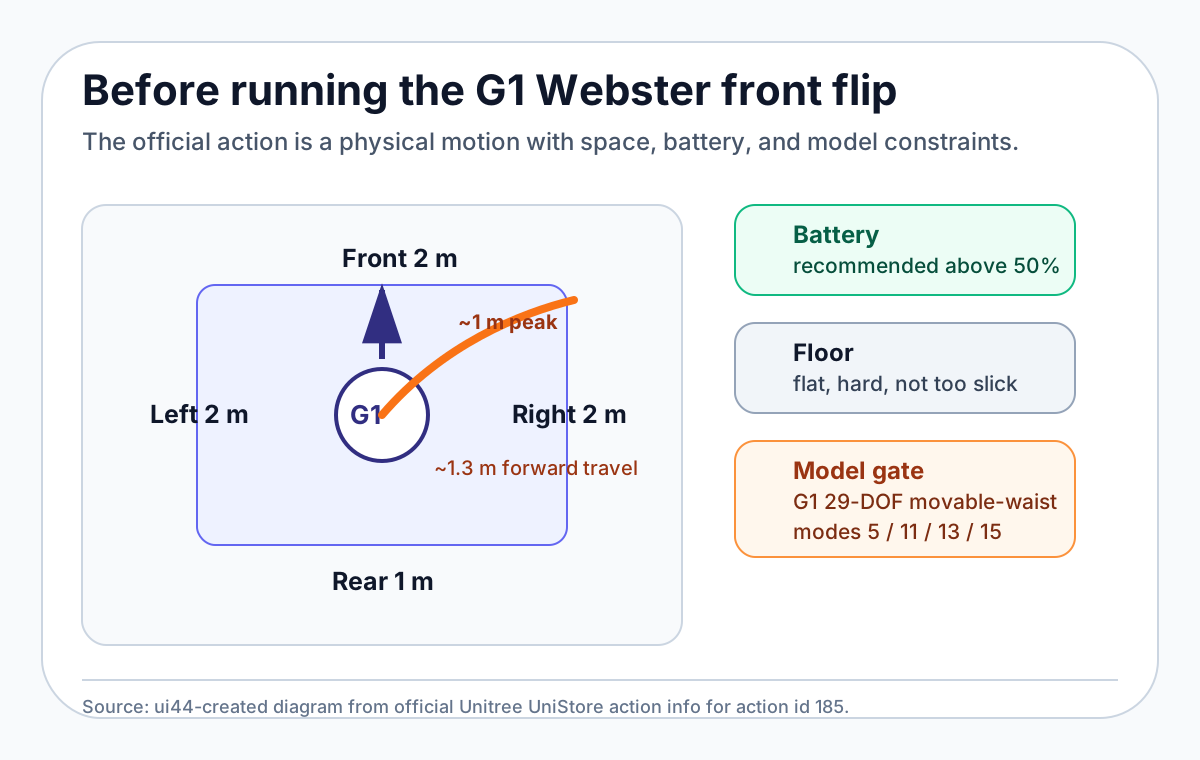
Those requirements are not legal fine print. They are the core product truth. If a skill needs a hard floor, a specific waist configuration, more than half a battery, and a several-meter clear zone, a home user should not treat the install button like a toy button.
The official Unitree G1 product page already points in the same direction. G1 starts at $13,500, stands 132 cm tall, weighs about 35 kg, runs for about 2 hours, and can be configured from 23 to 43 degrees of freedom. Unitree's own page warns that humanoids have complex structures and powerful output, asks users to maintain sufficient safety distance, and advises individual buyers to understand humanoid limitations before purchase. That is unusually blunt, and buyers should take it seriously.
The buyer checklist before running a downloaded robot motion
A future home robot skill store should make these checks visible before install, not bury them in a manual. Until that happens, buyers can use this checklist.
1. Confirm exact model compatibility
"G1" is not specific enough. The UniStore front flip listing is limited to G1 29-DOF movable-waist configurations. A standard G1, G1 Edu, G1 Edu+, locked-waist variant, or different Unitree model can have different joints, torque limits, computing modules, hands, warranty terms, and recovery behavior.
On ui44, this is the same reason we separate Unitree G1, Unitree R1, Unitree H2, Unitree Go2, and Unitree As2 instead of treating "Unitree robot" as one product. A downloaded physical skill is tied to a body.
2. Check the space envelope, not just the start point
The front flip moves forward roughly 1.3 meters and needs a much larger safety zone around the robot. Dances in the UniStore catalog also include movement ranges such as forward travel, side steps, or one-meter performance areas.
For home use, this means a room is either prepared or it is not. Coffee tables, rugs, pets, children, low lamps, mirror-finish floors, and uneven thresholds are not background details. They are part of the skill's operating environment.
3. Treat battery as a safety parameter
Battery level is not only about completing the show. A dynamic motion needs stable power through jump, flight, landing, and recovery. If the official action says battery should be above 50%, that should be a hard preflight check, not a suggestion a phone app can ignore.
This matters even more for cheaper future robots. Unitree R1 is listed in the ui44 database from $4,900 for R1 Air and $5,900 for the standard R1, with about 1 hour of mixed activity. That lower entry price could bring agile humanoids closer to hobbyists and early adopters, but it also makes clear battery, space, and supervision rules more important.
4. Ask what the skill is allowed to control
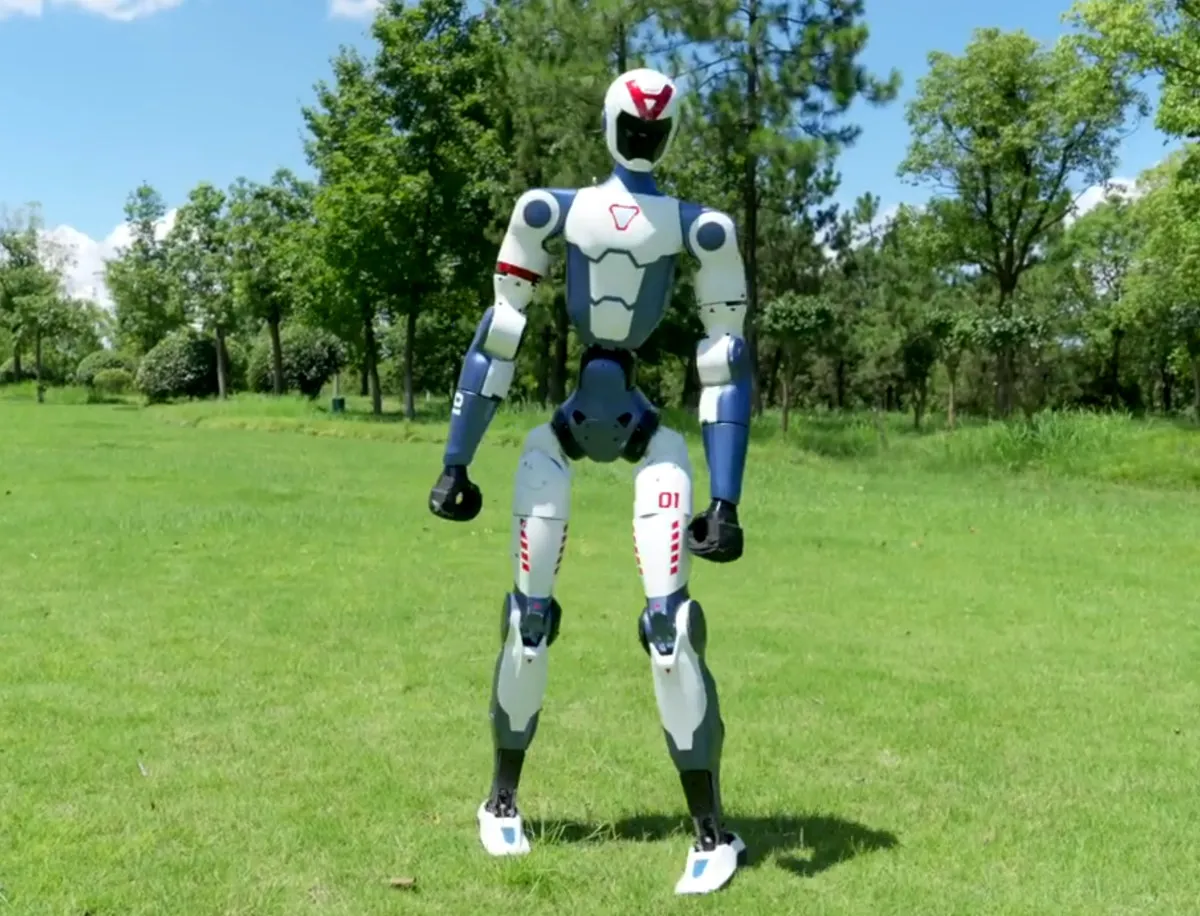
A serious robot store should label permissions by physical system:
- walking or whole-body motion
- arm and hand motion
- speed and force limits
- camera, microphone, and map access
- network access or remote assistance
- logs, telemetry, and crash reports
- whether a human must hold a controller or dead-man switch
A dance routine and a kitchen handover should not use the same permission screen. Neither should a desk companion animation and a 35 kg bipedal jump.
5. Demand rollback, logs, and a kill path
A safe skill ecosystem needs versioning and rollback. If a motion changes from version 1.0.0 to 1.0.6, buyers should be able to see what changed. If the robot falls, slips, or hits an object, the owner needs logs that explain whether the issue was model mismatch, low battery, floor condition, sensor failure, or user setup.
The kill path matters most. A downloaded skill should have a visible stop method, a predictable recovery posture, and rules for what happens after an interruption. "The robot will try again" is not always the safe answer.
How Unitree compares with other skill ecosystems
Unitree is interesting because it is pushing software distribution onto capable, relatively affordable hardware. But different robots represent different risk profiles.
Robot
- ui44 database signal
- Available from $13,500; 35 kg; about 2 hours; 23-43 DOF depending on configuration
- Skill-store lesson
- Downloaded whole-body motions are real, but model compatibility and space checks are mandatory.
Robot
- ui44 database signal
- Pre-order from $4,900; 27-29 kg; about 1 hour; movement-first design
- Skill-store lesson
- Lower-cost agile robots may make safety UX more important, not less.
Robot
- ui44 database signal
- Available from $29,900; about 70 kg; 31 DOF; about 3 hours
- Skill-store lesson
- More mass and torque raise the review bar for any consumer-downloadable motion.
Robot
- ui44 database signal
- Available from $1,600; quadruped; OTA updates; advanced gaits
- Skill-store lesson
- Dynamic motions already exist in robot dogs, but the body and fall risks differ from humanoids.
Robot
- ui44 database signal
- Active; quadruped; UniStore Platform listed in ui44 compatibility
- Skill-store lesson
- Storefront compatibility is not the same as current action availability.
Robot
- ui44 database signal
- Available from $299; desktop companion; Python SDK and Hugging Face ecosystem
- Skill-store lesson
- Small, low-force robots are a safer place for community behavior sharing to mature.
| Robot | ui44 database signal | Skill-store lesson |
|---|---|---|
| Unitree G1 | Available from $13,500; 35 kg; about 2 hours; 23-43 DOF depending on configuration | Downloaded whole-body motions are real, but model compatibility and space checks are mandatory. |
| Unitree R1 | Pre-order from $4,900; 27-29 kg; about 1 hour; movement-first design | Lower-cost agile robots may make safety UX more important, not less. |
| Unitree H2 | Available from $29,900; about 70 kg; 31 DOF; about 3 hours | More mass and torque raise the review bar for any consumer-downloadable motion. |
| Unitree Go2 | Available from $1,600; quadruped; OTA updates; advanced gaits | Dynamic motions already exist in robot dogs, but the body and fall risks differ from humanoids. |
| Unitree As2 | Active; quadruped; UniStore Platform listed in ui44 compatibility | Storefront compatibility is not the same as current action availability. |
| Reachy Mini | Available from $299; desktop companion; Python SDK and Hugging Face ecosystem | Small, low-force robots are a safer place for community behavior sharing to mature. |
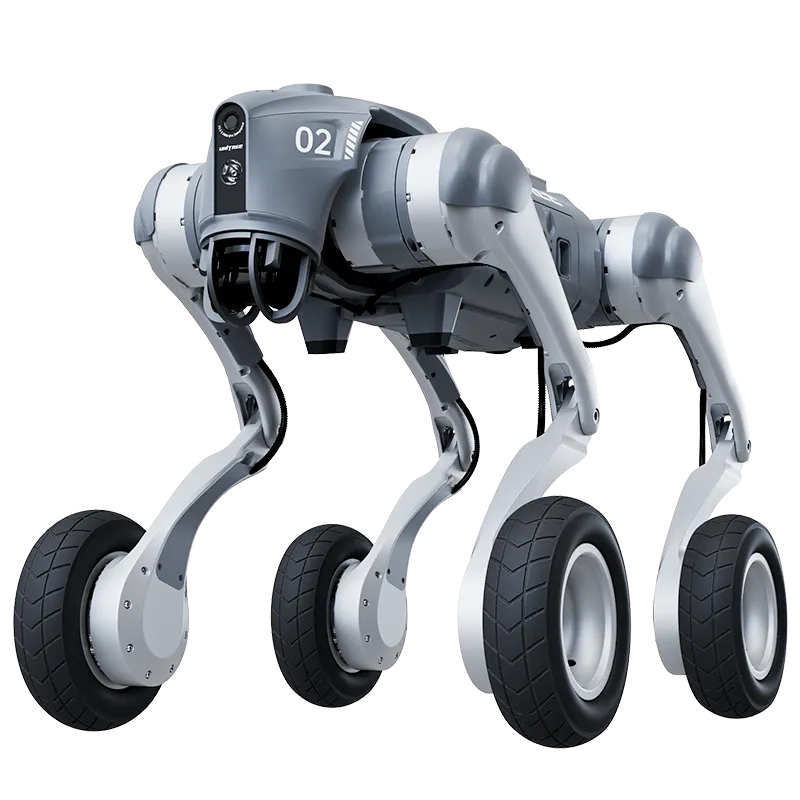
This comparison is not about picking a winner. It is about matching the skill to the body. A desktop robot can safely experiment with personality behaviors that would be irresponsible on a full-size humanoid. A quadruped can recover from some locomotion errors differently from a biped. A 70 kg humanoid needs a much stricter review layer than a small companion bot.
The market is moving toward skill libraries, but the safest route may be uneven: small robots get open community behaviors first, research robots get developer pipelines, and home humanoids get manufacturer-reviewed physical skills with strong permission gates.
What would a home-ready robot skill store need?
For household buyers, a robot app store should eventually look less like a phone store and more like a safety case. The install screen should answer seven questions before the first motion runs:
- Which exact robot models and hardware revisions are supported?
- What room size, floor type, lighting, and obstacle clearance are required?
- Which actuators, sensors, cameras, microphones, and network services does it use?
- What are the speed, force, payload, and balance limits?
- Does a human need to supervise or hold a controller?
- How does the robot stop, recover, and log failures?
- Who is liable if the downloaded behavior causes damage or injury?
That list sounds heavy because the product is heavy. A robot skill is software plus mass, torque, batteries, perception, and judgment. Buyers should expect the same clarity they would expect from a power tool, not the same casual install flow they expect from a weather widget.
The Seoul Shinmun home-robot safety feature quoted Korean robotics experts making the same broader point: humanoids entering homes will need integrated safety approaches, objective certification, and guidance because children, elderly people, patients, and pets raise the stakes. The exact regulatory path will vary by country, but the buyer principle is universal: when the robot moves around people, software distribution becomes a safety system.
Bottom line: the app store is real, but the checklist matters more
Unitree UniStore is a useful preview of where home robots are going. It shows a future where robot owners may add new motions after purchase, developers may package physical behaviors, and hardware platforms may improve through software instead of remaining fixed appliances.
But today's buyer should read the UniStore front flip listing as a warning label with a download button attached. The most important facts are not that the action is free, popular, or visually impressive. The important facts are that it needs a specific G1 configuration, a hard floor, a clear zone, enough battery, and a human who understands what is about to happen.
That is the right mental model for future home robot skills. Downloadable does not mean harmless. New ability does not mean home-ready. Before treating a humanoid skill like an app, check the robot, the room, the permissions, the rollback path, and the people nearby.
For comparisons, start with the robot body first: use /compare to check weight, runtime, payload, sensors, and compatibility before paying for any promise that a future download will make a home robot safer or more useful.
Written by
ui44 Team
Published May 31, 2026
Share this article
Open a plain share link on X or Bluesky. No embeds, no widgets, no cookie baggage.