On ui44, Zeroth M1 is currently listed at $2,899 and Pre-order status. That makes it dramatically cheaper than full-size home humanoids like 1X NEO at $20,000, and even cheaper than newer compact bipeds like Unitree R1 starting at $4,900.
But there is a catch, and it matters. Zeroth's official M1 pages still look more like a reservation-stage launch than a normal, mature retail product. The company's current flow emphasizes a refundable deposit and even references a Kickstarter campaign, not the kind of straightforward checkout, support, and shipping detail you would expect from a finished consumer robot.
That means the honest buyer read is pretty simple: M1 looks real enough to take seriously, but early enough that you should treat it as an interesting preorder gamble, not a settled home appliance.

The short answer: what kind of robot is Zeroth M1?
Zeroth M1 is best understood as a compact home companion robot with some humanoid ambition, not as a true chore-doing butler.
According to Zeroth's official product materials and ui44's database, M1 is built for:
- gentle fall detection and safety checks
- reminders and light daily assistance
- kid-focused interactive learning
- pet monitoring and remote family interaction
- multilingual voice conversation
- experimentation through an open programming and VR-friendly platform
That is a much narrower promise than robots like LG CLOiD, which LG is pitching with laundry, kitchen, and appliance-control demos, or full-size humanoids like 1X NEO, which explicitly aim at household chores.
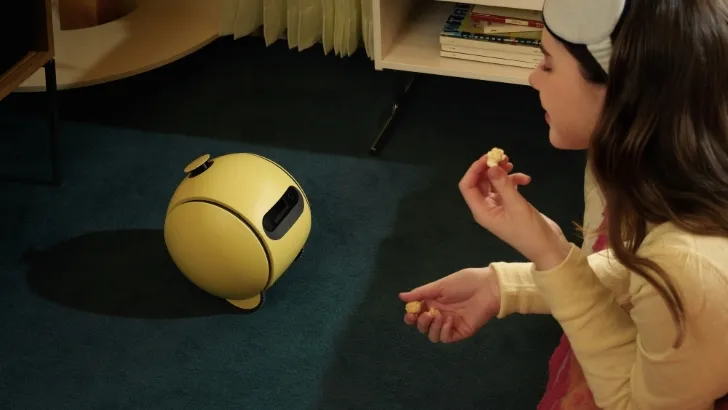
M1 sits in a more unusual middle lane. It is more physically ambitious than a rolling smart-home companion such as Samsung Ballie, but much smaller, slower, and less task-proven than a human-scale helper.
Here is the clearest way to place it against real robots already in ui44.
Robot
- Price
- $2,899
- Status
- Pre-order
- Size / Form
- 49.4 cm compact biped + wheeled base
- Best reading of the pitch
- Small companion robot with safety, family, and developer angles
Robot
- Price
- No price announced
- Status
- Development
- Size / Form
- Rolling ball robot
- Best reading of the pitch
- AI home companion and SmartThings controller
Robot
- Price
- ¥577,500 + monthly plan
- Status
- Available
- Size / Form
- 43 cm companion bot
- Best reading of the pitch
- Emotional companionship first
Robot
- Price
- $4,900 from
- Status
- Pre-order
- Size / Form
- 123 cm compact humanoid
- Best reading of the pitch
- Cheapest serious biped platform with more robot than companion energy
Robot
- Price
- $20,000
- Status
- Pre-order
- Size / Form
- 167 cm full-size humanoid
- Best reading of the pitch
- Full home-humanoid ambition, much higher price and risk
| Robot | Price | Status | Size / Form | Best reading of the pitch |
|---|---|---|---|---|
| Zeroth M1 | $2,899 | Pre-order | 49.4 cm compact biped + wheeled base | Small companion robot with safety, family, and developer angles |
| Samsung Ballie | No price announced | Development | Rolling ball robot | AI home companion and SmartThings controller |
| LOVOT | ¥577,500 + monthly plan | Available | 43 cm companion bot | Emotional companionship first |
| Unitree R1 | $4,900 from | Pre-order | 123 cm compact humanoid | Cheapest serious biped platform with more robot than companion energy |
| 1X NEO | $20,000 | Pre-order | 167 cm full-size humanoid | Full home-humanoid ambition, much higher price and risk |
The quick takeaway is that M1 is not really competing head-to-head with only one category. It overlaps with companion robots on size and family use, but overlaps with humanoids on body shape, motion, and long-term ambition.
If you want to stack these robots side by side, ui44's compare tool is the fastest way to see how odd M1's positioning really is.
What ui44's database says M1 can actually do
The official M1 spec sheet is not huge, but it is specific enough to tell us a lot about the kind of robot Zeroth is building.
From ui44's verified entry, M1 is:
- 494 mm tall
- 195 mm × 125 mm × 494 mm overall
- 2.8 kg for the robot body, plus 1.4 kg for the mobility base
- rated for about 2 hours of endurance
- able to charge to 80% in 1 hour
- capable of 0.05 m/s in bipedal mode and 0.6 m/s in wheeled mode
- equipped with LDS LiDAR, an iTOF depth sensor, a vision camera, an IMU, and a 3-microphone circular array
- positioned as a multilingual conversational robot with an open platform for programming, VR integration, and reinforcement-learning experiments
That spec list tells an important story.
The wheels matter more than the walking
The most revealing number in the whole entry might be the speed split.
M1's bipedal mode is listed at 0.05 m/s. That is extremely slow. Its wheeled mode jumps to 0.6 m/s, which is still not fast, but is much more practical for moving around a home.
So yes, M1 is a humanoid-shaped robot in a broad visual sense. But the real functional bet looks much closer to this: use feet for personality and approachability, use wheels for actual mobility.
That makes M1 more grounded than many flashy humanoid videos. It also makes it less magical than the word "humanoid" may suggest.
The sensing stack is strong for a robot this small
For a sub-$3,000 robot, the sensing package is not trivial.
LiDAR plus depth sensing plus vision gives M1 a more serious home-navigation story than toy-like companion bots usually offer. Zeroth is clearly trying to sell more than a cute conversation device. The company wants M1 to sound like a robot that can map the home, notice obstacles, follow people, and stay useful as a small mobile presence.
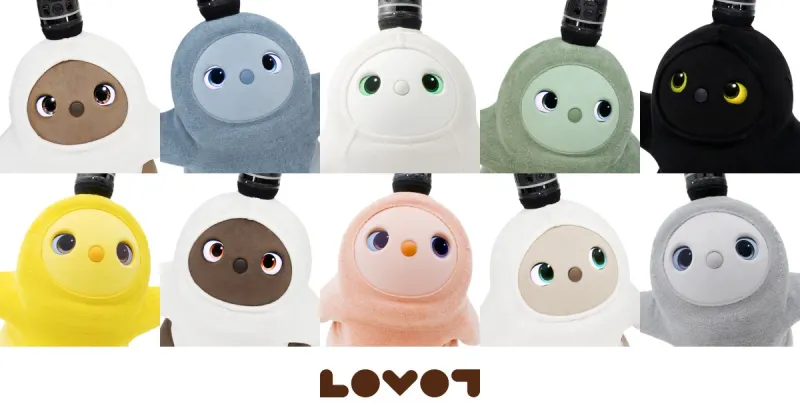
That gives M1 a stronger robotics identity than something like LOVOT, which is deliberately built around emotional attachment rather than practical monitoring or household awareness.
The official use cases are family-first, not labor-first
Zeroth's language focuses on:
- older adults who need gentle monitoring and reminders
- families that want extra safety and routine support
- children who might use M1 for interactive learning
- pet owners who want remote reassurance
- developers who want a programmable personal robot
That is a pretty smart starting point. It avoids the most overpromised consumer robotics fantasy, which is pretending every robot is almost ready to fold your laundry or unload the dishwasher.
M1 is not being framed as a domestic worker. It is being framed as a small mobile household presence.
That is a much more believable first product category.
Why Zeroth M1 is genuinely interesting
Even with the caution flags, I think M1 is one of the more interesting home robot launches in the current backlog. Three things stand out.
1. It attacks the pricing problem directly
Home humanoids keep attracting attention, but their prices usually kill the conversation.
- 1X NEO sits at $20,000
- Unitree R1 starts at $4,900
- LG CLOiD still has no retail price at all
At $2,899, M1 is not cheap in the everyday sense, but it is cheap relative to almost every robot that looks even remotely humanoid.
That alone makes it useful market data. Even if M1 ends up feeling limited, it shows where companies think the first broader consumer price band might be.
2. It picks a more realistic home-robot body plan
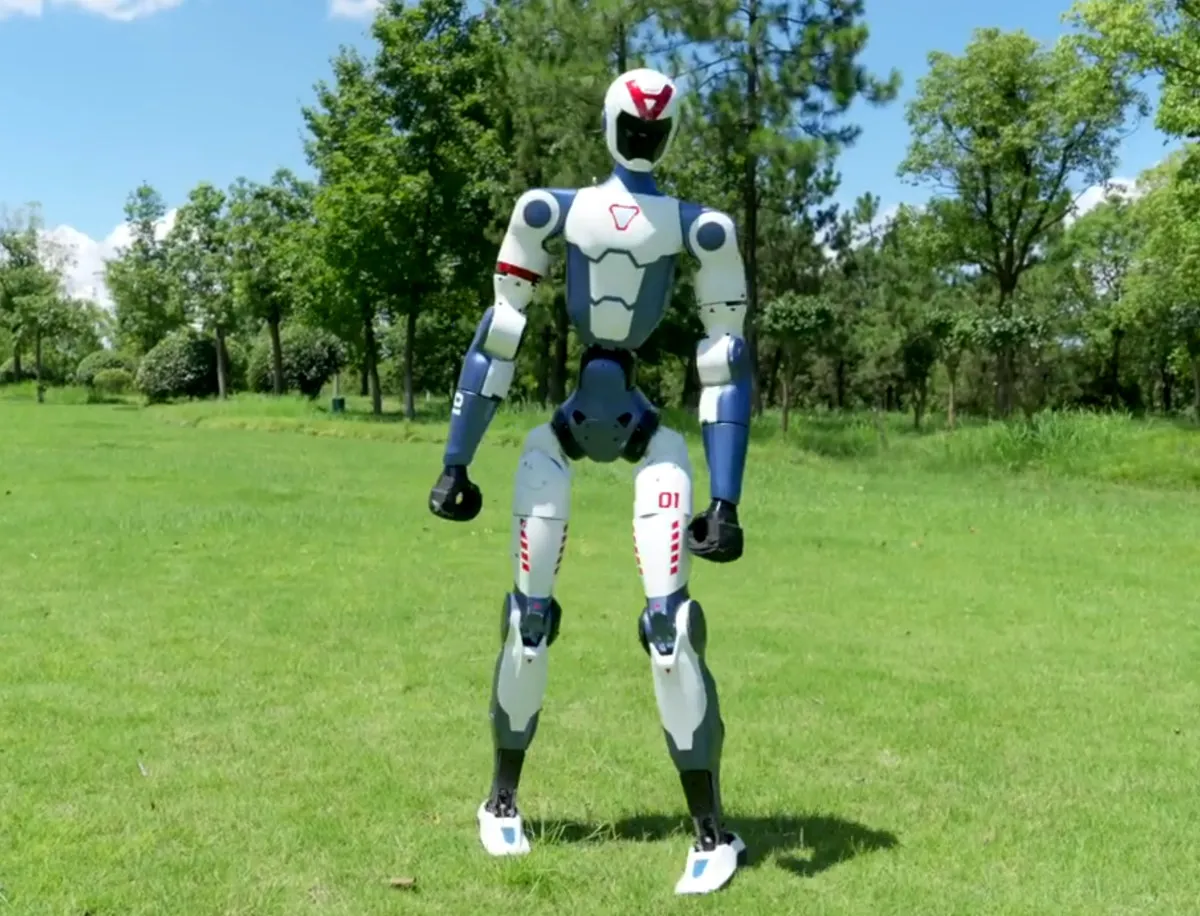
Full-size humanoids are exciting, but they bring cost, weight, safety, and reliability problems into the home immediately.
M1 goes the opposite direction. It stays small, mixes bipedal posture with a much more practical wheeled mode, and focuses on observation, communication, and light interaction instead of heavy manipulation.
That design philosophy actually lines up with a broader pattern in home robotics. When companies care about getting around a real home reliably, they often move toward wheels, small bodies, or some hybrid of the two.
- Samsung Ballie is fully wheeled
- LG CLOiD uses a wheeled base even while chasing richer household manipulation
- M1 mixes a humanoid silhouette with mobility shortcuts that are much more plausible indoors
That does not make M1 better than those robots. It does make it more honest about the physics of home movement.
3. Zeroth is at least aiming at real household use cases
A lot of CES robots are concept bait. They look impressive, but their real use case stays fuzzy.
M1's target scenarios are clearer than most:
- medication or routine reminders
- basic in-home check-ins
- family communication
- pet monitoring
- child engagement and learning
Those are not glamorous chores, but they are understandable. Buyers can picture whether they want that in their home.
That clarity matters more than another demo of a robot holding a cup once on a stage.
The biggest reasons to wait before you preorder
This is where the article really needs to stay grounded. M1 is interesting, but there are still real reasons to hold back.
1. The retail story is still messy
This is the biggest issue.
Secondary CES coverage described M1 as heading toward April availability, and some reports circulated a $2,399 preorder price. But ui44's current source of truth stays more conservative for a reason.
Our verified database entry uses Zeroth's official launch and product materials, which support:
- $2,899 starting pricing from official CES launch communication
- a Pre-order rather than fully available status
- a still-live reservation flow instead of ordinary retail checkout
The current Zeroth reservation page goes even further and explicitly explains a Kickstarter process plus deposit and cashback language. That is not a normal consumer-electronics buying flow.
By contrast, Zeroth W1 is already much clearer in ui44's database: it has a $4,999 official store price and an Available status. That contrast inside Zeroth's own lineup is revealing.
So if your real question is "Can I buy M1 like a normal shipping product right now?" the answer is still not cleanly.
2. Battery life and movement limits are real
A two-hour runtime is not absurd for a compact robot, but it is also not enough to imagine M1 as an always-there home assistant.
The same goes for movement. Wheeled speed at 0.6 m/s is usable. Bipedal speed at 0.05 m/s is mostly a personality feature unless your home life runs very, very slowly.
That means buyers should picture M1 more like a short-session companion and monitoring robot than a constant whole-home helper.
3. There is no proven manipulation story yet
This is where M1 really diverges from the bigger home-humanoid dream.
Yes, Zeroth mentions a 20-degree-of-freedom body and even lists a dual-arm span. But what is still missing is just as important:
- no clear payload figure
- no verified household manipulation track record
- no published laundry, kitchen, or object-handling proof at the level buyers can trust
That puts M1 far closer to the companion end of the market than to a robot you should expect to handle chores.
If you want a machine built around the labor story, you are still looking at robots like 1X NEO or LG CLOiD, even though those are far more expensive or far less commercially settled.

4. Early buyers will probably be part tester, part customer
Zeroth only emerged publicly at CES 2026 with a five-robot lineup. That is a lot of ambition for a very young consumer-facing brand moment.
Sometimes that leads to breakout products. Sometimes it means the first wave of buyers spends months living with software updates, unclear support structures, and a product definition that keeps moving.
If you are comfortable with that, fine. If you want something predictable, waiting is the smarter move.
How M1 compares with the real alternatives on ui44
If you strip away the CES novelty, the decision framework becomes clearer.
Choose M1 if you want...
- the lowest published price among genuinely interesting home robot launches in this companion-humanoid middle zone
- a robot that feels more physical than a smart speaker but less extreme than a full-size humanoid
- a family-facing mix of reminders, safety checks, and monitoring
- a developer-friendly robot you can experiment with
Choose a different robot if you want...
- emotional companionship first: LOVOT
- smart-home control and projection: Samsung Ballie
- a bigger, more obviously robotic biped: Unitree R1
- full home-humanoid ambition: 1X NEO
- appliance-first household manipulation: LG CLOiD
That is really the clearest ui44 takeaway. M1 is not the winner of every category. It is the robot sitting in a very specific gap that almost nobody else has targeted cleanly yet.
What would make Zeroth M1 more convincing over the next few months?
This is the part buyers should keep in mind after launch week headlines fade. The most important question is not whether M1 looks interesting today. It is what evidence Zeroth can produce once real units are supposed to be in homes.
For me, four signals would matter most.
1. Real delivery evidence matters more than teaser momentum
A small robot startup can generate a lot of excitement from CES clips, preorder pages, and social media demos. What changes the category is seeing proof that buyers are actually receiving units, setting them up, and using them in normal homes without constant hand-holding.
For M1, that means the gap between "announced" and "arrived" matters a lot. A clear stream of real deliveries would immediately make the current preorder risk feel smaller.
2. Support quality will tell you whether this is a gadget or a project
Lots of early robots can look compelling in a product video. Far fewer feel mature once owners need firmware updates, troubleshooting help, replacement parts, or warranty support.
That is why I would watch for boring but important signals: stable setup, clearer documentation, predictable support answers, and a purchase flow that looks more like consumer electronics and less like an experiment in progress.
3. Useful daily routines matter more than humanoid aesthetics
M1 does not need to become a miracle robot to justify attention. It just needs to prove that a small home robot can become part of daily life in a way people repeat.
The strongest early evidence would be owners using it for the same few things again and again:
- checking in on older relatives
- keeping an eye on pets while away
- running reminders or simple family routines
- acting as a mobile communication presence in the home
If M1 wins there, it does not need to beat full-size humanoids on chores. It would already have found a real consumer role.
4. Zeroth has to show that the low price is not hiding a dead end
The sub-$3,000 price is the headline. But cheap only matters if the product has a believable path to getting better.
If Zeroth keeps updating the robot, tightens the retail story, and proves the hardware is reliable enough for real households, M1 could look like the start of a new consumer tier. If not, it risks becoming one more interesting launch that people remember mainly because the price looked shockingly low for a humanoid.
Should you preorder Zeroth M1?
For most buyers, I would frame it this way.
Preorder M1 only if all three of these are true
- You want to be early in home robotics, not late.
- You are comfortable with a reservation or crowdfunding-style launch.
- You want a small companion robot more than a real chore robot.
Wait if any of these matter more to you
- clear retail support and warranty expectations
- independent reviews from real homes
- proven daily reliability
- strong battery life
- meaningful physical household work
That makes M1 easy to place. It is a promising first-wave home robot for curious early adopters. It is not yet the practical family robot I would confidently recommend to mainstream buyers.
Still, I am glad this category exists. The home-robot market needs more than two extremes: overpriced humanoids on one side and glorified smart speakers on the other. M1 is one of the more serious attempts to build the middle.
What to verify before you send Zeroth any money
If you are seriously considering a preorder, the smartest move is not to obsess about one more spec line. It is to verify the buying terms on the exact page Zeroth is asking you to use right now.
Before paying anything, I would check five things in this order:
- whether the current flow is still a reservation or deposit path, or a normal direct purchase
- whether the payment is described as refundable, and under what timeline or conditions
- whether Zeroth gives a clear shipping window for M1 rather than only launch-stage marketing language
- whether warranty, returns, and support are spelled out in a way that looks like a normal consumer hardware program
- whether the page still points buyers toward a Kickstarter-style process instead of a settled retail checkout
That may sound cautious, but it is the difference between buying a gadget and funding an early product phase.
This is also where ui44's database helps. The specs tell you M1 is a real, interesting robot. The status and surrounding purchase flow tell you how much launch risk is still attached to it. Those are not the same question, and buyers should not mix them together.
If Zeroth tightens the checkout flow, ships on time, and starts generating real home-owner feedback, M1 could become one of the most important reference points in affordable home robotics. If those signals stay blurry, the safer move is to watch this first wave from the sidelines and revisit once the company has a few months of real deliveries behind it.
Frequently Asked Questions
Is Zeroth M1 really a humanoid robot?
Broadly, yes, but only in a compact and limited sense. It has a human-like body
layout and bipedal mode, but its much faster wheeled mode tells you where the
practical design emphasis really is.
Can Zeroth M1 fold laundry or do housework?
Not based on what ui44 can verify today. Zeroth's official materials emphasize
companionship, monitoring, reminders, and learning, not proven household
manipulation.
Is Zeroth M1 the cheapest home humanoid right now?
It is one of the cheapest home-robot entries with humanoid styling and family
positioning, at $2,899 in ui44's database. But if you mean a larger,
more athletic biped platform, Unitree R1
starts at $4,900.
Can you buy Zeroth M1 today?
Not in the clean, ordinary way most shoppers expect. Zeroth's current official
flow still points buyers through a reservation-first process, so M1 remains a
preorder-stage robot rather than a plainly buy-now consumer device.
Written by
ui44 Team
Published April 14, 2026
Share this article
Open a plain share link on X or Bluesky. No embeds, no widgets, no cookie baggage.