Commercial model
$7,999 list price
A published price gives buyers a starting point for budgeting, ROI modeling, and peer comparison before deeper vendor conversations begin.
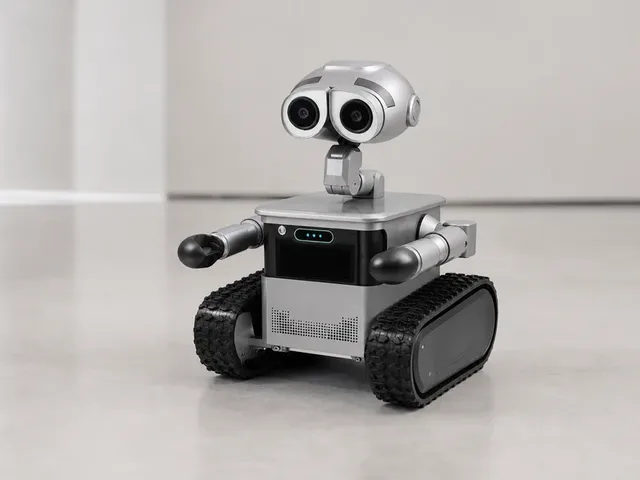
Height
680mm (26.8 in); official dimensions list Height (Top-Bottom): 680mm
Weight
28 kg
Battery
up to 25 h
Speed
0.1-1m/s on flat surfaces; 0.5m/s on slopes
Payload
20kg load capacity; 50kg traction
Zeroth Robotics W1 is a tracked mobile assistant that Zeroth launched for the US at CES 2026 and now lists on its official store. The robot is designed to follow users, transport gear, patrol indoor and outdoor spaces, and provide camera-based monitoring and portable power. Official product materials highlight a 20kg load capacity, 50kg traction rating, LiDAR and RGB-based perception, and terrain handling for grass, gravel, slopes, and other uneven ground.
Listed price
$7,999
$7,999 on Zeroth's official US product page and Shopify product JSON as of 2026-07-08; product JSON marks W1 available=true.
Release window
Jan 1, 2026
Current status
Available
Zeroth Robotics
Last verified
Jul 8, 2026
Share this robot
Open a plain share composer on X or Bluesky for this robot profile.
Technical overview
A fast read on the mechanical profile, sensing package, and platform integrations behind W1.
Height
680mm (26.8 in); official dimensions list Height (Top-Bottom): 680mm
Weight
28 kg
Dimensions
578mm x 520mm x 680mm (front-rear x left-right x top-bottom)
Battery Life
up to 25 h
Charging Time
4 h
Max Speed
0.1-1m/s on flat surfaces; 0.5m/s on slopes
Payload
20kg load capacity; 50kg traction
Operational profile
Capabilities
10
Connectivity
5
Key capabilities
Ecosystem fit
Explore further
Benchmark set
Shortcuts to the closest alternatives in the current ui44 set.
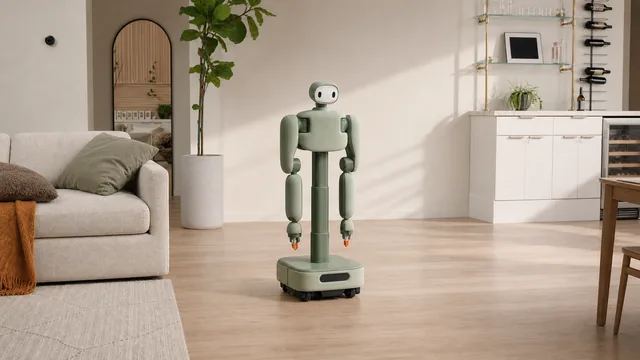
Home Assistants
Isaac 1
Weave Robotics
$7,999
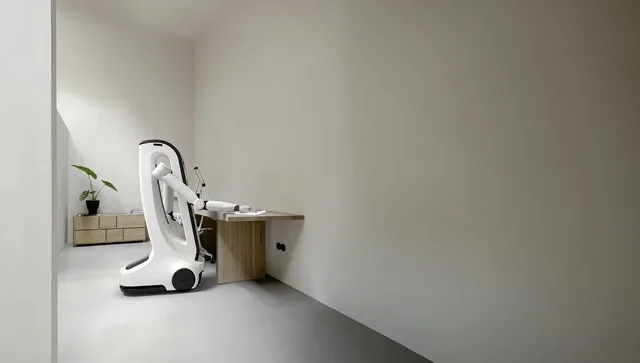
Home Assistants
MiPA
NEURA Robotics
€9,999
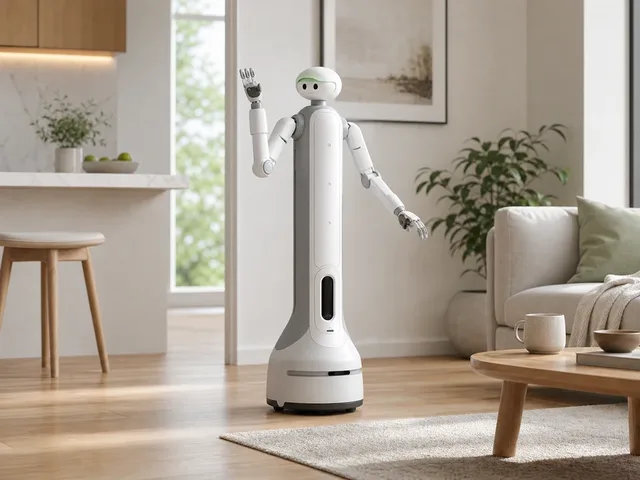
Home Assistants
onero H1
SwitchBot
$9,999
Home Assistants
Isaac 0
Weave Robotics
$3,999
Coverage
Reporting and explainers linked to W1.
Blog
2026-05-25 · ui44 Team
Kachaka Robot: Is Smart Furniture More Useful?
Blog
2026-04-30 · ui44 Team
Follow-Me Utility Robots: Home Helper Guide
Blog
2026-04-25 · ui44 Team
Noetix Bumi: $1,400 Humanoid Reality Check
Blog
2026-04-14 · ui44 Team
Zeroth M1: What to Know Before You Preorder
The W1 is a Home Assistants robot built by Zeroth Robotics. Zeroth Robotics W1 is a tracked mobile assistant that Zeroth launched for the US at CES 2026 and now lists on its official store. The robot is designed to follow users, transport gear, patrol indoor and outdoor spaces, and provide camera-based monitoring and portable power. Official product materials highlight a 20kg load capacity, 50kg traction rating, LiDAR and RGB-based perception, and terrain handling for grass, gravel, slopes, and other uneven ground.
At a listed price of $7,999, it positions itself in the premium segment of the home assistants market. See all Zeroth Robotics robots on the Zeroth Robotics page.
Detailed specifications for the W1
Height
680mm (26.8 in); official dimensions list Height (Top-Bottom): 680mmAt 680mm (26.8 in); official dimensions list Height (Top-Bottom): 680mm, the W1 is sized for its intended operating environment and use cases.
Weight
28kg (61.7 lbs)Weighing 28kg (61.7 lbs), the W1 balances structural integrity with portability and maneuverability.
Dimensions
578mm x 520mm x 680mm (front-rear x left-right x top-bottom)The overall dimensions of 578mm x 520mm x 680mm (front-rear x left-right x top-bottom) define the robot's physical footprint and determine what spaces it can navigate and what clearances it requires for operation.
Battery Life
Up to 25 hours standbyWith a battery life of Up to 25 hours standby, the W1 can operate for sustained periods before requiring a recharge. Battery life is measured under typical operating conditions and may vary based on workload intensity and environmental factors.
Charging Time
4 hoursA charging time of 4 hours means the ratio of operation to downtime is an important consideration for applications requiring near-continuous availability. Some deployments use multiple robots in rotation to maintain uninterrupted service.
Maximum Speed
0.1-1m/s on flat surfaces; 0.5m/s on slopesA top speed of 0.1-1m/s on flat surfaces; 0.5m/s on slopes is calibrated for the robot's primary operating environment and safety requirements.
Payload Capacity
20kg load capacity; 50kg tractionA payload capacity of 20kg load capacity; 50kg traction determines what the robot can carry or manipulate. This is a critical spec for practical applications where the robot needs to handle physical objects.
AI Platform
8-core Horizon Sunrise Series CPU with onboard autonomous navigation and perception stackThe W1 uses 8-core Horizon Sunrise Series CPU with onboard autonomous navigation and perception stack as its intelligence backbone. This AI platform powers the robot's decision-making, perception processing, and autonomous behavior. The sophistication of the AI stack directly impacts how well the robot handles unexpected situations and adapts to new environments.
The W1 integrates 8 sensor types, forming the perceptual foundation that enables autonomous operation.
This sensor configuration enables the W1 to perceive its environment and operate autonomously in its intended use cases. Multiple sensor modalities provide redundancy and more robust perception than any single sensor type alone.
Explore sensor technologies: components glossary · full components directory
Home assistant robots combine the functionality of a smart speaker, tablet, security camera, and telepresence device into a mobile platform that follows you or patrols your home. They represent the next evolution of smart home interaction.
The W1 offers 10 distinct capabilities, each contributing to the robot's practical utility.
These capabilities work together with the robot's 8 onboard sensor types and 8-core Horizon Sunrise Series CPU with onboard autonomous navigation and perception stack AI platform to deliver practical, real-world performance.
The W1 integrates with the following platforms and ecosystems, extending its utility beyond standalone operation.
This ecosystem compatibility enables the W1 to work as part of a broader automation setup rather than operating in isolation.
10
Capabilities
8
Sensor Types
AI
8-core Horizon Sunrise…
Gesture recognition allows the W1 to interpret human body language and hand movements as communication signals. Using its camera systems and computer vision algorithms, the robot can detect and interpret pointing gestures, waves, nods, shakes, and other non-verbal cues that form a natural part of human communication. This capability is particularly important for interactive and research applications where natural communication extends beyond spoken language. Gesture recognition complements the W1's conversation capabilities by providing additional context about human intent and emotional state, enabling more nuanced and appropriate responses.
How the W1 communicates with your network, smart home devices, cloud services, and companion apps.
The W1 by Zeroth Robotics integrates 14 distinct technology components across sensing, connectivity, intelligence, and interaction layers. The physical platform features a height of 680mm (26.8 in); official dimensions list Height (Top-Bottom): 680mm, a weight of 28kg (61.7 lbs), a top speed of 0.1-1m/s on flat surfaces; 0.5m/s on slopes, providing the foundation on which this technology stack operates.
The perception layer is built on LiDAR, 13MP RGB camera (shooting), 2MP RGB camera (monitoring), RGBD depth camera, Ultrasonic sensor, Human infrared sensor, GPS, Beidou. These work in concert to give the robot a detailed understanding of its operating environment. This multi-sensor approach provides redundancy and enables the robot to function reliably even when individual sensors encounter challenging conditions such as low light, reflective surfaces, or cluttered spaces.
For communications, the W1 relies on Dual-band Wi-Fi 6, Bluetooth 5.2, 4G, USB-C (60-120W output), USB-A (18W output). This connectivity stack ensures the robot can communicate with cloud services, local smart home devices, mobile apps, and other networked systems in its environment.
8-core Horizon Sunrise Series CPU with onboard autonomous navigation and perception stack serves as the computational brain, processing sensor data, making navigation decisions, and orchestrating the robot's autonomous behaviors. The quality of this AI platform directly influences how well the robot handles novel situations, adapts to changes in its environment, and improves its performance over time through learning.
Home assistant robots target households looking for a mobile smart home hub that can move between rooms, provide video communication, monitor the home, and assist with daily tasks. Early adopters and smart home enthusiasts are the primary market.
Mobility range, smart home platform integration, camera quality for video calls and monitoring, microphone/speaker quality for voice interaction, and the breadth of assistive capabilities are key. Consider privacy features (physical camera shutters, mute buttons) and whether the robot can navigate your home layout reliably.
Price Context
The W1 is currently available for purchase. Check the manufacturer's website or authorized retailers for the latest stock and ordering information.
Engineering compromises and where this home assistants robot excels
With 8 sensor types onboard, the W1 has one of the more comprehensive perception systems in the home assistants category. This multi-modal approach enables robust environmental awareness, redundant obstacle detection, and reliable autonomous operation even in challenging conditions. More sensor diversity generally translates to better real-world adaptability.
Supporting 5 connectivity protocols gives the W1 flexible integration options. Whether connecting to local smart home networks, cloud services, or companion devices, the breadth of connectivity ensures compatibility across a wide range of deployment scenarios and reduces the risk of network-related limitations.
With 10 distinct capabilities, the W1 is designed as a versatile platform rather than a single-task device. This breadth means the robot can handle varied scenarios and workflows, reducing the need for multiple specialized robots and increasing its utility across different situations.
A battery life of Up to 25 hours standby provides substantial operational runway. For home assistants applications, this means longer work sessions between charges, fewer interruptions, and the ability to complete larger tasks or cover more area in a single charge cycle.
With a payload capacity of 20kg load capacity; 50kg traction, the W1 can handle meaningful physical tasks. This capacity enables practical applications like carrying tools, transporting materials, or supporting equipment mounts that lighter robots simply cannot accommodate.
Unlike many robots that remain in development or prototype stages, the W1 is available for purchase today. This means you can evaluate the actual shipping product rather than making decisions based on projected specifications that may change before release.
Note: This strengths and trade-offs assessment is based on the W1's documented specifications as tracked in the ui44 database. Real-world performance depends on deployment conditions, firmware maturity, and environmental factors. For the most current information, check the Zeroth Robotics manufacturer page or visit the official product page. Use the comparison tool to evaluate these trade-offs against competing robots in the same category.
Understanding the engineering behind this category
Home assistant robots combine mobility, intelligence, and physical manipulation to perform tasks that stationary smart devices simply cannot. While a smart speaker can tell you the weather, a home assistant robot can bring you an umbrella. This emerging category represents the convergence of multiple robotic technologies — navigation, manipulation, AI, and human-robot interaction — into a single household platform.
Home assistant robots must navigate the complex, cluttered, and constantly changing environment of a lived-in home. They use LiDAR, cameras, and depth sensors to build and continuously update maps of the home interior, handling furniture rearrangements, opened or closed doors, and transient obstacles like shoes and toys. Path planning must account for the robot's size (including any carried objects), doorway widths, carpet transitions, and areas where humans are present. Advanced systems create semantic maps that understand room functions — knowing the kitchen from the bedroom enables context-appropriate behavior like adjusting movement speed or interaction style.
AI in home assistant robots must bridge the gap between high-level human instructions and low-level physical actions. When asked to bring a glass of water, the robot must understand the request, plan the task sequence (navigate to kitchen, find a glass, operate the tap, carry without spilling), and execute each step while handling unexpected situations. Foundation models and vision-language models are increasingly central to this task comprehension capability. The AI must also maintain context across interactions — remembering where items are usually kept, learning household routines, and anticipating needs based on time of day and activity patterns.
Home assistant robots require comprehensive perception that combines environmental mapping with object-level understanding. Cameras and depth sensors identify objects and their positions. Force sensors in hands and arms enable safe grasping and manipulation without crushing or dropping items. Proximity sensors prevent collisions during navigation, especially when carrying objects that extend the robot's footprint. Audio processing detects and localizes voice commands from anywhere in the home. Some robots include sensors for detecting spills, open doors, or unusual sounds that might indicate a problem requiring attention.
Home assistant robots face challenging power requirements due to the combination of mobility, computation, and manipulation. Battery technology limits operational time to several hours before recharging is needed. Smart power management prioritizes tasks by urgency and groups actions by location to minimize unnecessary movement. Autonomous docking and charging ensure availability when needed. Some designs use lighter-weight arms and efficient actuators to reduce power consumption during manipulation tasks. The ability to plan efficient routes through the home — minimizing backtracking and unnecessary movement — directly impacts how much useful work the robot can accomplish per charge cycle.
Operating a robot with arms and hands in a home with people requires extensive safety engineering. Force-limiting actuators prevent the robot from exerting dangerous grip or impact forces. Speed reduction in the presence of detected humans protects against collision injuries. Object-drop prevention systems ensure the robot does not release carried items unexpectedly. Hot-liquid and sharp-object handling requires specialized grip and stability control. Emergency stop mechanisms allow any household member to immediately halt the robot. The system must fail safely — if power is lost while carrying an object, the gripper should default to a secure hold rather than releasing.
Home assistant robots are at an early but rapidly advancing stage. The convergence of foundation models (for understanding tasks), improved dexterous manipulation (for executing them), and decreasing hardware costs (for making them accessible) is accelerating development. Near-term advances will likely focus on specific task competency — robots that excel at a few useful tasks rather than attempting to do everything. As these capabilities mature and costs decrease, the scope of home assistant robots will gradually expand toward the vision of a truly general-purpose household helper.
The W1 by Zeroth Robotics incorporates many of these technology pillars. For a detailed look at the specific sensors and components used in the W1, see the sensor analysis and connectivity sections above, or browse the complete components glossary for explanations of every technology used across the robotics industry.
How this robot compares in the home assistants landscape
At $7,999, the W1 is positioned in the premium tier for home assistants robots. At this price point, buyers expect top-tier build quality, advanced features, and strong after-sales support.
With 8 sensor types, the W1 has an extensive sensor suite. This comprehensive sensing capability places it among the more perception-capable robots in the home assistants category, enabling more robust autonomous operation in varied conditions.
Being currently available for purchase gives the W1 a practical advantage over competitors still in development or prototype stages. Buyers can evaluate the actual product rather than relying on spec-sheet promises that may change before release.
Side-by-side specs, capability overlap analysis, and key differentiators.
For the full picture of Zeroth Robotics's portfolio and market strategy, visit the Zeroth Robotics manufacturer page.
What the public profile tells you, and what still needs direct vendor confirmation
From a buying and rollout perspective, the W1 should be read as a home assistants platform aimed at connected homes that want a mobile smart-home touchpoint. ui44 currently tracks 10 capability signals, 8 sensor inputs, and a last verification date of 2026-07-08. That mix gives buyers a useful first-pass picture, but it is still only the public layer of due diligence, especially when procurement, uptime, and support commitments are decided directly with Zeroth Robotics.
Commercial model
$7,999 list price
A published price gives buyers a starting point for budgeting, ROI modeling, and peer comparison before deeper vendor conversations begin.
Integration posture
5 connectivity options
The profile lists Dual-band Wi-Fi 6, Bluetooth 5.2, 4G, USB-C (60-120W output), USB-A (18W output), plus 8-core Horizon Sunrise Series CPU with onboard autonomous navigation and perception stack as the AI stack. That is enough to infer the basic network posture, but buyers should still confirm APIs, fleet management, and workflow integration details. ui44 currently tracks 4 declared compatibility links.
Spec disclosure
7/7 core specs public
The profile exposes the full operating-envelope set that ui44 tracks for this section, giving buyers a relatively clear starting point for technical validation.
The current profile is detailed enough to support early comparison work, shortlist creation, and cross-checking against other home assistants robots. It is still worth validating the final deployment package, because integration services, support coverage, software entitlements, and site-preparation requirements often sit outside the raw hardware spec sheet.
If you want a faster apples-to-apples read, compare the W1 against nearby alternatives in ui44's compare view, then cross-check the underlying AI, sensor, and subsystem terms in the components glossary. For manufacturer-level context, the Zeroth Robotics profile helps anchor this robot inside the wider product lineup.
Practical guide from day one through years of ownership
Home assistant robot setup involves physical placement, network configuration, environment mapping, and capability training. Place the charging dock in an accessible central location. Connect to your home Wi-Fi and smart home platform. Run the initial mapping session with all doors open and the home in its typical state. After mapping, configure room names, restricted areas, and any smart home integrations. For robots with manipulation capabilities, the setup may include teaching specific tasks by demonstration or configuring task parameters through the app. Expect to invest several sessions over the first week refining the robot's understanding of your home and preferences.
Home assistant robots combine the maintenance needs of mobile platforms with those of manipulation systems. Weekly tasks include cleaning sensors, checking wheels and arm joints for debris, and verifying gripper functionality. Monthly maintenance should cover thorough sensor cleaning, software updates, and calibration checks. If the robot handles food or liquids, clean any contact surfaces after each use according to the manufacturer's hygiene guidelines. Monitor battery performance over time and report any significant degradation to the manufacturer.
Home assistant robot software updates are particularly impactful because they can add entirely new task capabilities. A robot that launches with five core tasks might gain additional abilities through software updates as the manufacturer develops and validates new skills. Keep automatic updates enabled and review update notes to discover new capabilities you might not have known were added. Major platform updates may also improve task execution quality for existing capabilities — making the robot more reliable and efficient at tasks it could already perform.
Home assistant robots represent a significant investment, and proper care maximizes that investment's return. Avoid exceeding payload limits when the robot carries objects. Keep the operating environment reasonably tidy to reduce navigation challenges. Maintain clean, unobstructed sensor surfaces for reliable operation. For robots with arms, avoid forcing joints beyond their range of motion. Address any unusual sounds or behaviors promptly — early intervention prevents small issues from becoming expensive repairs. Consider a manufacturer service plan for access to priority support and replacement parts.
For Zeroth Robotics-specific support resources and documentation, visit the Zeroth Robotics page on ui44 or check the manufacturer's official website at Zeroth Robotics's product page.
All W1 data on ui44 is verified against official Zeroth Robotics sources, including spec sheets, product pages, and press releases. Last verified: 2026-07-08. Official source: Zeroth Robotics product page. If you find outdated or incorrect information, please let us know — accuracy is our top priority.
See how the W1 stacks up — compare specs, browse the home assistants category, or search the full database.