Update, October 11, 2026: This guide replaces its earlier price-led framing with current manufacturer documentation. We have not verified a current exact price from a primary source, so Bumi's price is unknown here. This is not a current preorder or delivery offer. The specifications below describe the current documents; they do not establish when any hardware revision occurred.
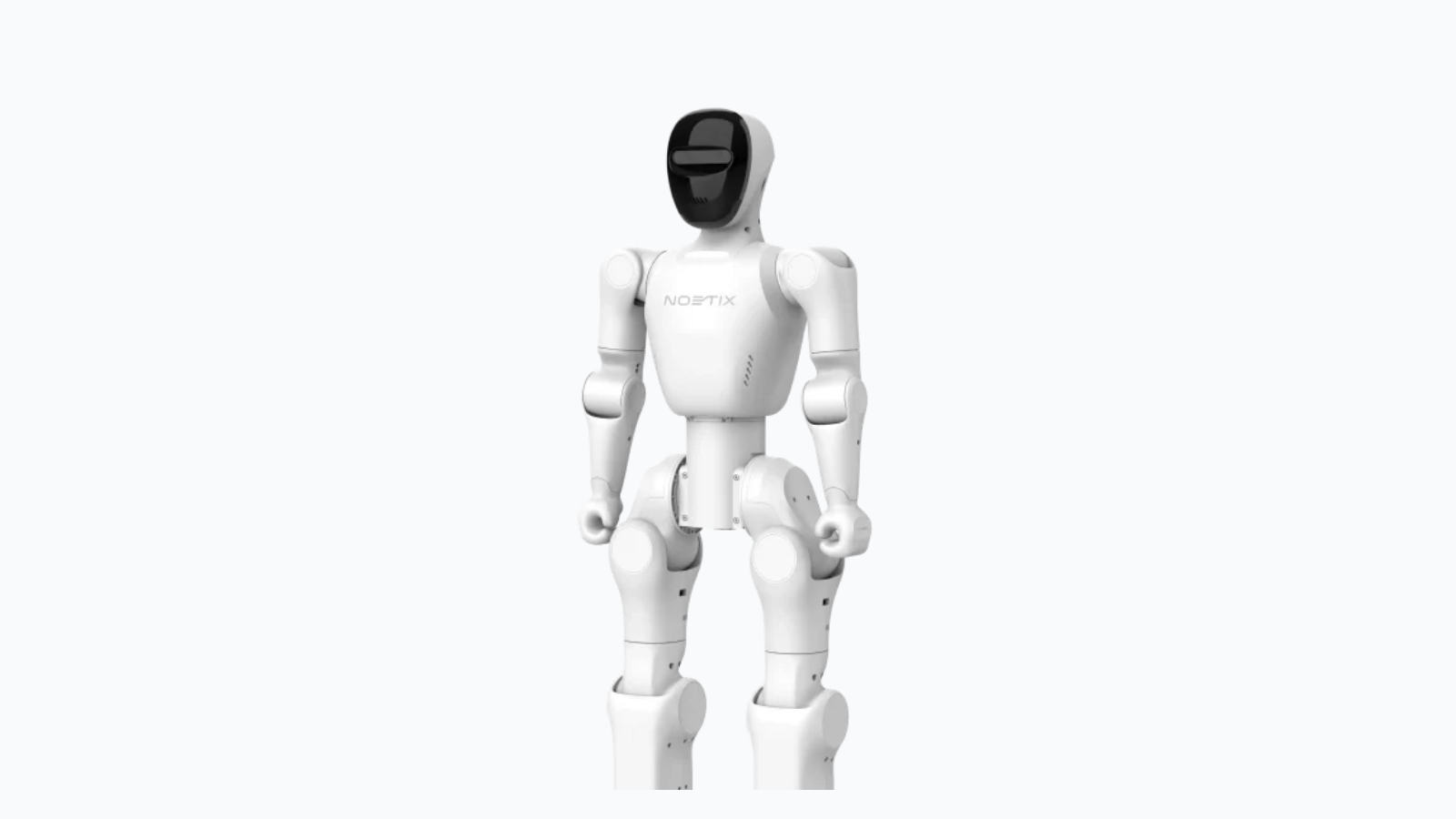
Earlier manufacturer imagery. Confirm the exact version and supplied hardware against the current offer.
What the current Bumi specifications say
The official product page lists Lite, Pro, EDU-Air, EDU-Pro and EDU-Max. Its configuration table gives the same basic dimensions and battery specifications across those versions. The comprehensive manual identifies the weight as including the battery. Both were checked October 11, 2026.
Item
Standing dimensions
- Manufacturer-listed specification
- 98 × 35 × 20 cm
Item
Weight
- Manufacturer-listed specification
- Approximately 17 kg, including battery
Item
Joint degrees of freedom
- Manufacturer-listed specification
- 21
Item
Battery
- Manufacturer-listed specification
- 48 V, 5.1 Ah
Item
Runtime
- Manufacturer-listed specification
- 2–3 hours; not a measured household-task result
Item
Current exact price
- Manufacturer-listed specification
- Unverified
| Item | Manufacturer-listed specification |
|---|---|
| Standing dimensions | 98 × 35 × 20 cm |
| Weight | Approximately 17 kg, including battery |
| Joint degrees of freedom | 21 |
| Battery | 48 V, 5.1 Ah |
| Runtime | 2–3 hours; not a measured household-task result |
| Current exact price | Unverified |
These figures help with storage and session planning. They do not tell you how long a particular lesson will run, how reliably a motion will repeat, or whether the robot can navigate your room. Plan around the intended activity and leave room for setup and interruptions rather than treating the runtime figure as a promise of uninterrupted work.
Choose a version by the development work you need
The product table distinguishes additional compute hardware:
Version
Lite
- Listed additional compute module
- None
Version
Pro
- Listed additional compute module
- None
Version
EDU-Air
- Listed additional compute module
- None
Version
EDU-Pro
- Listed additional compute module
- NVIDIA Jetson Orin Nano Super
Version
EDU-Max
- Listed additional compute module
- NVIDIA Jetson Orin NX
| Version | Listed additional compute module |
|---|---|
| Lite | None |
| Pro | None |
| EDU-Air | None |
| EDU-Pro | NVIDIA Jetson Orin Nano Super |
| EDU-Max | NVIDIA Jetson Orin NX |
“No additional compute module” does not mean the robot has no onboard control computer. It means that the named development module is absent from that configuration. Do not buy an EDU-labelled version assuming every EDU option contains the same hardware.
Documentation conflicts to resolve before ordering
The manual, product table and official FAQ do not agree on every detail. These differences matter when choosing a version.
Question
Development access
- What remains unresolved
- Product/manual distinguish upper-level access for standard and EDU, with lower-level access for EDU; FAQ Q51 describes Pro as lower-level only.
Question
EDU-Max memory
- What remains unresolved
- Manual lists Orin NX with 16 GB; FAQ says 8 GB.
Question
Supplied charger
- What remains unresolved
- Manual lists a 350 W maximum charger; FAQ lists 54.6 V, 2 A, approximately 110 W.
Question
Camera configuration
- What remains unresolved
- Standard is DC_V93, not a depth camera. EDU documentation uses both D435i and D435ICB labels, with an EDU-Air exception in the manual.
| Question | What remains unresolved |
|---|---|
| Development access | Product/manual distinguish upper-level access for standard and EDU, with lower-level access for EDU; FAQ Q51 describes Pro as lower-level only. |
| EDU-Max memory | Manual lists Orin NX with 16 GB; FAQ says 8 GB. |
| Supplied charger | Manual lists a 350 W maximum charger; FAQ lists 54.6 V, 2 A, approximately 110 W. |
| Camera configuration | Standard is DC_V93, not a depth camera. EDU documentation uses both D435i and D435ICB labels, with an EDU-Air exception in the manual. |
Upper-level control schedules factory motions; lower-level control addresses the motors. Access to one does not establish access to the other.
Ask Noetix or the seller to identify which document applies to the quoted unit. For development access, request a matching example and its prerequisites. For memory and cameras, request the actual component designation. For charging, confirm the supplied charger and follow the instructions for that unit; the two published ratings are not a basis for choosing a replacement yourself.
Conversation is not movement control
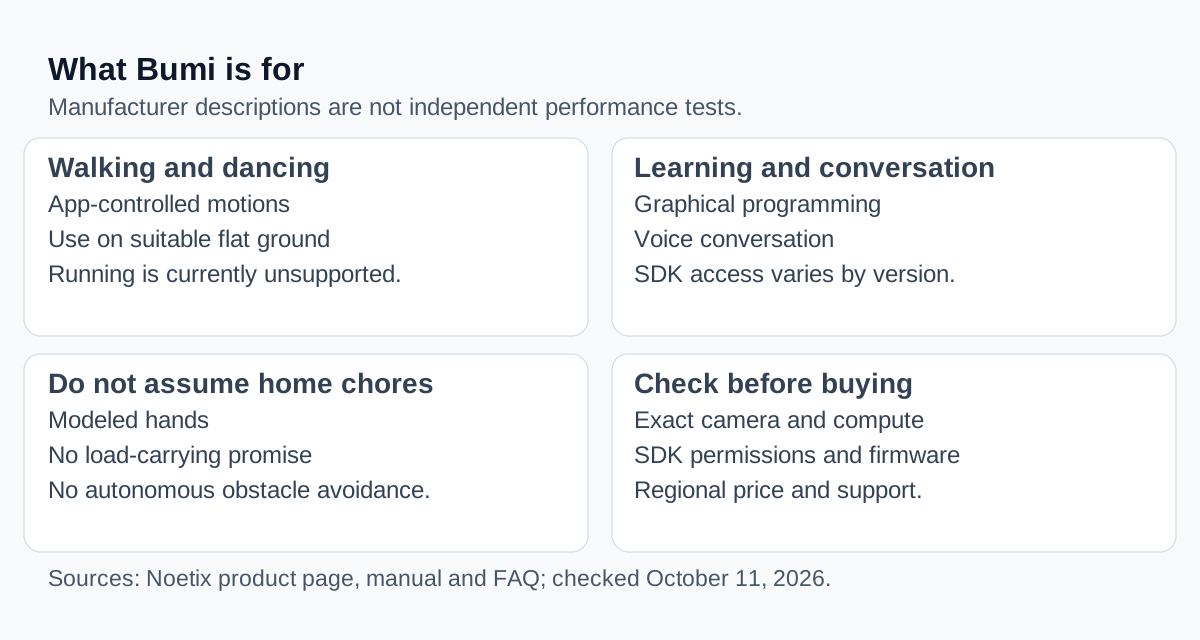
The FAQ describes voice interaction but says voice-controlled movement and VLA are unsupported. It also says Bumi has no running, autonomous following, automatic obstacle avoidance or stair capability. Basic standing and walking can be controlled through the app over Bluetooth without internet; voice interaction needs a network. Charging is described as approximately 1–2 hours.
That distinction matters when planning a demonstration. Asking the robot a question is not the same interaction as directing it to walk somewhere. Treat the conversational and movement interfaces as separate parts of the product, and verify each in the intended setup. A successful conversation cannot stand in for a demonstration of navigation.
What this means for household chores
Noetix's FAQ says the hands are shaped rather than load-carrying hands, discourages adding hand or back loads, and says the series does not support dexterous-hand accessories. It also advises against children operating alone. Those limits matter more to a household task than the robot's silhouette.
Do not turn a movement demonstration into a promise to carry groceries or clear a table. Identify the physical operation first: grasping an object, supporting its weight, moving it through a room and releasing it at a destination are separate requirements. A robot being able to walk does not answer the others.
Compare configurations, not an unverified price ladder
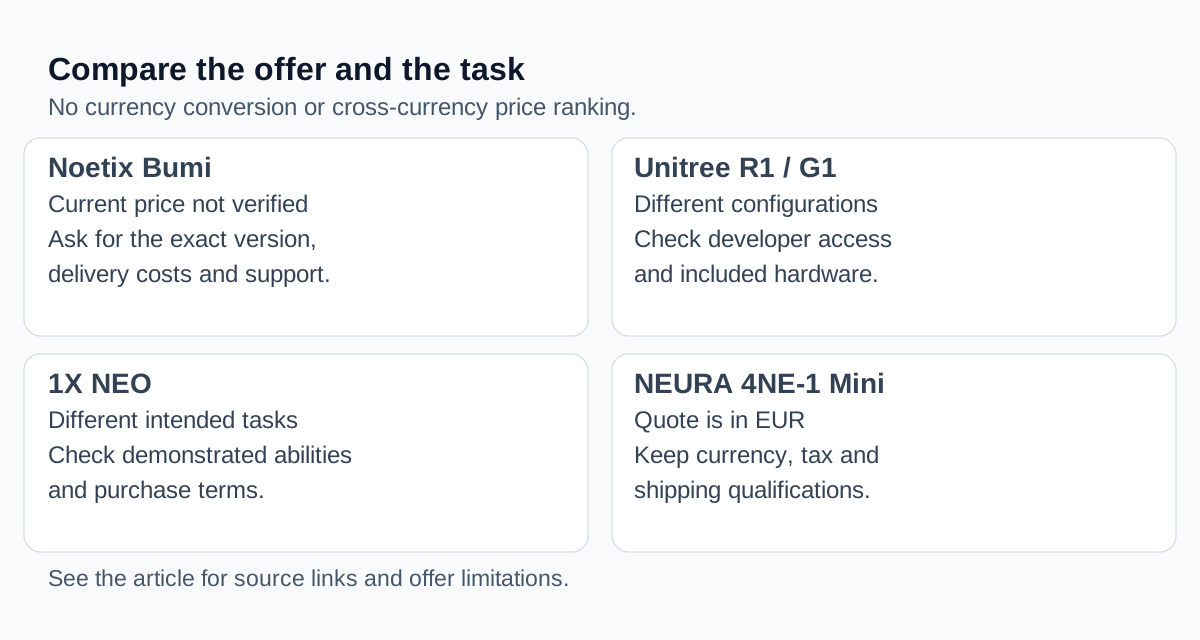
Use Bumi's profile and the humanoid catalog to build a shortlist. Without a verified Bumi offer, there is no sound basis here for calling it the cheapest option or calculating a price multiple against another robot.
If considering Unitree R1 or Unitree G1, compare the exact development configuration, interfaces and supplied hardware. If considering NEURA 4NE-1 Mini or 1X NEO, check the current manufacturer terms and the tasks being offered before treating either as a substitute. These links are starting points for investigation, not a ranking of capability or value.
Is Bumi right for your project?
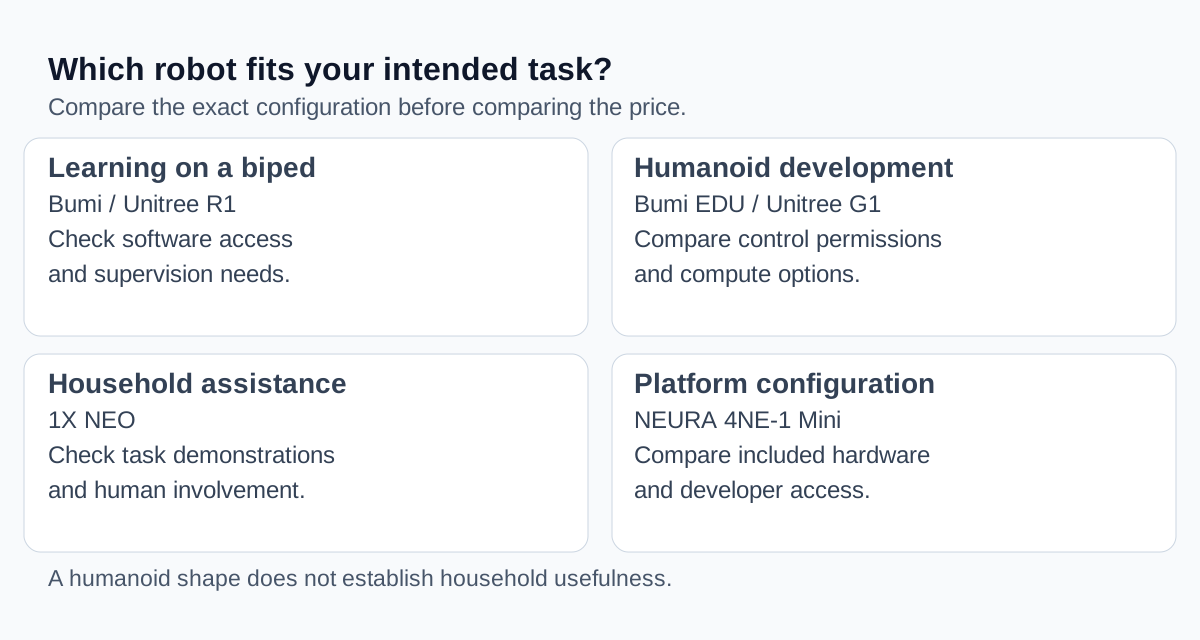
Bumi is worth investigating when your goal is to work with a compact humanoid's motion and interaction functions, and you can match those functions to a specific configuration. It is a poor fit for a buying decision that depends on undocumented autonomous chores, running, following or carrying objects.
Before paying, confirm:
- The exact version, included components and software access needed for your intended activity.
- A written offer in its original currency, including delivery costs and the destination it covers.
- Service and spare-parts arrangements, plus the process for a failed or incompatible unit.
Leave any unresolved feature out of your purchase justification until the seller confirms it for the unit you would receive.
Compare Bumi, Unitree R1 and Unitree G1 to inspect their recorded specifications, then return to the manufacturers for the current offer and configuration details.
Written by
ui44 Team
Published April 25, 2026
Share this article
Open a plain share link on X or Bluesky. No embeds, no widgets, no cookie baggage.