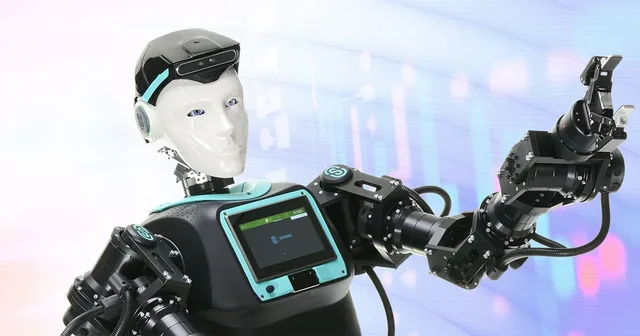
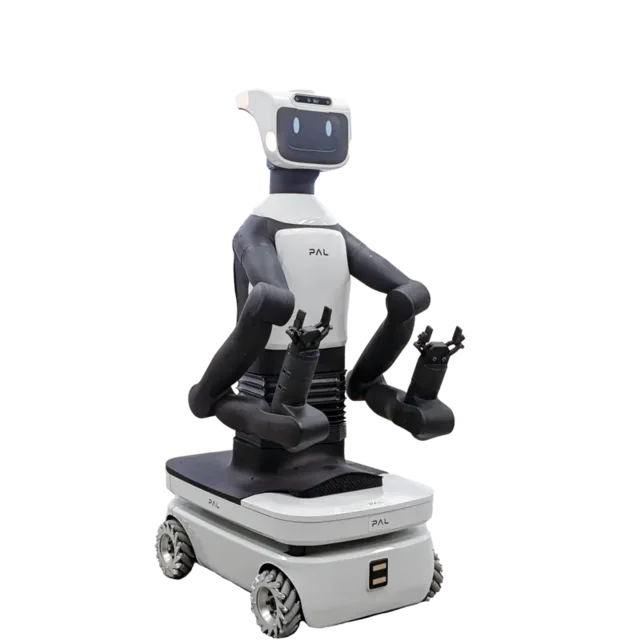
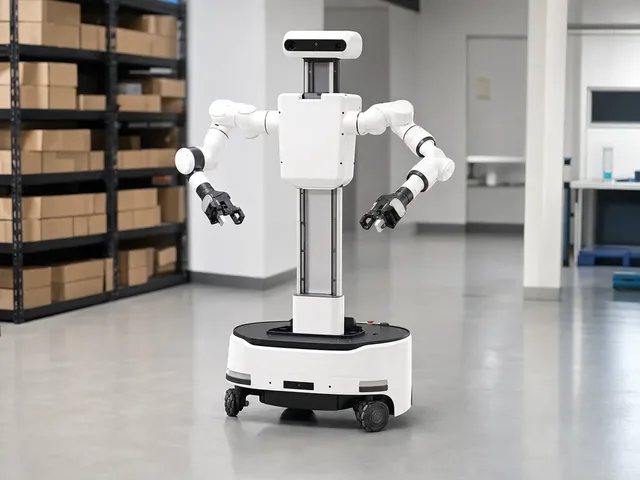
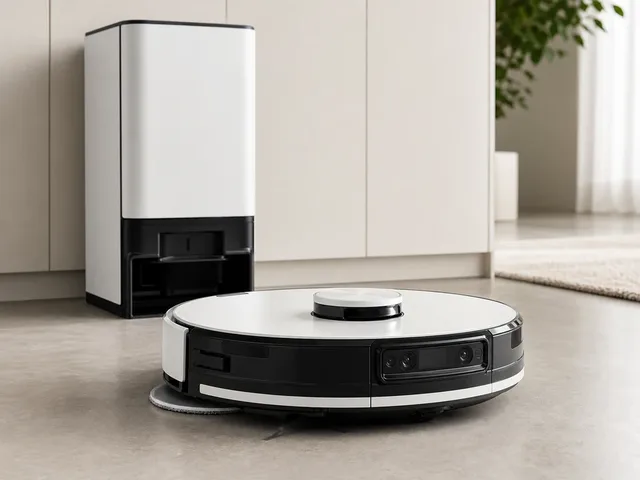
Find the right robot without browsing blind.

Search is the fastest route on ui44 for high-volume scanning: robot names, manufacturers, categories, capabilities, sensors, connectivity, and AI stacks all surface in one workspace that stays usable on mobile, laptop, and 4K.

Clear
409 robots indexed 9 categories <1s live refresh

Search results

Type a query to see live matches across the entire index of robots, or clear it to browse by category and find what you need through structured directory navigation.

Updating results...

Live results

124 results for "LiDAR"

Match labels show why each robot surfaced for this query. The result deck stays dense enough to scan fast while keeping individual entries distinct and readable.

Page 10 of 11
Cleaning | Primech AI

HYTRON

HYTRON is Primech AI's autonomous restroom-cleaning robot for high-traffic commercial facilities. Official materials describe a compact mobile manipulator that cleans toilets, urinals, sinks, mirrors, countertops, and targeted floor areas rather than acting as a generic floor scrubber. Primech's CES 2026 launch release lists a 400 mm universal-access width, on-device NVIDIA Jetson Orin Super AI processing, adaptive 2D navigation, obstacle detection, fixture-level cleaning, self-charging, automatic water management, door navigation, electrolyzed-water/e-water jet cleaning, and independently tested disinfection performance exceeding 99% bacterial reduction. Primech said mass production would begin in Q1 2026, and a May 2026 three-year Singapore public-sector lease marked HYTRON's first recurring-revenue live commercial deployment; public pricing and most physical specifications remain undisclosed.

Sensor

Price

Public unit pricing has not been disclosed. Primech AI describes HYTRON as an enterprise Robotics-as-a-Service/leasing deployment, with a three-year Singapore public-sector lease announced in May 2026 and demo/preorder interest routed through Primech.

View robot
Dex
Humanoid | Richtech Robotics

Dex

Dex is Richtech Robotics' wheeled mobile humanoid robot for industrial and commercial work. Richtech officially unveiled Dex in October 2025, then planned CES 2026 demonstrations after a GTC Washington DC first look. The platform combines the AMR base lineage of Richtech's Titan delivery robots with the dual-arm manipulation lineage of ADAM, using modular end-effectors for hands, clamps, or specialized tools. Official releases describe NVIDIA Jetson Thor acceleration, Isaac Sim/Isaac Lab training workflows, a four-camera vision system, four hours of mobile runtime, and 24/7 operation from a static base; customer deployments and pricing have not been publicly confirmed.

Sensor

Price

No public pricing announced; Richtech invited companies to contact it for Dex pilot opportunities and deployment discussions.

View robot
Humanoid | Robot.com

R-noid

R-noid is Robot.com's wheeled humanoid labor platform for commercial kitchens, packing lines, picking stations, laundries, warehouses, lodging, and hosted guest interactions. It combines a holonomic mobile base with dual 7-DOF arms, a 4-DOF torso, modular end effectors, 0 to 1.9 m vertical reach, and autonomous or VR-teleoperated modes. Robot.com launched R-noid at Automate 2026 as five initial solution categories: restaurant assistant, packer, picker, folder, and host. Official and industry coverage describe active lighthouse deployments, including a packer installation at a golf course, and a deployment model that can move from site visit to autonomous on-site operation in roughly 8 to 12 weeks. The robot uses onboard NVIDIA/AMD compute, FieldAI foundation models, Physical Intelligence's pi0.7 vision-language-action model for manipulation, and Robot.com's R-soul expression and behavior system for intent, status, and conversational presentation.

Sensor

Price

No public price has been disclosed. Robot.com positions R-noid as a sales-led Robot-as-a-Service deployment, with site evaluation, data capture, teleoperation, and autonomy steps before customer operation.

View robot
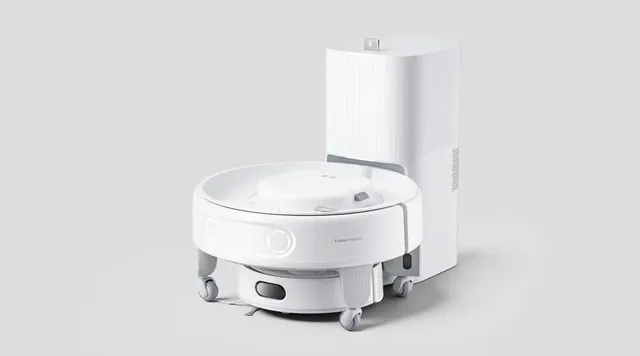
Bespoke AI Jet Bot Steam Ultra
Cleaning | Samsung

Bespoke AI Jet Bot Steam Ultra

Samsung's flagship robot vacuum for 2026, first previewed at IFA 2025 and detailed at CES 2026. The Bespoke AI Jet Bot Steam Ultra is the first Samsung robot vacuum to feature 100°C steam cleaning, combining vacuuming, mopping, and steam sanitization in a single autonomous device. Powered by a Qualcomm Dragonwing AI processor, it uses deep learning for AI Object Recognition to distinguish between humans, pets, cables, and rugs, and introduces AI Liquid Recognition that detects liquid spills and contextually decides whether to clean or avoid them based on user preferences. The EasyPass Wheel system raises the robot's body and lowers its wheels to climb thresholds up to 2.4 inches, addressing one of the most common robot vacuum limitations. Additional features include AI Floor Detect, Stained Area Deep Cleaning, a self-cleaning Clean Station, SmartThings Pet Care, Safety Patrol with Bluetooth call, Bixby voice control, and Samsung Knox security. Samsung Korea lists package SKU VR90F01AAG98C in stock at ₩1,907,000 KRW, making current availability and pricing Korea-specific.

Sensor

Price

₩1,907,000

View robot
Commercial | Sphaira

MOBY A1

MOBY A1 is Sphaira's autonomous one-person shuttle concept for intra-hospital patient and visitor transport. The system builds on Sphaira's MOBY platform and targets low-speed, high-stakes indoor environments such as hospitals, using a hospital-optimized H-frame, app and API integration, 360-degree redundant perception, Nvidia-powered onboard AI, human-motion trajectory prediction, mapping, perception, prediction, control, and remote teleguidance for difficult edge cases. Sphaira says it is developing autonomous on-campus transport for non-bedridden patients at Universitätsklinikum Schleswig-Holstein, while a reported Mayo Clinic design-input agreement focuses on Sphaira's one-person shuttle and guidance robot for clinical workflows and early validation.

Sensor

Price

Public pricing has not been disclosed; Sphaira presents MOBY A1 as a hospital-development and pilot platform rather than a consumer product.

View robot
K20+ Pro
Cleaning | SwitchBot

K20+ Pro

SwitchBot's modular home robot, unveiled at CES 2025 and shipping since mid-2025. At its core is a compact robot vacuum, but what sets the K20+ Pro apart is its FusionPlatform — a wheeled circular base that clips onto the vacuum via a mechanical ClawLock system. The platform can carry up to 8 kg and accepts various SwitchBot accessories: a pan/tilt security camera for mobile home monitoring, an air purifier for room-to-room filtration, a circulator fan, or even a cordless stick vacuum. It also supports third-party devices via USB-C power ports, and SwitchBot encourages 3D-printed custom attachments. The robot navigates with DToF laser radar and triple laser obstacle-avoidance sensors for centimeter-level obstacle avoidance. It works with Alexa, Google Assistant, Siri Shortcuts, and Matter-compatible smart home setups. Rather than trying to build a humanoid, SwitchBot took a practical approach: make existing home devices mobile.

Capability

Price

$699

View robot
Watchbot 2
Security & Patrol | Star Robotics

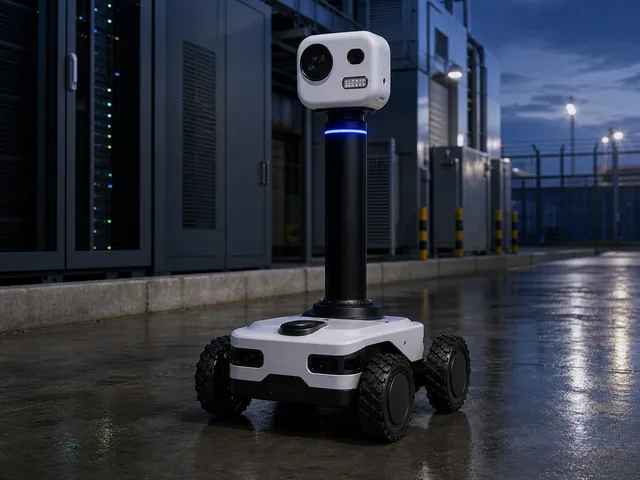
Watchbot 2

Watchbot 2 is Star Robotics' autonomous security and inspection robot for facilities such as data centers, power infrastructure, industrial sites, and public spaces. Star Robotics' official Watchbot page describes a 100% autonomous surveillance robot with high-resolution cameras, artificial intelligence, thermal sensing, rugged indoor/outdoor mobility, and up to 16 hours of autonomy. The April 2026 Watchbot 2 launch added a redesigned higher-capacity battery system, upgraded low-light lighting, a new 360-degree camera module, clearer audio hardware, GPS-supported outdoor positioning, improved obstacle/drop/stair detection, multimodal mapping, and modular service access for motors and batteries. Star Robotics' May 2026 PTZ update adds pan, tilt, and optical zoom for detailed inspections, improved low-light and night surveillance using active lighting and a higher-sensitivity 360° camera module, plus upgraded microphone and speaker hardware for noisy environments.

Sensor

Price

Enterprise/security-deployment pricing has not been publicly disclosed; contact Star Robotics for commercial deployments.

View robot
CUE7
Humanoid | Toyota

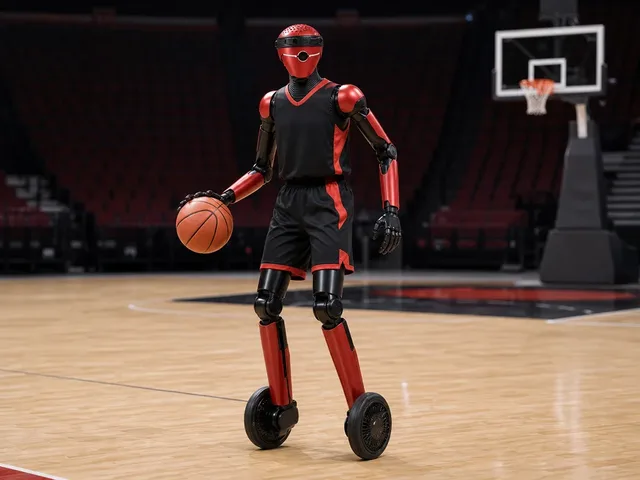
CUE7

Toyota's seventh-generation CUE basketball humanoid, publicly debuted at an Alvark Tokyo home game in April 2026 and profiled by Toyota Times in May 2026. CUE7 is described as a full model change for the AI basketball robot program: beyond shooting, it can move around the court and dribble with smoother, more human-like motion. The robot is a Toyota research and demonstration platform rather than a commercial product.

Sensor

Price

Research/demo platform; no public sale path or price announced.

View robot
Walker S
Humanoid | UBTECH

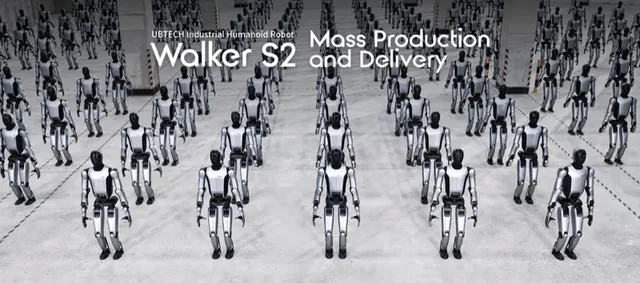
Walker S

UBTECH's humanoid robot deployed at NIO automobile factories. Designed for industrial and service applications. One of the more mature Chinese humanoid platforms.

Sensor

Price

No public pricing (enterprise/industrial)

View robot
H1
Humanoid | Unitree

H1

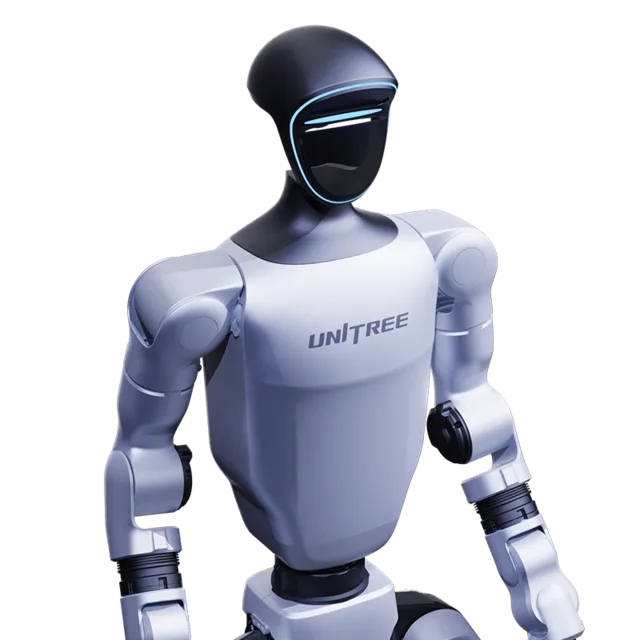
Unitree's full-size humanoid robot with impressive dynamic locomotion and world-record walking speed. Listed on shop.unitree.com with 5,500+ units shipped across research and enterprise customers. Known for fast walking/running and terrain adaptation.

Sensor

Price

Official shop displays $90,000.00 USD but labels H1 'Contact us for the real price'; contact sales for final quote

View robot
G1
Humanoid | Unitree

G1

Unitree's compact, affordable humanoid robot designed for research and development. At just 132cm tall and 35kg, the G1 offers 23 degrees of freedom with optional dexterous three-fingered hands (Dex3-1). Available in standard and EDU variants, with the EDU version supporting up to 43 DOF, NVIDIA Jetson Orin computing, and full secondary development capabilities.

Sensor

Price

$13,500

View robot
B2
Quadruped | Unitree Robotics

B2

Unitree's industrial-grade quadruped robot built for demanding real-world applications including emergency rescue, industrial inspection, and power line patrol. The B2 is the fastest running industrial-grade quadruped robot at over 6 m/s, with 360 N·m joint torque, a standing load capacity of 120+ kg, and continuous walking load over 40 kg. Features IP67 ingress protection, an operating temperature range of -20°C to 55°C, and optional wheel-legged hybrid locomotion. Supports autonomous charging and plug-in battery swap for extended deployment.

Sensor

Price

Official Unitree shop lists B2 at $100,000 USD but marks the variant unavailable; purchasing should be confirmed through enterprise sales.

View robot

Next step after "LiDAR"

Turn 124 search results into an actual decision.

Once the deck stops feeling noisy, stop typing and change tools: compare finalists side by side, widen into a category map, or sanity-check the manufacturer context before committing to the shortlist.

Open compare

Reading the result deck

Stop searching once the shortlist starts to repeat.

124 results is usually enough to expose the right cluster. The next lift should come from structured comparison, not from typing more words into the same field.

1. Trim

Drop the obvious mismatches by maker, price, or category.

2. Open

Open the best 2-4 robots in parallel for deeper spec context.

3. Compare

Use compare once the decision is a tradeoff, not discovery.

Need a broader view?

Switch tools when the question changes.

Search wins when you know the signal. Directory routes win when you need a map of the entire field. Use both deliberately instead of forcing one tool to do both jobs badly.

Search playbook

The search indexes every attribute of 409 robots — names, manufacturers, categories, capabilities, sensors, connectivity, and AI stacks. Here is how to get the best results.

Query examples

The search indexes every attribute of all 409 robots — names, manufacturers, categories, capabilities, sensors, connectivity, and AI stacks.

Search query examples
Search for Example Finds
Robot nameOptimusTesla Optimus and similar names
ManufacturerUnitreeAll Unitree Robotics robots
CategoryhumanoidHumanoid category robots
Capabilityvoice interactionRobots with voice interaction
SensorLiDARRobots with LiDAR sensors
ProtocolMatterRobots supporting Matter

Price Sorting

No price filter in search? Sort results on the all robots page by price low-to-high or high-to-low.
1

Priority matching

Name matches rank highest, then manufacturer, then categories, sensors, and capabilities.

2

Cross-field matching

Multi-word queries match across fields — "Boston Dynamics quadruped" hits maker + category simultaneously.

3

Live refresh

Results update as you type with sub-second response — start broad, add specificity, watch the deck narrow.

4

Research workflow

Search → open 2–4 promising robots → compare finalists → check maker context.

Research strategies

The right search approach depends on your role and what decision you need to make. These strategies cover the most common research patterns.

Research strategies by role

Whether you are a consumer researching your first robot purchase, a journalist covering the robotics industry, an engineer evaluating competitive products, or an investor assessing market opportunities — the right search strategy depends on what signal you are tracking and what decision you need to make next.

First-time buyer

Start broad: try "cleaning robot" or "companion robot" for an overview of what is available. Review prices and features across multiple results, then narrow with specific terms like sensor types or brand names. The categories page has buyer guides with price ranges for each robot type to help set expectations.

Upgrading a robot

Search for features you wish your current robot had — "LiDAR navigation," "auto-empty," "voice control," or "obstacle avoidance." Compare your current model against candidates using the comparison tool to evaluate whether the upgrade justifies the cost. Pay attention to connectivity protocol changes — newer robots may use Matter instead of proprietary apps.

Tech enthusiast

Search cutting-edge terms: "bipedal locomotion," "force torque sensor," "large language model," or "ROS 2." Combine with status filters on the all robots page to distinguish currently available products from development-stage prototypes and pre-order models. The components directory provides deeper technical context on unfamiliar sensors and AI platforms.

Commercial buyer

Search deployment scenarios: "warehouse automation," "logistics," "reception desk," or "security patrol." Check manufacturer profiles for enterprise support options, fleet management capabilities, and commercial pricing arrangements for bulk deployments. Regional context matters — the countries directory shows production hubs and import considerations.

Research by technology

Search for component names like "LiDAR," "NVIDIA Jetson," "ROS 2," or "Matter" to find robots built on specific platforms. See the components directory for structured technology views and component trends for adoption momentum data over the past 30 days.

Research by use case

Search for the task rather than the product: "mopping," "lawn mowing," "security patrol," or "elderly care" surfaces robots designed for those applications. Cross-category queries like "security" can reveal surprising alternatives — dedicated security robots, companion robots with surveillance features, and quadrupeds with patrol capabilities all appear in one search.

Research by region

Search "Japan," "Chinese," or "European" to find robots from specific markets. The countries directory offers a structured geographic view with production hubs, manufacturer density, and regional market leaders for deeper comparison.

Complete research workflow

1

Explore categories

Understand the robotics landscape and identify which robot type matches your need.

2

Search candidates

Build a list of 3–5 promising results by name, capability, or sensor type.

3

Deep-dive profiles

Review full specifications, sensor breakdowns, and capability analysis on each candidate.

4

Compare finalists

Put top picks side by side with the comparison tool to highlight tradeoffs.

5

Research maker

Evaluate the company track record, portfolio breadth, and support infrastructure.

6

Check technology

Use the components directory to understand unfamiliar sensors, AI platforms, and connectivity protocols.

When to use search vs other tools

When to use search versus browse
Use search when Use browse when
You know the robot name, maker, or a specific technology keywordYou need to understand the full market landscape first
You want fast results across the entire database in one queryYou want buyer guides with price ranges and recommendations
You are validating whether a specific sensor or protocol existsYou want to compare regional markets or manufacturer portfolios
You need shareable, bookmarkable result URLs for laterYou want structured side-by-side specification comparison

Cross-category discovery

One of the most valuable but underused search strategies is cross-category exploration. Searching across categories can reveal surprising alternatives you might not have considered:

  • Security needs? Searching "security" surfaces dedicated security robots, companion robots with surveillance features, quadrupeds with patrol capabilities, and cleaning robots with built-in cameras.
  • Specific sensor? Searching "camera" shows robots from every category that include cameras — from vacuums to humanoids to security bots — revealing technology adoption patterns across the market.
  • Budget comparison? Searching a price range or budget term can surface robots across categories that compete for the same spending decision, even if they serve different purposes.

Saving and sharing research

Bookmarkable URLs

Every search generates a permanent URL. Bookmark it, share it with colleagues, or paste it into a team chat — the same URL always shows the latest data for that query.

Multi-device research

Start on your laptop, continue on your phone. Search URLs work everywhere. Open candidate detail pages in parallel tabs for efficient comparison across devices.

Compare integration

Once your shortlist is small enough, move directly to the comparison tool for structured spec-by-spec analysis. The compare page also supports shareable URLs for team purchase decisions.

Search help

The practical questions people hit most often once they start narrowing the shortlist.

Frequently Asked Questions

What can I search for on ui44?
You can search across all 409 robots by name, manufacturer, category, capability, sensor type, connectivity option, or any keyword that appears in a robot's profile. The search indexes every attribute in the database for comprehensive results.
Why am I getting no results?
If your search returns no results, try simplifying your query. Use single keywords rather than phrases, check for typos, and try synonyms (e.g., "vacuum" instead of "cleaning robot"). You can also browse by category or manufacturer.
Can I filter search results by price?
The search page does not include a numerical price filter, but you can use the all robots page which offers category, manufacturer, and price sorting together.
Do search results update in real time?
Yes, results update as you type with a short debounce delay to balance responsiveness with efficiency. There is no need to press Enter or click a search button — just start typing and results appear automatically. You can also press Enter or click Search for an immediate update. The result cards are rendered server-side and delivered via HTMX partial updates, meaning only the search results section refreshes without disturbing the rest of the page.
How is search relevance determined?
Results are ranked by match quality across multiple data dimensions. The relevance algorithm prioritizes exact matches in high-importance fields — a robot name match ranks higher than a description mention, which ranks higher than a sensor or capability match. Multi-word queries are evaluated as a combined search, matching across any combination of fields. For example, searching "Boston Dynamics quadruped" surfaces robots from Boston Dynamics in the quadruped category.
Can I search by technical specifications?
Yes — search for specific sensor names, connectivity protocols, AI platforms, or capability keywords. For example, searching for "LiDAR" returns all robots that include LiDAR sensors, while "Matter" surfaces robots supporting the Matter smart home protocol. For structured technical browsing, the components directory provides dedicated pages for each technology with complete robot compatibility lists and detailed technical explanations.
Does search include robots not yet available for purchase?
Yes, the search indexes every robot in the database regardless of availability status. Results include robots that are Available, in Pre-order, in Development, and in Prototype stages. Each result card displays the robot's current status so you can quickly identify which results represent products you can buy today versus those still in development. To limit results to only purchasable robots, use the status filter tabs on the all robots page.
How often is the search data updated?
The search index is rebuilt whenever the database is updated, ensuring that new robots, updated specifications, and changed prices are immediately searchable without delay. Each robot detail page shows a "last verified" date so you can assess data freshness for any specific result. Available products are prioritized for frequent verification, ensuring that purchase-ready robots have the most current information.
Can I share or bookmark my search results?
Yes, every search query generates a shareable URL that preserves your exact search terms and results. You can bookmark searches to revisit later, share specific search results with colleagues evaluating robots together, or save a set of search URLs as a lightweight research project. The URL-based approach ensures your research is reproducible — the same URL always shows the latest data.
What is the best way to narrow down search results?
Start with a broad term and progressively add specificity. For example, typing "robot" shows everything, adding "cleaning" narrows to cleaning robots, and adding a manufacturer name further refines to that company's products. You can also combine search with other tools — identify candidates through search, then use the comparison tool to evaluate your shortlist side by side across all specification dimensions.
Should I use search or browse to find robots?
Use search when you have a specific keyword, name, manufacturer, or technology in mind — it is the fastest way to surface candidates from the entire database in one action. Use browse routes when you need market context: the categories page for understanding robot types and buyer guides, the manufacturers page for company-level research, and the comparison tool for final tradeoff analysis. Most effective research workflows use both: search to discover, browse to contextualize.
Can I search by price range?
Direct price-range filtering is not available in search. However, you can search by category (e.g., "cleaning robot") to see the full price spread, then sort by price on the all robots page for structured price browsing. Many category pages also include price distribution tables showing typical price ranges for budget, mid-range, and premium segments within that robot type.
How do I compare robots after searching?
Once your search results narrow to a manageable shortlist, open the most promising 2–4 robots in separate tabs and review their full detail pages. Then use the comparison tool to place up to 4 robots side by side across every specification dimension — price, sensors, capabilities, connectivity, battery life, dimensions, and AI stack. The comparison view highlights differences that are hard to spot across separate detail pages.
Does search work on mobile?
Yes, search is fully responsive and works on mobile, tablet, and desktop. On smaller screens, the search input is prominently placed at the top of the page, result cards stack vertically for easy scrolling, and all quick-start tags and category chips remain tappable. Every search generates a bookmarkable URL, so you can start research on your phone and continue on your laptop without losing context.
How do I find robots from a specific country?
You can search by country name or nationality — "Japan," "Chinese," "Korean," or "German" will surface robots from manufacturers based in those regions. For a structured geographic view, the countries directory provides dedicated pages for each manufacturing hub, including manufacturer counts, product portfolios, and regional market positioning. Country pages also show production trends and highlight leading manufacturers in each region.
Can I search by robot status (available, pre-order, development)?
The search indexes status labels, so searching for "available," "pre-order," "development," or "prototype" will surface robots matching that status. However, for more structured status filtering, use the status filter tabs on the all robots page, which lets you toggle between Available, Pre-order, Development, and Prototype robots while maintaining category and manufacturer filters. Status information on each robot profile includes a last verified date so you can assess how current the availability data is.
What data does each search result card show?
Each result card displays the robot name, manufacturer (linked to the manufacturer profile), category, a short description, the price (or price note if TBD), and match labels showing which fields matched your query (Name, Maker, Category, Capability, Sensor, or AI). Clicking any result opens the full robot detail page with complete specifications, sensor breakdowns, capability analysis, component details, and manufacturer context.
How do I research a specific technology like LiDAR or Matter?
Search for the technology name directly — "LiDAR," "Matter," "ROS 2," "NVIDIA Jetson," or "Bluetooth 5.0" will return all robots that include that technology. For deeper technical context, the components directory provides dedicated pages for each technology with explanations, adoption statistics, and complete robot compatibility lists. You can also check component trends to see which technologies are gaining or losing adoption across the market over the past 30 days.
What is the difference between search and the all robots page?
The search page is optimized for keyword-based discovery across the entire database — type any term and get instant results from all robots. It indexes every attribute including names, manufacturers, categories, capabilities, sensors, connectivity protocols, and AI platforms. The all robots page is a structured directory with sortable columns, category filters, manufacturer filters, status tabs, and price sorting. Use search when you have a keyword in mind; use the robots page when you want to browse, filter, and sort a structured table view. Both routes link to the same robot detail pages for deep specification analysis.

Keep the research moving

Need a different lens than raw keyword search?

Search is the fastest way to surface candidates. Once the problem becomes breadth, tradeoffs, or manufacturer context, switch tools on purpose instead of endlessly refining one query.