Home / Search

Find the right robot without browsing blind.

Search is the fastest route on ui44 for high-volume scanning: robot names, manufacturers, categories, capabilities, sensors, connectivity, and AI stacks all surface in one workspace that stays usable on mobile, laptop, and 4K.

205

robots indexed

9

categories

<1s

live refresh

Clear

Showing matches for LiDAR. Edit and the workspace updates in place.

Quick starts for common research modes: shortlist by category, validate a specific technology, or jump straight to a known brand.

Search results

Type a query to see live matches across the entire index of robots, or clear it to browse by category and find what you need through structured directory navigation.

Updating results...

Live results

70 results for "LiDAR"

Match labels show why each robot surfaced for this query. The result deck stays dense enough to scan fast while keeping individual entries distinct and readable.

Page 1 of 6
Lawn & Garden | ANTHBOT

N8 LiDAR

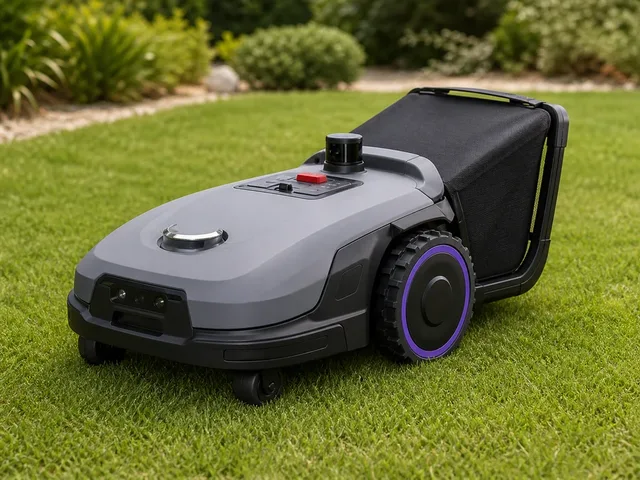
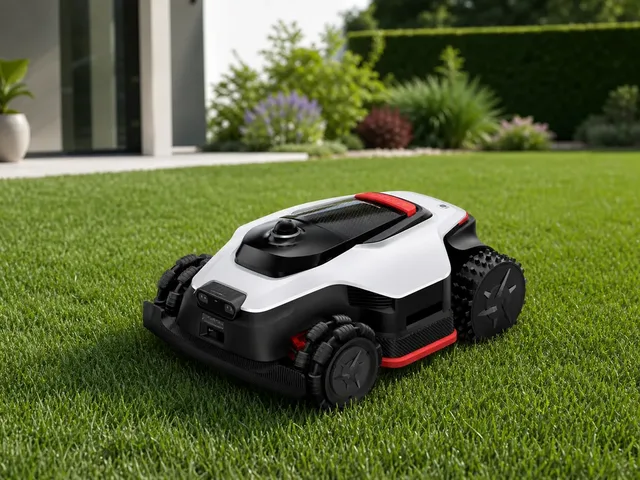
ANTHBOT N8 LiDAR is a 2026 residential robotic lawn mower for larger fenced gardens that stands out by doing more than routine wire-free mowing. Official ANTHBOT materials position it as a 4-in-1 lawn-care robot that can mow, mulch, collect clippings, and sweep leaves, using a 23-liter auto-dumping bin instead of leaving everything on the grass. The LiDAR variant pairs 360° LiDAR with dual-vision sensing for centimeter-level navigation without a boundary wire or RTK base station, making it a stronger fit for enclosed or obstacle-dense yards than many conventional premium mowers. Independent CES coverage also corroborates that the N8 LiDAR is the premium collection-focused model in ANTHBOT's new N series lineup.

Name Description Capability Sensor

Price

$1,399

View robot
Lawn & Garden | Ecovacs

GOAT A3000 LiDAR

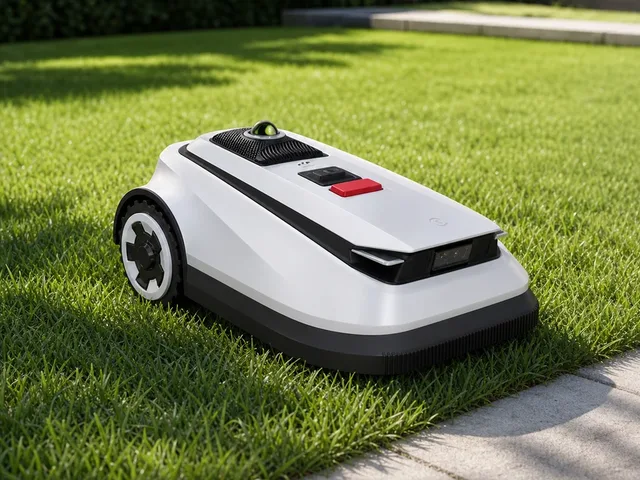
The Ecovacs GOAT A3000 LiDAR is a wire-free robotic lawn mower for lawns up to 3/4 acre (3,000 m²). Official Ecovacs materials position it as the large-yard model in the original GOAT A family, using a roof-mounted 360° LiDAR, forward 3D-ToF LiDAR, and AI camera for automatic boundary mapping, obstacle avoidance, and night-capable navigation without perimeter wire or RTK setup. Its 32V platform combines dual blade discs, app-adjustable 3-9 cm cutting height, up to 50% slope handling, 4 cm barrier crossing, and 45-minute fast charging.

Name Description Capability Sensor

Price

$3,000

View robot
Lawn & Garden | Roborock

RockMow X1 LiDAR

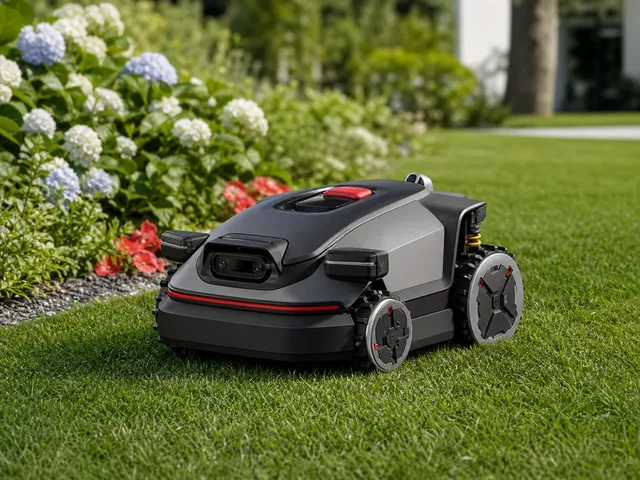
The Roborock RockMow X1 LiDAR is Roborock's first US-bound robotic lawn mower, unveiled at CES 2026 for large and complex residential lawns. Official Roborock materials position it as a wire-free mower that combines 360° 3D LiDAR, dual-camera vision, and VSLAM for centimeter-level positioning without perimeter wires. Roborock says the four-wheel-drive platform can handle slopes up to 80 percent (38.7°), ride over obstacles up to 3.1 inches, cut as close as 1.2 inches from edges with the optional PreciEdge module, and mow up to 0.5 acre per day. US launch timing is described only as later in 2026, with pricing still unannounced.

Name Description Capability Sensor

Price

Pricing has not been officially disclosed on Roborock's US product page as of April 2026.

View robot
Lawn & Garden | Segway Navimow

Navimow i2 LiDAR Pro

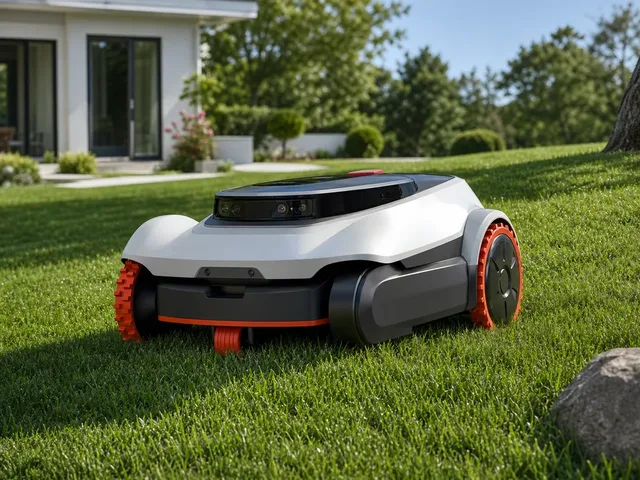
Segway Navimow i2 LiDAR Pro is a wire-free robotic lawn mower featuring solid-state LiDAR — a first in this price segment, adapted from autonomous driving technology. It scans at nearly 200,000 points per second for ultra-dense 3D mapping with no blind spots. The EFLS LiDAR+ triple-fusion navigation combines solid-state LiDAR, Network RTK, and vision AI, switching positioning modes in 20 milliseconds for uninterrupted operation under trees, in narrow passages, and at night. The three-wheel-drive AWD system with Xero-turn technology enables zero-turn manoeuvres without turf damage, conquering slopes up to 55% (29°). GeoSketch provides automatic drop-and-mow mapping with app-based customisation. Includes integrated 4G for GPS tracking, geofenced alarm, and Apple Find My support.

Name Description Capability Sensor

Price

€1.599

View robot
Lawn & Garden | Dreame

A3 AWD Pro

Dreame's first robotic lawn mower series, launched in March 2026. The A3 AWD Pro uses OmniSense 3.0 navigation combining 360° 3D LiDAR and a binocular AI camera — no boundary wires or RTK base station required. Four independent hub motors provide true all-wheel drive capable of climbing slopes up to 80% (38.7°) and clearing obstacles up to 5.5 cm. A dual-blade cutting system offers a 40 cm cutting width with adjustable height from 3 to 10 cm. EdgeMaster 2.0 technology trims lawn edges to within approximately 3 cm, reducing manual touch-up work. The Garden Guardian safety suite includes live video streaming via app, geofencing alerts, a lift-and-carry alarm, pet protection zones, and AirTag-compatible theft tracking. The system recognizes over 300 obstacle types including garden furniture, toys, pets, and people. Sold in two variants: A3 AWD Pro 3500 (up to 3,500 m²) and A3 AWD Pro 5000 (up to 5,000 m²).

Description Capability Sensor AI

Price

€2.599

View robot
Cleaning | iRobot

Roomba Mini

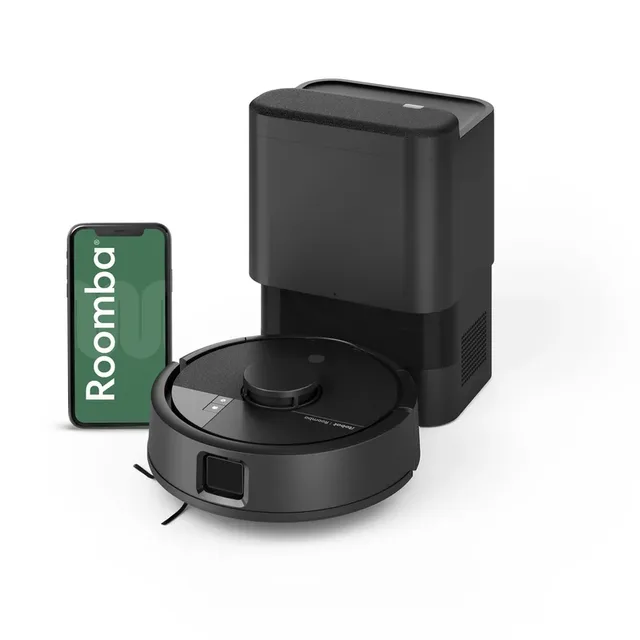
The Roomba Mini is iRobot's first new robot since the Picea Robotics acquisition and is billed as the world's smallest robot vacuum. At just 24.5 cm (9.6 in) in diameter — roughly half the size of a conventional robot vacuum — it reaches tight spaces between furniture and under low obstacles that larger robots miss. It offers both vacuuming and mopping in a single unit, though not simultaneously: users attach a disposable mopping pad to the underside for wet cleaning. The Mini uses ClearView LiDAR for room mapping (under 10 minutes for 93 m²) and obstacle avoidance, supports up to 3 floor plans, and includes Carpet Detect to skip rugs while mopping plus Carpet Boost for stronger suction on carpets. The bundled AutoEmpty Dock self-empties into an AllergenLock bag rated for up to 90 days of hands-free operation. Available in white, pink, mint, and black. Europe-only launch as of March 2026.

Description Capability Sensor AI

Price

€329

View robot
Lawn & Garden | Keenon Robotics

KeenMow K1

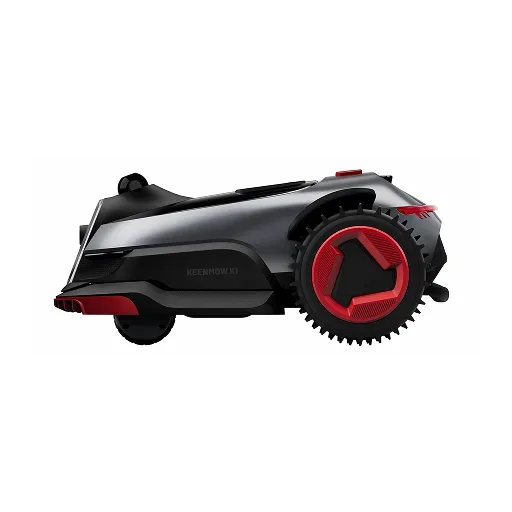
The KeenMow K1 is Keenon Robotics' first robotic lawn mower, bringing the company's commercial-grade autonomous navigation expertise — built on over 100,000 service robots deployed in hotels, hospitals, and factories worldwide since 2010 — to residential lawn care. It uses AuraVue, a wire-free 3D LiDAR plus 150° RGB camera fusion system, to map and navigate yards without perimeter wires, RTK base stations, or GPS. The mower manages up to 15 zones connected by virtual channels via the KeenonHome app, with SmartPath AI generating systematic parallel mowing routes. A 5-blade disc cutting at 2,850 RPM covers a 22 cm swath with electric height adjustment from 20–70 mm. The 23 cm all-terrain wheels and 60% above-industry-standard torque enable 50% (27°) slope capability. It features rain detection with auto-return and resume, night mowing with supplementary lighting, and an IPX6 waterproof rating. Announced at CES 2026, launching on Kickstarter April 11, 2026, with first-batch shipping expected May 2026.

Description Capability Sensor AI

Price

$899

View robot
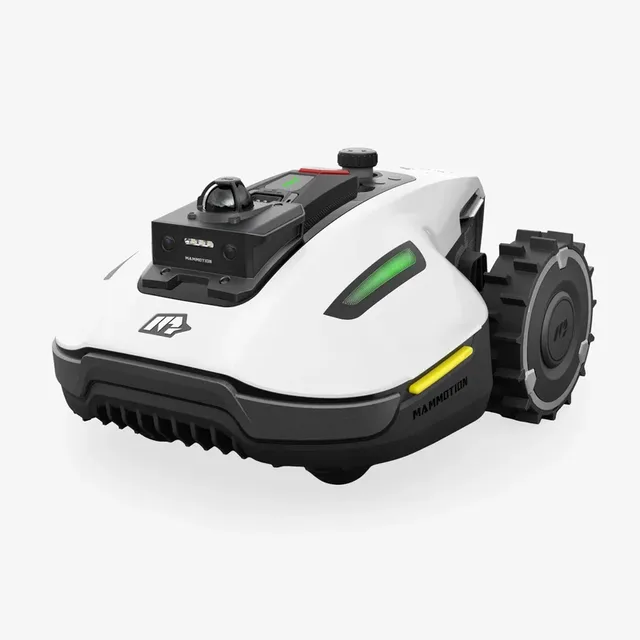
Lawn & Garden | Mammotion

LUBA mini 2 AWD 1500

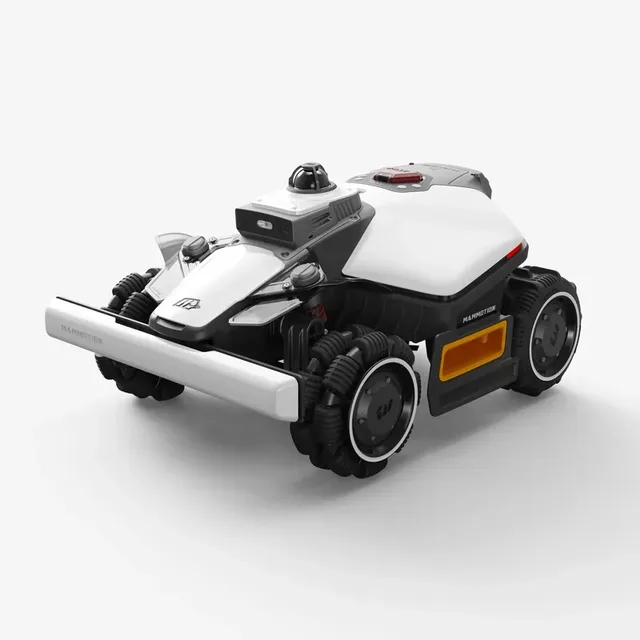
The Mammotion LUBA mini 2 AWD 1500 is a compact 2026 wire-free robotic lawn mower for lawns up to 1,500 m² (0.37 acres). Mammotion positions it as a smaller AWD alternative to the larger LUBA 3 models, pairing 360° LiDAR with dual-camera AI vision for boundary-free mapping and obstacle avoidance without perimeter wire installation. Its standout hardware twist is an asymmetrical cutting system with a dedicated 4.7-inch edge-cutting disc designed to trim closer to walls, fences, and flower beds than typical center-disc mowers. Official materials also highlight 80% slope handling, 300-plus obstacle recognition, DropMow for temporary unmapped areas, and a bundled 4G module with three years of data service.

Description Capability Sensor AI

Price

$1,999

View robot
Lawn & Garden | Mammotion

YUKA mini 2 1000H

The Mammotion YUKA mini 2 1000H is a compact 2026 wire-free robotic lawn mower for lawns up to 1,000 m² (0.25 acres). Official Mammotion materials position it as the more affordable YUKA mini 2 variant that skips RTK in favor of a 360° LiDAR and AI vision fusion system for automatic mapping, intelligent path planning, and obstacle avoidance without perimeter wire installation. Mammotion says the rear-wheel-drive platform can handle slopes up to 45% (24°), store up to 10 lawn maps, navigate pathways as narrow as 21.7 inches, and use DropMow mode for quick one-off mowing jobs in unmapped areas.

Description Capability Sensor AI

Price

$1,399

View robot
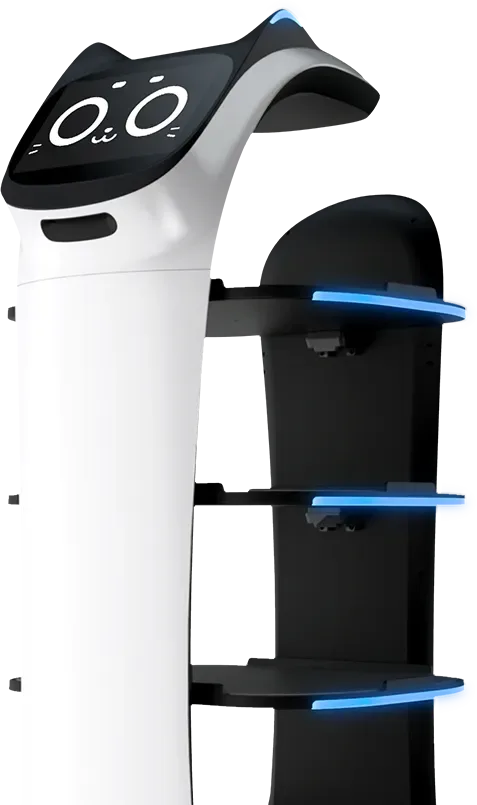
BellaBot
Commercial | Pudu Robotics

BellaBot

Pudu Robotics' premium food delivery robot, one of the most widely deployed commercial service robots in the world. BellaBot features an innovative bionic cat-face design with multimodal interaction (touch, light, voice), 3D omnidirectional obstacle avoidance with RGBD cameras and LiDAR, and a dual SLAM positioning system (LiDAR + Visual SLAM). The robot navigates autonomously through restaurants, hotels, and healthcare facilities, delivering food and items on up to four trays. It supports hot-swappable batteries for 24/7 operation. Deployed in over 60 countries across 600+ cities with tens of thousands of units in service. BellaBot responds to petting with cat-like animations and sounds, making it a crowd favorite in the hospitality industry.

Description Capability Sensor AI

Price

Contact manufacturer for pricing (typically leased)

View robot
Lawn & Garden | Sunseeker

S4

The Sunseeker S4 is a wire-free robotic lawn mower for residential lawns up to 1,000 m² (0.25 acre). It uses a 360° LiDAR sensor paired with AI Vision (the AllSense 3D Fusion system) to build a real-time 3D map of the yard, enabling systematic path planning instead of random mowing. Setup requires no perimeter wires or external antennas — connect to Wi-Fi, place it on the lawn, and it maps and mows autonomously. The S4 handles slopes up to 42% (22°), navigates narrow passages down to 80 cm, and supports up to 100 zones across five maps with virtual No-Go zones. A dual-blade 7-inch cutting deck with a floating disc and dedicated edge-trimming micro-blade cuts as close as 3 cm to borders. It is rated IPX6 waterproof and operates at ≤60 dB(A). CES 2026 Innovation Awards Honoree.

Description Capability Sensor AI

Price

$1,599

View robot
X50 Ultra
Cleaning | Dreame

X50 Ultra

Dreame's flagship robot vacuum and mop, announced at CES 2025. The X50 Ultra is the first robot vacuum with retractable robotic legs (ProLeap System) that let it climb over thresholds up to 6 cm high. It features a motorized VersaLift LiDAR sensor that retracts to let the robot clean under furniture as low as 8.9 cm. The HyperStream Detangling DuoBrush system eliminates hair tangles, and 20,000 Pa suction handles everything from fine dust to pet hair. Dual rotating mop pads with MopExtend RoboSwing reach edges and corners, and the mop lifts 10.5 mm for carpet protection. The PowerDock base station auto-empties dust, washes mops with hot water up to 80°C, and refills cleaning solution.

Description Capability Sensor

Price

$1,700

View robot

Next step after "LiDAR"

Turn 70 search results into an actual decision.

Once the deck stops feeling noisy, stop typing and change tools: compare finalists side by side, widen into a category map, or sanity-check the manufacturer context before committing to the shortlist.

Open compare

Reading the result deck

Stop searching once the shortlist starts to repeat.

70 results is usually enough to expose the right cluster. The next lift should come from structured comparison, not from typing more words into the same field.

1. Trim

Drop the obvious mismatches by maker, price, or category.

2. Open

Open the best 2-4 robots in parallel for deeper spec context.

3. Compare

Use compare once the decision is a tradeoff, not discovery.

Need a broader view?

Switch tools when the question changes.

Search wins when you know the signal. Directory routes win when you need a map of the entire field. Use both deliberately instead of forcing one tool to do both jobs badly.

Search playbook

The search indexes every attribute of 205 robots — names, manufacturers, categories, capabilities, sensors, connectivity, and AI stacks. Here is how to get the best results.

Query examples

The search indexes every attribute of all 205 robots — names, manufacturers, categories, capabilities, sensors, connectivity, and AI stacks.

Search for Example Finds
Robot nameOptimusTesla Optimus and similar names
ManufacturerUnitreeAll Unitree Robotics robots
CategoryhumanoidHumanoid category robots
Capabilityvoice interactionRobots with voice interaction
SensorLiDARRobots with LiDAR sensors
ProtocolMatterRobots supporting Matter

Price Sorting

No price filter in search? Sort results on the all robots page by price low-to-high or high-to-low.
1

Priority matching

Name matches rank highest, then manufacturer, then categories, sensors, and capabilities.

2

Cross-field matching

Multi-word queries match across fields — "Boston Dynamics quadruped" hits maker + category simultaneously.

3

Live refresh

Results update as you type with sub-second response — start broad, add specificity, watch the deck narrow.

4

Research workflow

Search → open 2–4 promising robots → compare finalists → check maker context.

Research strategies

The right search approach depends on your role and what decision you need to make. These strategies cover the most common research patterns.

Research strategies by role

Whether you are a consumer researching your first robot purchase, a journalist covering the robotics industry, an engineer evaluating competitive products, or an investor assessing market opportunities — the right search strategy depends on what signal you are tracking and what decision you need to make next.

First-time buyer

Start broad: try "cleaning robot" or "companion robot" for an overview of what is available. Review prices and features across multiple results, then narrow with specific terms like sensor types or brand names. The categories page has buyer guides with price ranges for each robot type to help set expectations.

Upgrading a robot

Search for features you wish your current robot had — "LiDAR navigation," "auto-empty," "voice control," or "obstacle avoidance." Compare your current model against candidates using the comparison tool to evaluate whether the upgrade justifies the cost. Pay attention to connectivity protocol changes — newer robots may use Matter instead of proprietary apps.

Tech enthusiast

Search cutting-edge terms: "bipedal locomotion," "force torque sensor," "large language model," or "ROS 2." Combine with status filters on the all robots page to distinguish currently available products from development-stage prototypes and pre-order models. The components directory provides deeper technical context on unfamiliar sensors and AI platforms.

Commercial buyer

Search deployment scenarios: "warehouse automation," "logistics," "reception desk," or "security patrol." Check manufacturer profiles for enterprise support options, fleet management capabilities, and commercial pricing arrangements for bulk deployments. Regional context matters — the countries directory shows production hubs and import considerations.

Research by technology

Search for component names like "LiDAR," "NVIDIA Jetson," "ROS 2," or "Matter" to find robots built on specific platforms. See the components directory for structured technology views and component trends for adoption momentum data over the past 30 days.

Research by use case

Search for the task rather than the product: "mopping," "lawn mowing," "security patrol," or "elderly care" surfaces robots designed for those applications. Cross-category queries like "security" can reveal surprising alternatives — dedicated security robots, companion robots with surveillance features, and quadrupeds with patrol capabilities all appear in one search.

Research by region

Search "Japan," "Chinese," or "European" to find robots from specific markets. The countries directory offers a structured geographic view with production hubs, manufacturer density, and regional market leaders for deeper comparison.

Complete research workflow

1

Explore categories

Understand the robotics landscape and identify which robot type matches your need.

2

Search candidates

Build a list of 3–5 promising results by name, capability, or sensor type.

3

Deep-dive profiles

Review full specifications, sensor breakdowns, and capability analysis on each candidate.

4

Compare finalists

Put top picks side by side with the comparison tool to highlight tradeoffs.

5

Research maker

Evaluate the company track record, portfolio breadth, and support infrastructure.

6

Check technology

Use the components directory to understand unfamiliar sensors, AI platforms, and connectivity protocols.

When to use search vs other tools

Use search when Use browse when
You know the robot name, maker, or a specific technology keywordYou need to understand the full market landscape first
You want fast results across the entire database in one queryYou want buyer guides with price ranges and recommendations
You are validating whether a specific sensor or protocol existsYou want to compare regional markets or manufacturer portfolios
You need shareable, bookmarkable result URLs for laterYou want structured side-by-side specification comparison

Cross-category discovery

One of the most valuable but underused search strategies is cross-category exploration. Searching across categories can reveal surprising alternatives you might not have considered:

  • Security needs? Searching "security" surfaces dedicated security robots, companion robots with surveillance features, quadrupeds with patrol capabilities, and cleaning robots with built-in cameras.
  • Specific sensor? Searching "camera" shows robots from every category that include cameras — from vacuums to humanoids to security bots — revealing technology adoption patterns across the market.
  • Budget comparison? Searching a price range or budget term can surface robots across categories that compete for the same spending decision, even if they serve different purposes.

Saving and sharing research

Bookmarkable URLs

Every search generates a permanent URL. Bookmark it, share it with colleagues, or paste it into a team chat — the same URL always shows the latest data for that query.

Multi-device research

Start on your laptop, continue on your phone. Search URLs work everywhere. Open candidate detail pages in parallel tabs for efficient comparison across devices.

Compare integration

Once your shortlist is small enough, move directly to the comparison tool for structured spec-by-spec analysis. The compare page also supports shareable URLs for team purchase decisions.

Search help

The practical questions people hit most often once they start narrowing the shortlist.

Frequently Asked Questions

What can I search for on ui44?
You can search across all 205 robots by name, manufacturer, category, capability, sensor type, connectivity option, or any keyword that appears in a robot's profile. The search indexes every attribute in the database for comprehensive results.
Why am I getting no results?
If your search returns no results, try simplifying your query. Use single keywords rather than phrases, check for typos, and try synonyms (e.g., "vacuum" instead of "cleaning robot"). You can also browse by category or manufacturer.
Can I filter search results by price?
The search page does not include a numerical price filter, but you can use the all robots page which offers category, manufacturer, and price sorting together.
Do search results update in real time?
Yes, results update as you type with a short debounce delay to balance responsiveness with efficiency. There is no need to press Enter or click a search button — just start typing and results appear automatically. You can also press Enter or click Search for an immediate update. The result cards are rendered server-side and delivered via HTMX partial updates, meaning only the search results section refreshes without disturbing the rest of the page.
How is search relevance determined?
Results are ranked by match quality across multiple data dimensions. The relevance algorithm prioritizes exact matches in high-importance fields — a robot name match ranks higher than a description mention, which ranks higher than a sensor or capability match. Multi-word queries are evaluated as a combined search, matching across any combination of fields. For example, searching "Boston Dynamics quadruped" surfaces robots from Boston Dynamics in the quadruped category.
Can I search by technical specifications?
Yes — search for specific sensor names, connectivity protocols, AI platforms, or capability keywords. For example, searching for "LiDAR" returns all robots that include LiDAR sensors, while "Matter" surfaces robots supporting the Matter smart home protocol. For structured technical browsing, the components directory provides dedicated pages for each technology with complete robot compatibility lists and detailed technical explanations.
Does search include robots not yet available for purchase?
Yes, the search indexes every robot in the database regardless of availability status. Results include robots that are Available, in Pre-order, in Development, and in Prototype stages. Each result card displays the robot's current status so you can quickly identify which results represent products you can buy today versus those still in development. To limit results to only purchasable robots, use the status filter tabs on the all robots page.
How often is the search data updated?
The search index is rebuilt whenever the database is updated, ensuring that new robots, updated specifications, and changed prices are immediately searchable without delay. Each robot detail page shows a "last verified" date so you can assess data freshness for any specific result. Available products are prioritized for frequent verification, ensuring that purchase-ready robots have the most current information.
Can I share or bookmark my search results?
Yes, every search query generates a shareable URL that preserves your exact search terms and results. You can bookmark searches to revisit later, share specific search results with colleagues evaluating robots together, or save a set of search URLs as a lightweight research project. The URL-based approach ensures your research is reproducible — the same URL always shows the latest data.
What is the best way to narrow down search results?
Start with a broad term and progressively add specificity. For example, typing "robot" shows everything, adding "cleaning" narrows to cleaning robots, and adding a manufacturer name further refines to that company's products. You can also combine search with other tools — identify candidates through search, then use the comparison tool to evaluate your shortlist side by side across all specification dimensions.
Should I use search or browse to find robots?
Use search when you have a specific keyword, name, manufacturer, or technology in mind — it is the fastest way to surface candidates from the entire database in one action. Use browse routes when you need market context: the categories page for understanding robot types and buyer guides, the manufacturers page for company-level research, and the comparison tool for final tradeoff analysis. Most effective research workflows use both: search to discover, browse to contextualize.
Can I search by price range?
Direct price-range filtering is not available in search. However, you can search by category (e.g., "cleaning robot") to see the full price spread, then sort by price on the all robots page for structured price browsing. Many category pages also include price distribution tables showing typical price ranges for budget, mid-range, and premium segments within that robot type.
How do I compare robots after searching?
Once your search results narrow to a manageable shortlist, open the most promising 2–4 robots in separate tabs and review their full detail pages. Then use the comparison tool to place up to 4 robots side by side across every specification dimension — price, sensors, capabilities, connectivity, battery life, dimensions, and AI stack. The comparison view highlights differences that are hard to spot across separate detail pages.
Does search work on mobile?
Yes, search is fully responsive and works on mobile, tablet, and desktop. On smaller screens, the search input is prominently placed at the top of the page, result cards stack vertically for easy scrolling, and all quick-start tags and category chips remain tappable. Every search generates a bookmarkable URL, so you can start research on your phone and continue on your laptop without losing context.
How do I find robots from a specific country?
You can search by country name or nationality — "Japan," "Chinese," "Korean," or "German" will surface robots from manufacturers based in those regions. For a structured geographic view, the countries directory provides dedicated pages for each manufacturing hub, including manufacturer counts, product portfolios, and regional market positioning. Country pages also show production trends and highlight leading manufacturers in each region.
Can I search by robot status (available, pre-order, development)?
The search indexes status labels, so searching for "available," "pre-order," "development," or "prototype" will surface robots matching that status. However, for more structured status filtering, use the status filter tabs on the all robots page, which lets you toggle between Available, Pre-order, Development, and Prototype robots while maintaining category and manufacturer filters. Status information on each robot profile includes a last verified date so you can assess how current the availability data is.
What data does each search result card show?
Each result card displays the robot name, manufacturer (linked to the manufacturer profile), category, a short description, the price (or price note if TBD), and match labels showing which fields matched your query (Name, Maker, Category, Capability, Sensor, or AI). Clicking any result opens the full robot detail page with complete specifications, sensor breakdowns, capability analysis, component details, and manufacturer context.
How do I research a specific technology like LiDAR or Matter?
Search for the technology name directly — "LiDAR," "Matter," "ROS 2," "NVIDIA Jetson," or "Bluetooth 5.0" will return all robots that include that technology. For deeper technical context, the components directory provides dedicated pages for each technology with explanations, adoption statistics, and complete robot compatibility lists. You can also check component trends to see which technologies are gaining or losing adoption across the market over the past 30 days.
What is the difference between search and the all robots page?
The search page is optimized for keyword-based discovery across the entire database — type any term and get instant results from all robots. It indexes every attribute including names, manufacturers, categories, capabilities, sensors, connectivity protocols, and AI platforms. The all robots page is a structured directory with sortable columns, category filters, manufacturer filters, status tabs, and price sorting. Use search when you have a keyword in mind; use the robots page when you want to browse, filter, and sort a structured table view. Both routes link to the same robot detail pages for deep specification analysis.

Keep the research moving

Need a different lens than raw keyword search?

Search is the fastest way to surface candidates. Once the problem becomes breadth, tradeoffs, or manufacturer context, switch tools on purpose instead of endlessly refining one query.