If your home is mostly hardwood, tile, or laminate, a modern robot vacuum running daily will keep your floors cleaner than most people manage with weekly manual vacuuming. But if you have thick carpets, stairs, or couches to clean, no robot, not even the Roborock Saros 20 at 36,000 Pa suction, fully replaces what a decent upright or stick vacuum can do in ten minutes.
That is not anti-robot-vacuum bias. It is what manufacturer specs, physical constraints, and data from the ui44 robot database all point to. After tracking 150+ robots, the clearest conclusion is that robot vacuums are excellent maintenance cleaners, not universal replacements.
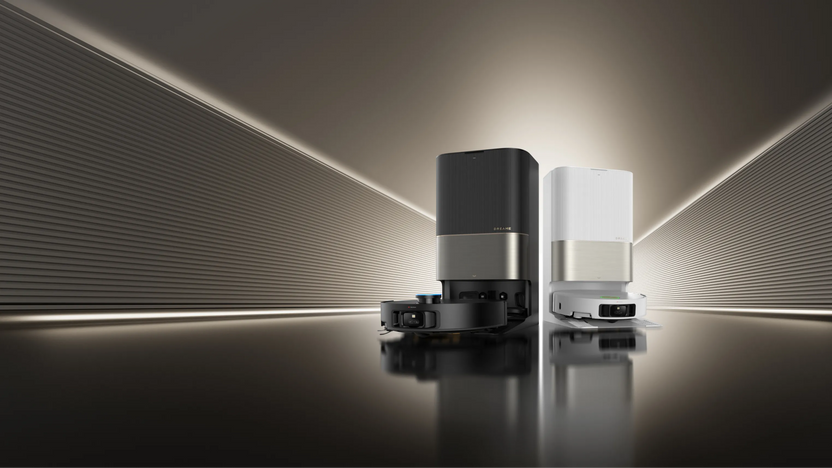
When Can a Robot Vacuum Replace Your Regular Vacuum?
Hard floor daily maintenance
This is where robot vacuums genuinely win. Not because they clean better per pass, but because they clean far more often.
The key advantage is not per-pass cleaning power but frequency. Dust, pet hair, and crumbs never have time to build up, spread between rooms, or get ground into the surface. A robot that runs daily, even with modest suction, will keep hard floors cleaner in practice than a traditional vacuum used once a week — simply because the dirt never accumulates.
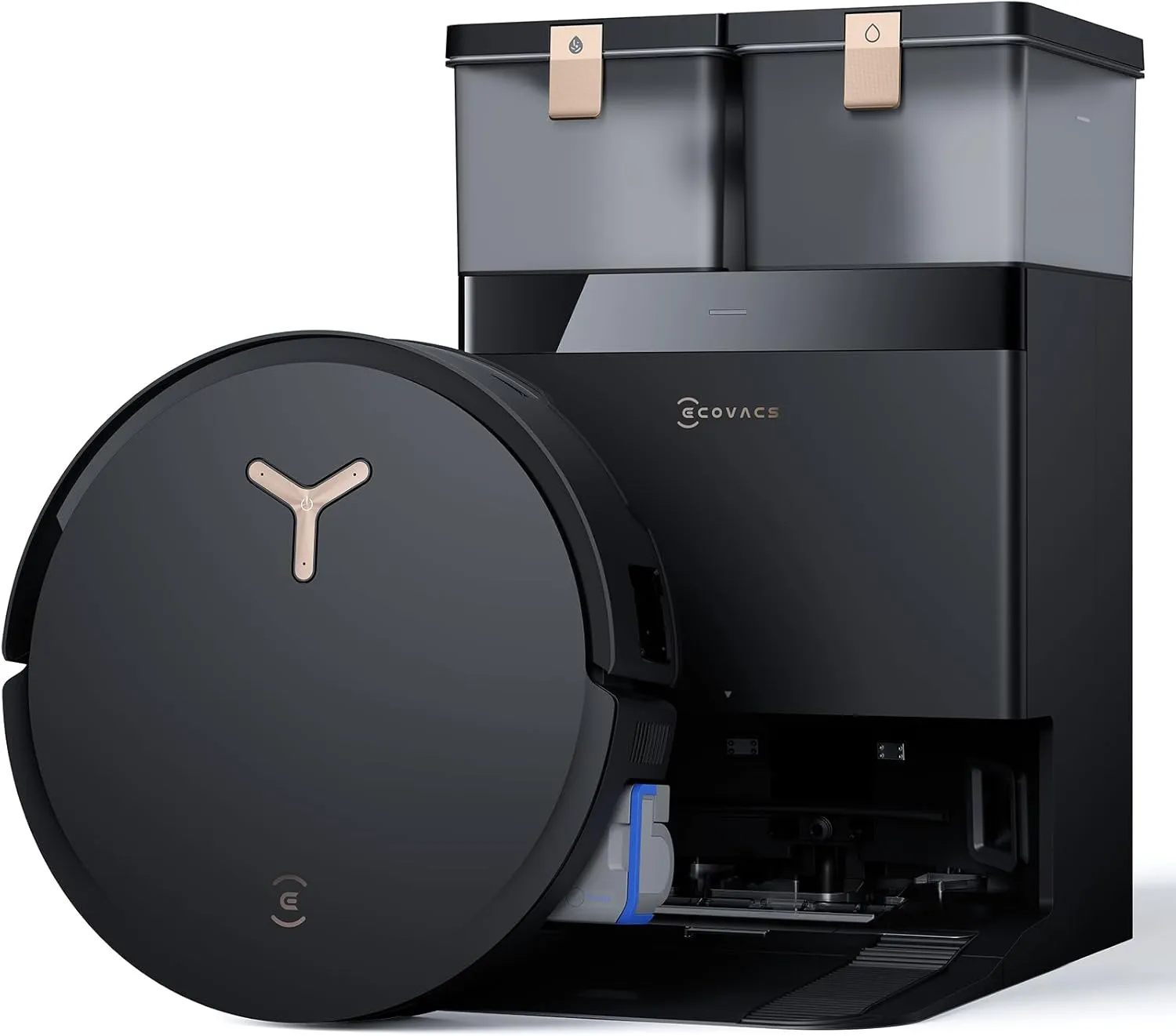
The Roborock Qrevo Curv 2 Flow sells for $999.99 MSRP and is listed at $899.99 on Roborock's US store as of April 2026. It combines 20,000 Pa suction with a self-cleaning roller mop. The Ecovacs Deebot X8 Pro Omni is listed at $729 and adds an OZMO Roller mop that rinses itself continuously. The Dreame X50 Ultra launched at $1,699.99 but is commonly discounted to about $899.99, while also offering 20,000 Pa suction and a retractable LiDAR tower for lower furniture clearance.
Verdict for hard floors: if you run a good robot vacuum every day, it can absolutely replace regular manual vacuuming for most people.
Under furniture and hard-to-reach spaces
Robot vacuums also clean the places most people skip. Under beds, under couches, under media consoles, around dining chair legs. Those are not glamorous test cases, but they matter in real homes.
The Dreame X50 Ultra's VersaLift system lets it clean under furniture as low as 8.9 cm. That matters more over a year than one impressive deep-clean demo. The eufy Omni S2, priced at $1,599.99, also targets this premium all-floor segment with 30,000 Pa suction, a roller mop, and threshold crossing up to 42 mm.
If your current routine rarely includes moving furniture, a robot vacuum may actually improve your real-world cleanliness compared with manual vacuuming.
Time and consistency
The biggest advantage is not raw power. It is consistency.
Even if the robot is weaker per session, daily cleaning changes the baseline. Floors simply stay cleaner. The time savings alone are significant: a robot handles the daily routine automatically, freeing you to reserve manual vacuuming for the tasks robots still cannot do well.
Where Does a Robot Vacuum Still Fall Short?
Deep carpet cleaning is still the biggest gap
This is the main reason most homes still need a traditional vacuum.
Robot vacuums handle surface debris on low and medium pile carpet well, but the physics of deep carpet cleaning work against them. A full-size upright or stick vacuum has a larger brush head, stronger airflow, and more aggressive agitation than any robot can carry on its small frame and limited battery. That is not a brand problem — it is a size and power constraint that affects every robot vacuum on the market.
The gap is most visible on thick, plush, or high-pile carpets where embedded dirt, pet dander, and allergens settle deep into the fibers. Robot vacuums can pick up what sits on top, but they do not match the extraction power of a dedicated carpet cleaner running at full airflow for a sustained pass.
If you have mostly hard floors or low-pile carpet, the gap is small enough that a robot running daily keeps things very presentable. On thick carpets, the robot is a supplement, not a replacement.
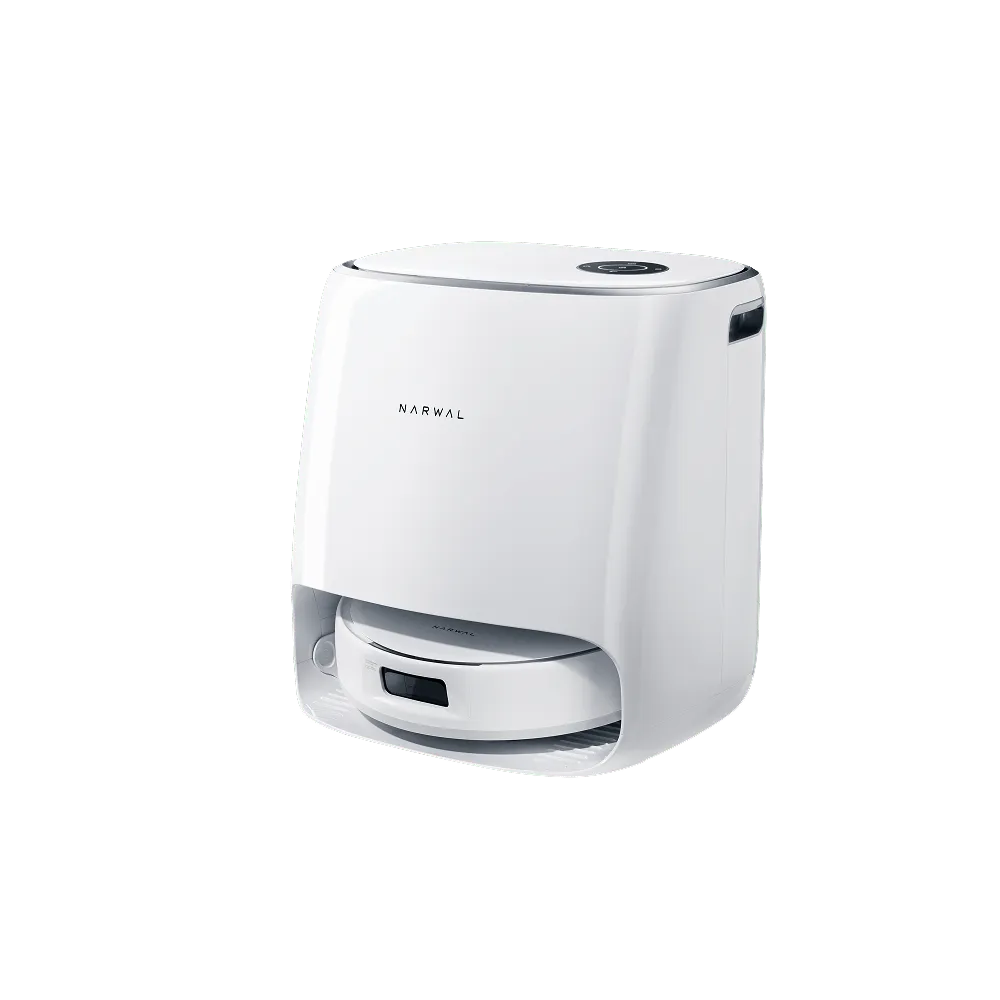
The Narwal Freo X Ultra is a good example of the tradeoff. Its MSRP is $1,399.99, though it is often discounted into the $500 to $700 range. It offers 8,200 Pa suction, 12 N mop pressure, and a certified zero-tangle brush system. That makes it a very capable daily cleaner, but not a carpet-deep-clean replacement.
Verdict for carpets: robot vacuums handle surface debris well. They do not fully replace deep carpet cleaning.
Stairs are still a complete no
No consumer robot vacuum reliably cleans stairs today.
Development-stage products are trying to change that. The Roborock Saros Rover was unveiled at CES 2026 with a wheel-leg design aimed at stair climbing and multi-storey homes. But it has no confirmed retail price and no announced launch date. It is a glimpse of the future, not a product you can buy now.
If you have stairs, you still need a traditional vacuum. For most households, that means keeping a light cordless stick vacuum specifically for stairs and quick spot messes.
Upholstery, curtains, corners, and car interiors
Robot vacuums clean floors. They do not clean couches, mattresses, curtains, stairs, car seats, shelf edges, or baseboard corners the way handheld tools and attachments do.
Even premium robots such as the Dyson Spot+Scrub Ai, which sells for $1,199.99 and combines vacuuming with a wet roller mop, are still floor-cleaning machines. They do not replace a crevice tool, upholstery head, or handheld spot clean.
Large debris and sudden messes
Cereal spills, potting soil, broken chips, tracked-in leaves, and similar messes are still easier to clean manually. Robot vacuums are best at dust, crumbs, pet hair, and everyday maintenance dirt. They are not the fastest tool for surprise cleanup.
Thick and plush carpets
The deeper and softer the carpet, the less convincing the robot-only argument becomes. Height limits, lower downforce, and smaller brush systems all work against robots here.
If your home has shag rugs or lots of soft, high-pile carpet, a robot vacuum should be seen as a supplement, not a replacement.
What Does Suction Power Actually Tell You?
Manufacturers advertise robot suction in Pascals (Pa), which is one measure of pressure. Traditional vacuums are often discussed in Air Watts (AW), which is a different metric tied more closely to usable airflow. The two are not directly comparable one-to-one, so bigger numbers alone can be misleading.
What the robot vacuum numbers do tell you is rough category placement:
Suction range
5,000 to 8,000 Pa
- Best use case
- Hard floors, light debris, low-pile carpet
- Example robot from our database
- Narwal Freo X Ultra
Suction range
15,000 to 20,000 Pa
- Best use case
- Better all-around pickup, improved carpet performance
- Example robot from our database
- Ecovacs Deebot X8 Pro Omni, Dreame X50 Ultra
Suction range
20,000 to 30,000 Pa
- Best use case
- Strong premium performance for mixed floors
- Example robot from our database
- Roborock Qrevo Curv 2 Flow, eufy Omni S2
Suction range
30,000+ Pa
- Best use case
- Top-end robot vacuum performance
- Example robot from our database
- Roborock Saros 20
| Suction range | Best use case | Example robot from our database |
|---|---|---|
| 5,000 to 8,000 Pa | Hard floors, light debris, low-pile carpet | Narwal Freo X Ultra |
| 15,000 to 20,000 Pa | Better all-around pickup, improved carpet performance | Ecovacs Deebot X8 Pro Omni, Dreame X50 Ultra |
| 20,000 to 30,000 Pa | Strong premium performance for mixed floors | Roborock Qrevo Curv 2 Flow, eufy Omni S2 |
| 30,000+ Pa | Top-end robot vacuum performance | Roborock Saros 20 |
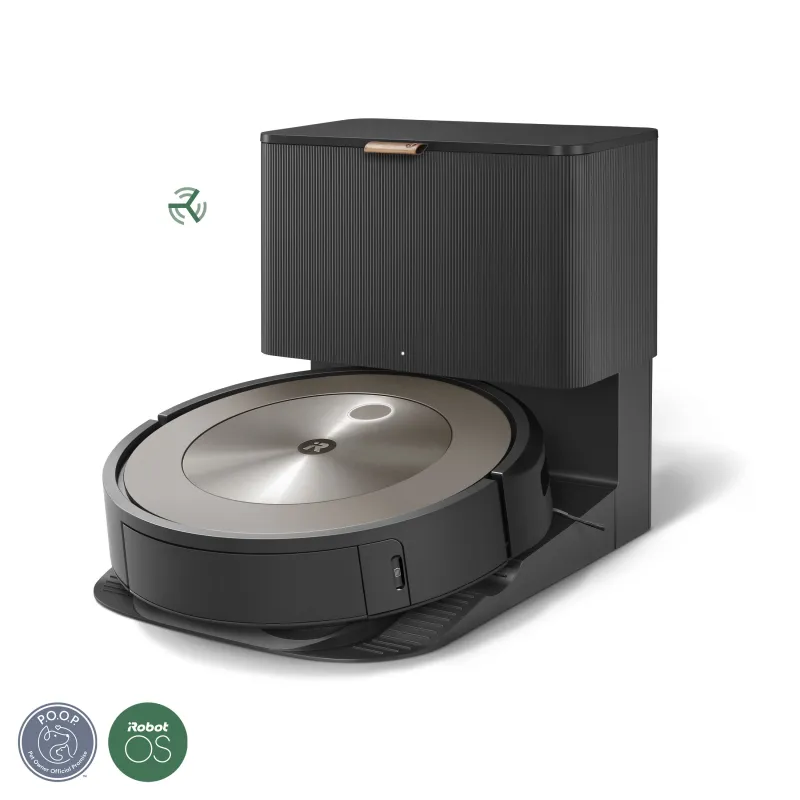
The iRobot Roomba j9+, priced at $899.99, shows why raw numbers are not everything. iRobot does not publish a Pa rating for the j9+ — it describes suction only as "100% stronger Power-Lifting Suction" versus its Combo i Series. Even without a headline Pa figure, the j9+ remains useful because its dual rubber brushes and mature PrecisionVision obstacle avoidance system work well for many homes. By contrast, the Shark PowerDetect UV Reveal at $1,299.99 leans into mopping, local stain detection, and app-free controls rather than just spec-sheet bragging rights.
The important buying insight is this: based on the specs and capabilities we track across our database, once you reach the 15,000 to 20,000 Pa range, factors like floor type, brush design, and navigation quality tend to matter more than chasing the absolute highest suction number.
How Should You Use Both Tools Together?
For most households, the smartest setup is not robot vacuum or regular vacuum. It is robot vacuum plus regular vacuum.
Robot vacuum: the daily maintenance layer
Use the robot for:
- Daily or every-other-day runs
- Kitchens, hallways, living rooms, and pet zones
- Under-furniture cleaning
- Dust, crumbs, and pet hair on hard floors
- Automatic mopping if you choose a combo model
Traditional vacuum: the weekly deep-clean layer
Keep the regular vacuum for:
- Weekly carpet deep cleaning
- Stairs
- Spot-cleaning sudden messes
- Upholstery, curtains, mattresses, and cars
- Baseboards, corners, and attachments work
This hybrid approach is usually the best value. A $500 to $900 robot vacuum plus a $150 to $250 stick or upright vacuum covers more real-world situations than buying one ultra-premium robot and expecting it to do everything.
Which Type of Home Are You Cleaning?
Mostly hard floors
You can mostly replace your regular vacuum.
If your home is overwhelmingly hardwood, tile, vinyl, or laminate, a robot vacuum can do nearly all routine floor care. You may still want a small handheld for corners or one-off messes, but the full-size vacuum becomes optional.
Best fit from our database: Dreame X50 Ultra for premium mixed cleaning, or Ecovacs Deebot X8 Pro Omni for strong hard-floor value.
Mixed flooring
You need both, but the robot does most of the work.
This is the sweet spot for robot ownership. Hard floors stay clean daily. Low and medium pile carpet stay presentable between manual cleans. Then you use a regular vacuum weekly for deeper carpet work.
Best fit from our database: Roborock Qrevo Curv 2 Flow or Shark PowerDetect UV Reveal.
Mostly carpet
The robot supplements. It does not replace.
If most of your home is carpet, especially medium or thick pile, a robot vacuum still helps a lot with everyday dust and hair. But it does not remove the need for a proper weekly deep clean.
Best fit from our database: high-suction models like the Roborock Saros 20 or eufy Omni S2, paired with a real vacuum.
Multi-story home with stairs
You need both. No exceptions yet.
You may eventually see stair-cleaning robots become real, but today the practical answer is one robot per floor or one robot for your main floor, plus a manual vacuum for stairs.
What About Pet Hair specifically?
Pet hair is one of the most common reasons people buy a robot vacuum, and the news here is mixed.
On hard floors and low-pile carpet, a good robot vacuum does an excellent job with pet hair. Daily runs prevent fur from accumulating, spreading between rooms, or matting into the carpet. The key is frequency: a robot that runs every day will always outperform a manual vacuum used once a week for pet hair, simply because the hair never builds up.
The Narwal Freo X Ultra offers a certified zero-tangle brush system (SGS and TÜV verified) that specifically addresses hair wrap, which is the number-one complaint among pet owners on Reddit and review forums. The Dyson Spot+Scrub Ai also uses rubber brush rolls that resist tangling.
On thicker carpets, pet hair still embeds deep into fibers. Robot vacuums pick up the surface layer but cannot extract what has been trampled in over days or weeks. A traditional vacuum with a motorized pet-hair tool does a much better job on that embedded fur.
Pet owner verdict: a robot vacuum is absolutely worth it for daily surface fur management. But it does not replace a traditional vacuum for periodic deep pet-hair extraction from carpets and upholstery.
What About Robot Vacuum Mop Combos?
Combo robots make the robot-only case stronger in hard-floor homes because they add automatic mopping to the routine.
If your robot vacuums and mops daily, manual floor care drops even further. That is especially true in kitchens, dining areas, and homes with pets. We break this down in our robot vacuum vs vacuum-mop combo guide, but the short version is simple: on mostly hard floors, a good combo robot can replace most vacuuming and most mopping.
One thing to watch: combo robots with mopping capability require larger docks (self-washing, self-drying, water tanks), so the dock footprint is noticeably bigger than a vacuum-only unit. If floor space for the dock is tight, measure before you buy. Most combo docks need about 50 cm of clearance on each side.
What Role Do Self-Cleaning Docks Play?
Self-cleaning docks are the single biggest quality-of-life improvement in modern robot vacuums. They automate three tasks that used to require manual intervention: emptying the dustbin, washing the mop pad, and refilling clean water.
Without a self-emptying dock, you empty the dustbin every two to four cleaning runs. With one, you might empty the sealed dust bag every 60 to 75 days. That alone dramatically reduces the hands-on time that makes people abandon their robot vacuums.
Premium docks like those on the Roborock Saros 20 and eufy Omni S2 add hot-water mop washing (75 to 100 degrees Celsius) and hot-air mop drying, which prevents odor buildup on the pad between runs. These features do not affect cleaning performance per se, but they remove the last major friction point: touching a dirty mop pad.
For the replace-vs-supplement question, self-cleaning docks strengthen the case for going robot-only on hard floors because they remove almost all manual maintenance. You still need a traditional vacuum for carpets and stairs, but your daily involvement drops close to zero.
The Bottom Line
Home setup
All hard floors, no stairs
- Can a robot vacuum replace your regular vacuum?
- Yes, mostly
Home setup
Mixed flooring, no stairs
- Can a robot vacuum replace your regular vacuum?
- Mostly, but keep a vacuum for carpets
Home setup
Significant carpet coverage
- Can a robot vacuum replace your regular vacuum?
- No
Home setup
Multi-story home with stairs
- Can a robot vacuum replace your regular vacuum?
- No
Home setup
Thick or plush carpets
- Can a robot vacuum replace your regular vacuum?
- No
| Home setup | Can a robot vacuum replace your regular vacuum? |
|---|---|
| All hard floors, no stairs | Yes, mostly |
| Mixed flooring, no stairs | Mostly, but keep a vacuum for carpets |
| Significant carpet coverage | No |
| Multi-story home with stairs | No |
| Thick or plush carpets | No |
Robot vacuums are excellent at routine floor maintenance. They are not yet universal cleaning tools.
If you want the blunt recommendation: buy a robot vacuum to automate the boring 70 to 80% of floor cleaning. Keep a regular vacuum for the final 20 to 30% that robots still cannot do well.
Browse all robot vacuums in our database or compare models side-by-side to find the right fit for your home.
Frequently Asked Questions
Is a robot vacuum worth it if I still need a regular vacuum?
Yes. A robot vacuum reduces how often you need to vacuum manually, keeps floors
consistently cleaner, and handles daily mess before it builds up. Most owners
find that even with a traditional vacuum in the closet, the robot handles 70 to
80 percent of routine cleaning on its own.
What suction power do I need in a robot vacuum?
For hard floors, 5,000 to 10,000 Pa is enough for many homes. For mixed
flooring, 15,000 to 20,000 Pa is a strong target. Beyond that, brush design,
navigation, and floor type matter more than chasing the biggest number. See the
suction range table above for specific model recommendations.
How often should I deep-clean carpets if I own a robot vacuum?
Usually once a week with a traditional vacuum. The robot handles surface dirt
between sessions, but embedded dirt still benefits from manual deep cleaning.
Homes with pets or allergies may benefit from twice-weekly deep cleans.
Can a robot vacuum damage carpet?
Modern robot vacuums are designed for carpet use and usually adjust suction or
lift mop hardware automatically. The bigger issue is not damage. It is whether
the robot can clean deeply enough. Some very delicate or antique rugs may
warrant caution, but standard residential carpet is safe.
Will robot vacuums ever fully replace traditional vacuums?
For hard-floor homes, they already come close. For carpet-heavy homes, stairs,
upholstery, and attachment-based cleaning, traditional vacuums still have a
clear advantage. That will improve, but it is not solved in 2026.
Can a robot vacuum handle multiple floor types in one cleaning run?
Yes. Most mid-range and premium robots detect floor type automatically and
adjust suction and mop behavior accordingly. The
Roborock Qrevo Curv 2 Flow, for example,
lifts its mop when it detects carpet and increases suction. Budget models may
require you to set no-mop zones manually.
Do expensive robot vacuums last longer than cheap ones?
Not necessarily in terms of raw hardware lifespan, but premium robots tend to
get better long-term firmware support, have more widely available replacement
parts, and include self-cleaning dock features that reduce wear on consumables.
A $1,200 robot with a self-washing dock may cost less per year in maintenance
than a $300 robot that needs frequent manual filter and brush replacement.
What is the minimum I should spend on a robot vacuum that can replace most manual vacuuming?
For hard-floor homes, around $500 to $700 gets you a robot with LiDAR
navigation, self-emptying, and reliable daily performance. For homes with mixed
flooring including carpets, budget $700 to $1,000 for stronger suction and
better carpet detection. Below $300, expect compromises in navigation, suction,
and app reliability that may frustrate daily use.
Written by
ui44 Team
Published April 14, 2026
Share this article
Open a plain share link on X or Bluesky. No embeds, no widgets, no cookie baggage.