Find the right robot without browsing blind.

Search is the fastest route on ui44 for high-volume scanning: robot names, manufacturers, categories, capabilities, sensors, connectivity, and AI stacks all surface in one workspace that stays usable on mobile, laptop, and 4K.

Clear
409 robots indexed 9 categories <1s live refresh

Search results

Type a query to see live matches across the entire index of robots, or clear it to browse by category and find what you need through structured directory navigation.

Updating results...

Live results

47 results for "vacuum"

Match labels show why each robot surfaced for this query. The result deck stays dense enough to scan fast while keeping individual entries distinct and readable.

Page 1 of 4
Built-In Vacuum and Mop Robot BCRI3BX1
Cleaning | Bosch

Built-In Vacuum and Mop Robot BCRI3BX1

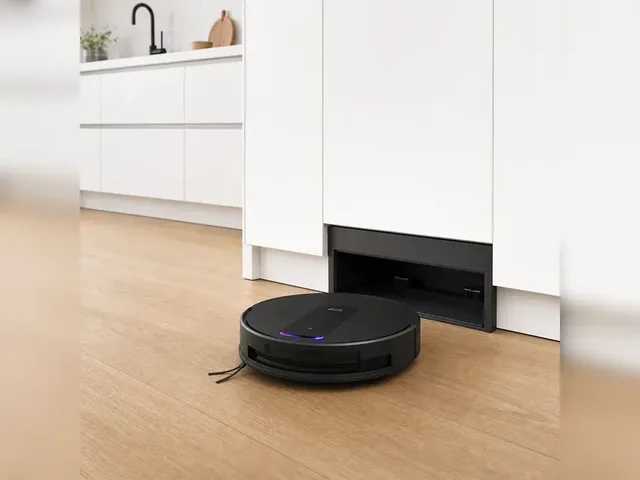
Bosch's BCRI3BX1 is a built-in robot vacuum and mop designed to live inside a kitchen plinth instead of beside a wall. Its fully integrated service station connects to fresh and waste water lines, hides the robot inside the cabinetry, empties the dust container, washes the mop with 70 °C water, dries it with 45 °C hot air, and self-cleans the station. The low-profile 8.4 cm robot delivers up to 20,000 Pa suction and uses laser navigation with camera, cross-laser, infrared, and touch sensors. Bosch positions it as an accent line appliance controlled through Home Connect, while independent launch coverage reports European store availability from spring 2026 and development in collaboration with ECOVACS.

Name Description Capability

Price

Bosch Germany listed the BCRI3BX1 with a dealer finder in April 2026, but no official MSRP was published as of 2026-04-28.

View robot
Robot Vacuum Omni S1 Pro
Cleaning | eufy

Robot Vacuum Omni S1 Pro

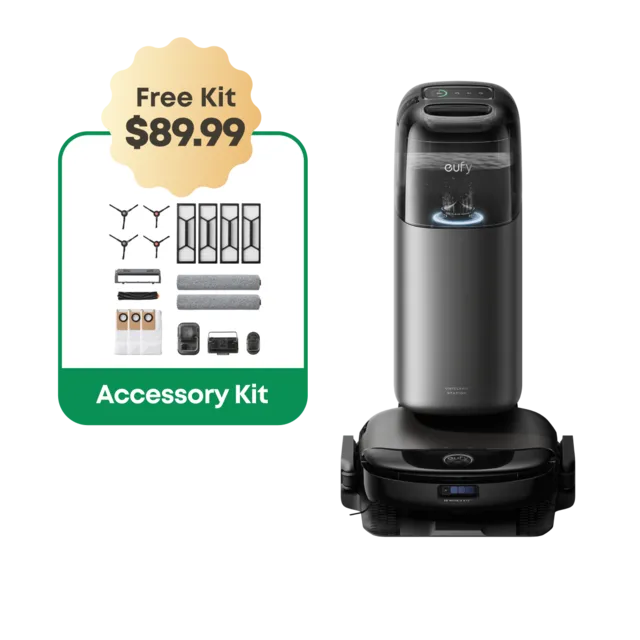
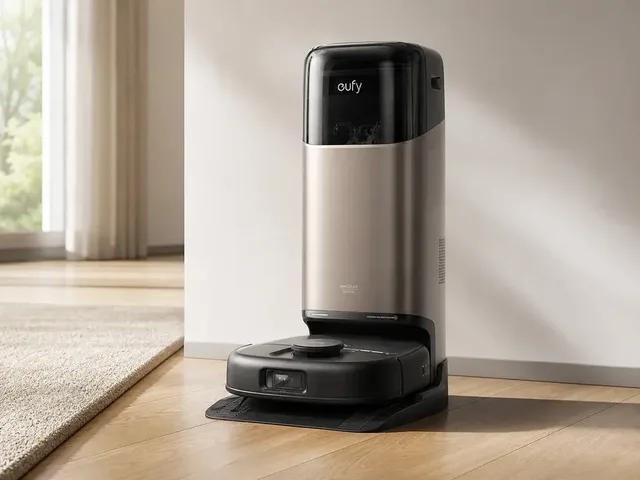
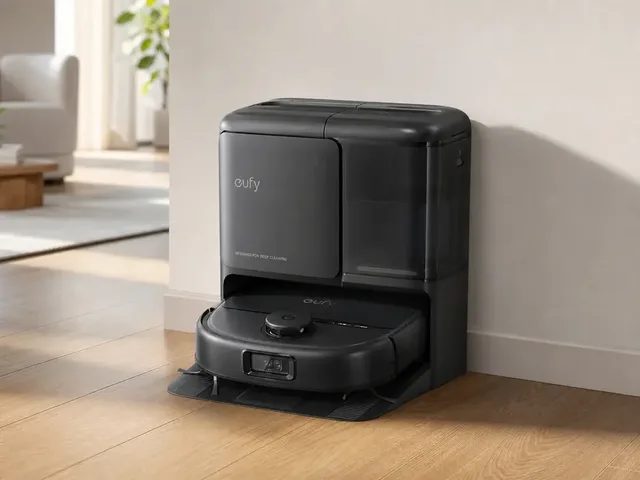
eufy's Omni S1 Pro is a premium robot vacuum-and-mop with HydroJet rolling-mop cleaning, a 10-in-1 UniClean station, and camera-based obstacle avoidance. The robot is positioned as a high-end all-in-one cleaner with strong automation: automatic washing/drying, auto-emptying, auto-refilling, and app-controlled cleaning workflows. Official product specs list up to 216 minutes runtime in vacuum mode (140 minutes in vacuum+mop standard mode), 8,000 Pa suction, and a square-bodied design intended to improve edge coverage.

Name Description Capability

Price

$1,499

View robot
Robot Vacuum Omni S2
Cleaning | eufy

Robot Vacuum Omni S2

The eufy Omni S2 is eufy's 2026 flagship robot vacuum and mop, succeeding the Omni S1 Pro. It features 30,000 Pa AeroTurbo 2.0 suction (100 AW) with multi-cyclone airflow for sustained performance, a HydroJet 2.0 self-cleaning roller mop that applies 15 N of downward pressure and extends toward baseboards, and CleanMind AI navigation using 3D MatrixEye 2.0 vision with ToF sensors for 3D mapping and detection of 200+ obstacle types. The robot can cross thresholds up to 42 mm and auto-lift its mop on carpets up to 2 in thick. Its UniClean station automates dust emptying, hot-water mop washing, heated-air drying, water refilling, detergent dispensing, and electrolyzed-water sterilization (99.99% germ reduction). A built-in aromatherapy system — a first for robot vacuums — releases fragrance during cleaning cycles. The DuoSpiral anti-tangle brush handles pet hair up to 20 in long without wrapping.

Name Description Capability

Price

$1,599

View robot
Robot Vacuum Omni C28
Cleaning | eufy

Robot Vacuum Omni C28

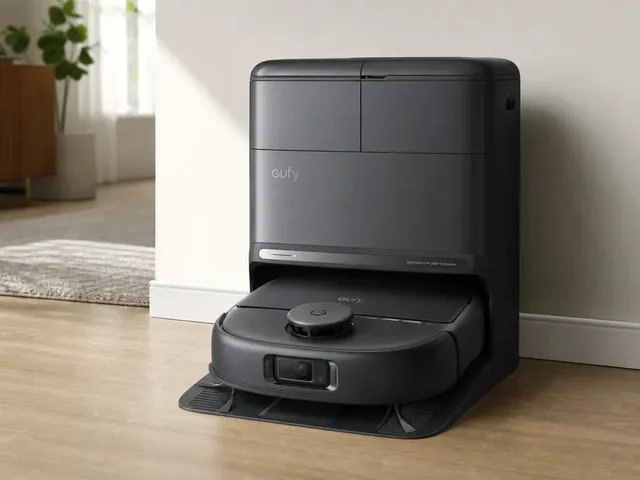
The eufy Omni C28 is a lower-cost robot vacuum and mop that brings several of eufy's higher-end cleaning features into the C-series. Official materials highlight a HydroJet self-cleaning roller mop, 15,000 Pa suction, DuoSpiral anti-tangle brushes, and a 5-in-1 Omni Station that automates dust emptying, mop washing, hot-air drying, clean-water refilling, and wastewater collection. It uses eufy's iPath 2.0 navigation with LDS+ laser mapping and obstacle avoidance, positioning it as a more affordable full-service cleaner for mixed hard-floor and carpet homes.

Name Description Capability

Price

$799

View robot
Robot Vacuum Omni E25
Cleaning | eufy

Robot Vacuum Omni E25

The eufy Robot Vacuum Omni E25 is a mid-range robot vacuum and mop in eufy's E series. Official product materials highlight a HydroJet self-cleaning roller mop, 20,000 Pa suction, AI.See obstacle avoidance with RGB visual recognition, and iPath laser navigation. Independent reviews also describe a CornerRover extending side brush, DuoSpiral anti-tangle rollers, and an all-in-one dock that automates dust emptying, mop washing and drying, and water refills, positioning the E25 as a feature-rich all-in-one cleaner below eufy's top flagship tier.

Name Description Capability

Price

$1,300

View robot
Robot Vacuum Omni E28
Cleaning | eufy

Robot Vacuum Omni E28

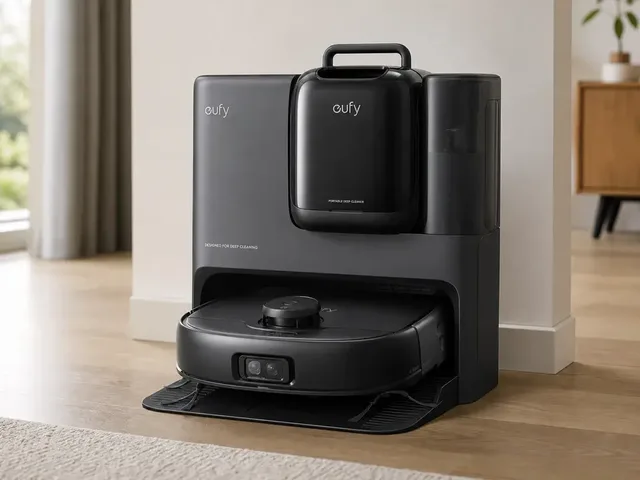
The eufy Robot Vacuum Omni E28 is a premium robot vacuum-and-mop whose standout feature is the FlexiOne detachable portable deep cleaner integrated into the Omni Station. That spot-cleaning module lets the same floor-care system handle carpets, upholstery, stairs, and fabric stains in addition to normal autonomous floor cleaning. Official eufy materials also list a HydroJet self-cleaning roller mop, 20,000 Pa suction, DuoSpiral anti-tangle brushes, a CornerRover extending side brush, RGB+LED obstacle avoidance, iPath laser navigation, Matter support, and an all-in-one station that empties dust, washes and dries the mop, refills water, dispenses detergent, and collects wastewater.

Name Description Capability

Price

$1,400

View robot
Cyber X
Cleaning | Dreame

Cyber X

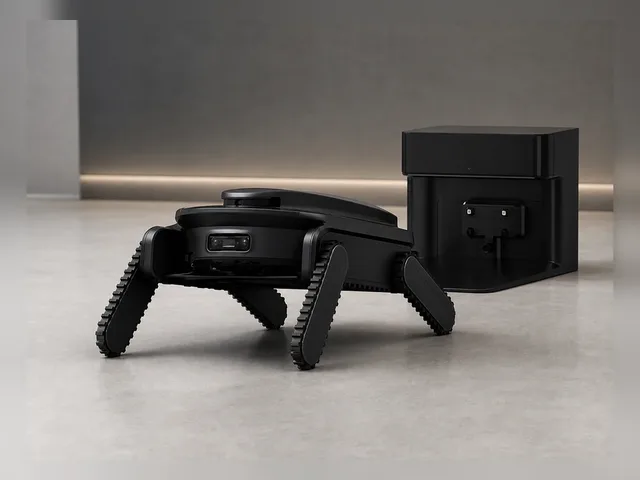
Cyber X is Dreame's stair-climbing transport and cleaning module for compatible X60 Pro Series robot vacuums. Dreame describes it as a bionic quad-track stair-climbing robot vacuum system that carries the vacuum between floors, handles straight, L-shaped, spiral, open-riser, and carpeted stairs, and cleans stair steps while descending. The module has its own 3D ToF vision, independent computing platform, 6,400 mAh battery, rubber track system, triple brake system, rear dual-brush cleaning module, and 6,000 Pa suction, making it a notable multi-level home-cleaning robot accessory rather than a conventional floor-only robot vacuum.

Description Capability AI

Price

€1,199

View robot
Matic
Cleaning | Matic Robots

Matic

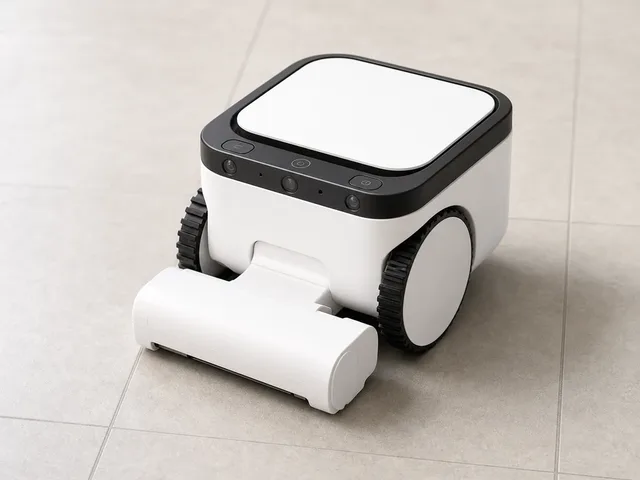
Matic is a vision-first robot vacuum and mop from Matic Robots that takes a notably different approach from most premium cleaners. Instead of a large multifunction dock or LiDAR tower, Matic uses on-device computer vision for real-time 3D floor mapping and carries its dustbag, clean-water tank, and mop-cleaning system inside the robot. Official materials describe automatic switching between vacuuming and mopping, a self-cleaning mop roll, tangle-resistant brush roll, HEPA bags for wet and dry waste, local processing with no cloud audio/video collection, and quiet operation up to 55 dB. Independent testing from RTINGS and Vacuum Wars corroborates the onboard bag/water/mop-cleaning design, five-camera 3D mapping, wet-spill pickup, and strong cleaning performance, while noting trade-offs such as the tall 7.8-inch body, lack of a conventional auto-empty/wash dock, and mixed navigation efficiency.

Description Capability AI

Price

$1,245

View robot
ROMO
Cleaning | DJI

ROMO

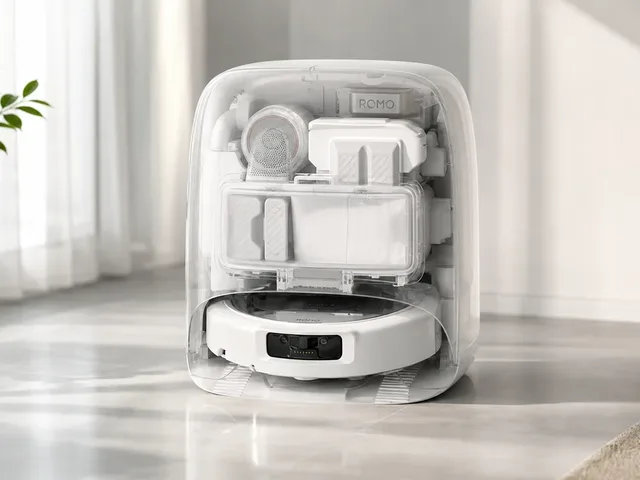
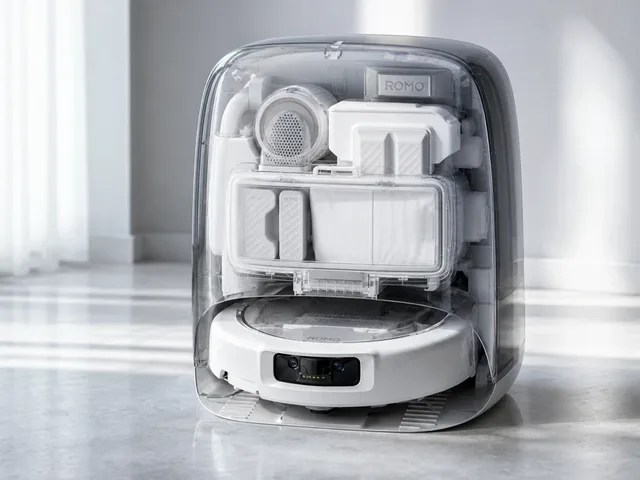
DJI's ROMO is the company's first robot vacuum-and-mop lineup for home cleaning, launched in China in 2025 and rolled out in Europe from October 2025. The ROMO family is sold in S, A, and P variants and brings DJI's drone-derived sensing into floor care with binocular fisheye vision, solid-state LiDAR, dual extendable edge-cleaning arms, up to 25,000 Pa suction, and a self-cleaning dock. Official DJI store and support materials also confirm setup through the DJI Home app, remote video and voice calling, and threshold crossing up to 2.5 cm.

Description Capability

Price

€1,299

View robot
ROMO P2
Cleaning | DJI

ROMO P2

DJI ROMO P2 is the higher-trim model in the second-generation ROMO 2 robot vacuum-and-mop lineup launched in China in May 2026. It builds on the first ROMO series with whole-scene AI cleaning decisions, a new millimeter-level obstacle-avoidance system using area-array speckle LiDAR, binocular fisheye vision and ToF sensing, and transparent-object avoidance. The P2 also adds a 123-degree radar-adaptive swing arm for edge cleaning, 36,000 Pa suction, DualSweep anti-tangle hardware, dynamic mechanical feet for thresholds up to 8.5 cm, 55 W fast charging, dirt heatmaps, remote video calling, voice control, and a high-temperature self-cleaning dock with P2-specific antibacterial/UV maintenance features.

Description Capability

Price

¥4,999

View robot
X50 Ultra
Cleaning | Dreame

X50 Ultra

Dreame's flagship robot vacuum and mop, announced at CES 2025. The X50 Ultra is the first robot vacuum with retractable robotic legs (ProLeap System) that let it climb over thresholds up to 6 cm high. It features a motorized VersaLift LiDAR sensor that retracts to let the robot clean under furniture as low as 8.9 cm. The HyperStream Detangling DuoBrush system eliminates hair tangles, and 20,000 Pa suction handles everything from fine dust to pet hair. Dual rotating mop pads with MopExtend RoboSwing reach edges and corners, and the mop lifts 10.5 mm for carpet protection. The PowerDock base station auto-empties dust, washes mops with hot water up to 80°C, and refills cleaning solution.

Description Capability

Price

$1,050

View robot
Aqua20 Pro Ultra Roller Complete
Cleaning | Dreame

Aqua20 Pro Ultra Roller Complete

Dreame's Aqua20 Pro Ultra Roller Complete is an announced robot vacuum and mop from the DREAME NEXT Living Next showcase in San Francisco. Dreame describes it as the industry's first robot vacuum with 160°C high-temperature steam mopping, combining steam cleaning, 75°C hot-water mopping, 18 N bionic pressure, and a 100°C hot-water base-station wash in one system. Gizmodo's event coverage also describes the model as using a roller mop and reports a planned August 2026 launch at $1,800. Dreame has not yet published a full retail spec sheet, so navigation, battery, suction, and dock details remain undisclosed.

Description Capability

Price

$1,800

View robot

Next step after "vacuum"

Turn 47 search results into an actual decision.

Once the deck stops feeling noisy, stop typing and change tools: compare finalists side by side, widen into a category map, or sanity-check the manufacturer context before committing to the shortlist.

Open compare

Reading the result deck

Stop searching once the shortlist starts to repeat.

47 results is usually enough to expose the right cluster. The next lift should come from structured comparison, not from typing more words into the same field.

1. Trim

Drop the obvious mismatches by maker, price, or category.

2. Open

Open the best 2-4 robots in parallel for deeper spec context.

3. Compare

Use compare once the decision is a tradeoff, not discovery.

Need a broader view?

Switch tools when the question changes.

Search wins when you know the signal. Directory routes win when you need a map of the entire field. Use both deliberately instead of forcing one tool to do both jobs badly.

Search playbook

The search indexes every attribute of 409 robots — names, manufacturers, categories, capabilities, sensors, connectivity, and AI stacks. Here is how to get the best results.

Query examples

The search indexes every attribute of all 409 robots — names, manufacturers, categories, capabilities, sensors, connectivity, and AI stacks.

Search query examples
Search for Example Finds
Robot nameOptimusTesla Optimus and similar names
ManufacturerUnitreeAll Unitree Robotics robots
CategoryhumanoidHumanoid category robots
Capabilityvoice interactionRobots with voice interaction
SensorLiDARRobots with LiDAR sensors
ProtocolMatterRobots supporting Matter

Price Sorting

No price filter in search? Sort results on the all robots page by price low-to-high or high-to-low.
1

Priority matching

Name matches rank highest, then manufacturer, then categories, sensors, and capabilities.

2

Cross-field matching

Multi-word queries match across fields — "Boston Dynamics quadruped" hits maker + category simultaneously.

3

Live refresh

Results update as you type with sub-second response — start broad, add specificity, watch the deck narrow.

4

Research workflow

Search → open 2–4 promising robots → compare finalists → check maker context.

Research strategies

The right search approach depends on your role and what decision you need to make. These strategies cover the most common research patterns.

Research strategies by role

Whether you are a consumer researching your first robot purchase, a journalist covering the robotics industry, an engineer evaluating competitive products, or an investor assessing market opportunities — the right search strategy depends on what signal you are tracking and what decision you need to make next.

First-time buyer

Start broad: try "cleaning robot" or "companion robot" for an overview of what is available. Review prices and features across multiple results, then narrow with specific terms like sensor types or brand names. The categories page has buyer guides with price ranges for each robot type to help set expectations.

Upgrading a robot

Search for features you wish your current robot had — "LiDAR navigation," "auto-empty," "voice control," or "obstacle avoidance." Compare your current model against candidates using the comparison tool to evaluate whether the upgrade justifies the cost. Pay attention to connectivity protocol changes — newer robots may use Matter instead of proprietary apps.

Tech enthusiast

Search cutting-edge terms: "bipedal locomotion," "force torque sensor," "large language model," or "ROS 2." Combine with status filters on the all robots page to distinguish currently available products from development-stage prototypes and pre-order models. The components directory provides deeper technical context on unfamiliar sensors and AI platforms.

Commercial buyer

Search deployment scenarios: "warehouse automation," "logistics," "reception desk," or "security patrol." Check manufacturer profiles for enterprise support options, fleet management capabilities, and commercial pricing arrangements for bulk deployments. Regional context matters — the countries directory shows production hubs and import considerations.

Research by technology

Search for component names like "LiDAR," "NVIDIA Jetson," "ROS 2," or "Matter" to find robots built on specific platforms. See the components directory for structured technology views and component trends for adoption momentum data over the past 30 days.

Research by use case

Search for the task rather than the product: "mopping," "lawn mowing," "security patrol," or "elderly care" surfaces robots designed for those applications. Cross-category queries like "security" can reveal surprising alternatives — dedicated security robots, companion robots with surveillance features, and quadrupeds with patrol capabilities all appear in one search.

Research by region

Search "Japan," "Chinese," or "European" to find robots from specific markets. The countries directory offers a structured geographic view with production hubs, manufacturer density, and regional market leaders for deeper comparison.

Complete research workflow

1

Explore categories

Understand the robotics landscape and identify which robot type matches your need.

2

Search candidates

Build a list of 3–5 promising results by name, capability, or sensor type.

3

Deep-dive profiles

Review full specifications, sensor breakdowns, and capability analysis on each candidate.

4

Compare finalists

Put top picks side by side with the comparison tool to highlight tradeoffs.

5

Research maker

Evaluate the company track record, portfolio breadth, and support infrastructure.

6

Check technology

Use the components directory to understand unfamiliar sensors, AI platforms, and connectivity protocols.

When to use search vs other tools

When to use search versus browse
Use search when Use browse when
You know the robot name, maker, or a specific technology keywordYou need to understand the full market landscape first
You want fast results across the entire database in one queryYou want buyer guides with price ranges and recommendations
You are validating whether a specific sensor or protocol existsYou want to compare regional markets or manufacturer portfolios
You need shareable, bookmarkable result URLs for laterYou want structured side-by-side specification comparison

Cross-category discovery

One of the most valuable but underused search strategies is cross-category exploration. Searching across categories can reveal surprising alternatives you might not have considered:

  • Security needs? Searching "security" surfaces dedicated security robots, companion robots with surveillance features, quadrupeds with patrol capabilities, and cleaning robots with built-in cameras.
  • Specific sensor? Searching "camera" shows robots from every category that include cameras — from vacuums to humanoids to security bots — revealing technology adoption patterns across the market.
  • Budget comparison? Searching a price range or budget term can surface robots across categories that compete for the same spending decision, even if they serve different purposes.

Saving and sharing research

Bookmarkable URLs

Every search generates a permanent URL. Bookmark it, share it with colleagues, or paste it into a team chat — the same URL always shows the latest data for that query.

Multi-device research

Start on your laptop, continue on your phone. Search URLs work everywhere. Open candidate detail pages in parallel tabs for efficient comparison across devices.

Compare integration

Once your shortlist is small enough, move directly to the comparison tool for structured spec-by-spec analysis. The compare page also supports shareable URLs for team purchase decisions.

Search help

The practical questions people hit most often once they start narrowing the shortlist.

Frequently Asked Questions

What can I search for on ui44?
You can search across all 409 robots by name, manufacturer, category, capability, sensor type, connectivity option, or any keyword that appears in a robot's profile. The search indexes every attribute in the database for comprehensive results.
Why am I getting no results?
If your search returns no results, try simplifying your query. Use single keywords rather than phrases, check for typos, and try synonyms (e.g., "vacuum" instead of "cleaning robot"). You can also browse by category or manufacturer.
Can I filter search results by price?
The search page does not include a numerical price filter, but you can use the all robots page which offers category, manufacturer, and price sorting together.
Do search results update in real time?
Yes, results update as you type with a short debounce delay to balance responsiveness with efficiency. There is no need to press Enter or click a search button — just start typing and results appear automatically. You can also press Enter or click Search for an immediate update. The result cards are rendered server-side and delivered via HTMX partial updates, meaning only the search results section refreshes without disturbing the rest of the page.
How is search relevance determined?
Results are ranked by match quality across multiple data dimensions. The relevance algorithm prioritizes exact matches in high-importance fields — a robot name match ranks higher than a description mention, which ranks higher than a sensor or capability match. Multi-word queries are evaluated as a combined search, matching across any combination of fields. For example, searching "Boston Dynamics quadruped" surfaces robots from Boston Dynamics in the quadruped category.
Can I search by technical specifications?
Yes — search for specific sensor names, connectivity protocols, AI platforms, or capability keywords. For example, searching for "LiDAR" returns all robots that include LiDAR sensors, while "Matter" surfaces robots supporting the Matter smart home protocol. For structured technical browsing, the components directory provides dedicated pages for each technology with complete robot compatibility lists and detailed technical explanations.
Does search include robots not yet available for purchase?
Yes, the search indexes every robot in the database regardless of availability status. Results include robots that are Available, in Pre-order, in Development, and in Prototype stages. Each result card displays the robot's current status so you can quickly identify which results represent products you can buy today versus those still in development. To limit results to only purchasable robots, use the status filter tabs on the all robots page.
How often is the search data updated?
The search index is rebuilt whenever the database is updated, ensuring that new robots, updated specifications, and changed prices are immediately searchable without delay. Each robot detail page shows a "last verified" date so you can assess data freshness for any specific result. Available products are prioritized for frequent verification, ensuring that purchase-ready robots have the most current information.
Can I share or bookmark my search results?
Yes, every search query generates a shareable URL that preserves your exact search terms and results. You can bookmark searches to revisit later, share specific search results with colleagues evaluating robots together, or save a set of search URLs as a lightweight research project. The URL-based approach ensures your research is reproducible — the same URL always shows the latest data.
What is the best way to narrow down search results?
Start with a broad term and progressively add specificity. For example, typing "robot" shows everything, adding "cleaning" narrows to cleaning robots, and adding a manufacturer name further refines to that company's products. You can also combine search with other tools — identify candidates through search, then use the comparison tool to evaluate your shortlist side by side across all specification dimensions.
Should I use search or browse to find robots?
Use search when you have a specific keyword, name, manufacturer, or technology in mind — it is the fastest way to surface candidates from the entire database in one action. Use browse routes when you need market context: the categories page for understanding robot types and buyer guides, the manufacturers page for company-level research, and the comparison tool for final tradeoff analysis. Most effective research workflows use both: search to discover, browse to contextualize.
Can I search by price range?
Direct price-range filtering is not available in search. However, you can search by category (e.g., "cleaning robot") to see the full price spread, then sort by price on the all robots page for structured price browsing. Many category pages also include price distribution tables showing typical price ranges for budget, mid-range, and premium segments within that robot type.
How do I compare robots after searching?
Once your search results narrow to a manageable shortlist, open the most promising 2–4 robots in separate tabs and review their full detail pages. Then use the comparison tool to place up to 4 robots side by side across every specification dimension — price, sensors, capabilities, connectivity, battery life, dimensions, and AI stack. The comparison view highlights differences that are hard to spot across separate detail pages.
Does search work on mobile?
Yes, search is fully responsive and works on mobile, tablet, and desktop. On smaller screens, the search input is prominently placed at the top of the page, result cards stack vertically for easy scrolling, and all quick-start tags and category chips remain tappable. Every search generates a bookmarkable URL, so you can start research on your phone and continue on your laptop without losing context.
How do I find robots from a specific country?
You can search by country name or nationality — "Japan," "Chinese," "Korean," or "German" will surface robots from manufacturers based in those regions. For a structured geographic view, the countries directory provides dedicated pages for each manufacturing hub, including manufacturer counts, product portfolios, and regional market positioning. Country pages also show production trends and highlight leading manufacturers in each region.
Can I search by robot status (available, pre-order, development)?
The search indexes status labels, so searching for "available," "pre-order," "development," or "prototype" will surface robots matching that status. However, for more structured status filtering, use the status filter tabs on the all robots page, which lets you toggle between Available, Pre-order, Development, and Prototype robots while maintaining category and manufacturer filters. Status information on each robot profile includes a last verified date so you can assess how current the availability data is.
What data does each search result card show?
Each result card displays the robot name, manufacturer (linked to the manufacturer profile), category, a short description, the price (or price note if TBD), and match labels showing which fields matched your query (Name, Maker, Category, Capability, Sensor, or AI). Clicking any result opens the full robot detail page with complete specifications, sensor breakdowns, capability analysis, component details, and manufacturer context.
How do I research a specific technology like LiDAR or Matter?
Search for the technology name directly — "LiDAR," "Matter," "ROS 2," "NVIDIA Jetson," or "Bluetooth 5.0" will return all robots that include that technology. For deeper technical context, the components directory provides dedicated pages for each technology with explanations, adoption statistics, and complete robot compatibility lists. You can also check component trends to see which technologies are gaining or losing adoption across the market over the past 30 days.
What is the difference between search and the all robots page?
The search page is optimized for keyword-based discovery across the entire database — type any term and get instant results from all robots. It indexes every attribute including names, manufacturers, categories, capabilities, sensors, connectivity protocols, and AI platforms. The all robots page is a structured directory with sortable columns, category filters, manufacturer filters, status tabs, and price sorting. Use search when you have a keyword in mind; use the robots page when you want to browse, filter, and sort a structured table view. Both routes link to the same robot detail pages for deep specification analysis.

Keep the research moving

Need a different lens than raw keyword search?

Search is the fastest way to surface candidates. Once the problem becomes breadth, tradeoffs, or manufacturer context, switch tools on purpose instead of endlessly refining one query.