That sounds less exciting than backflips and humanoid races. It is also closer to the hard part of household robotics. A robot that can cross the room but cannot feel contact still has to guess at the final centimeters of a chore. In a home, those final centimeters are where glass breaks, clothing bunches up, pets wander underfoot, and people expect the machine to be gentle.
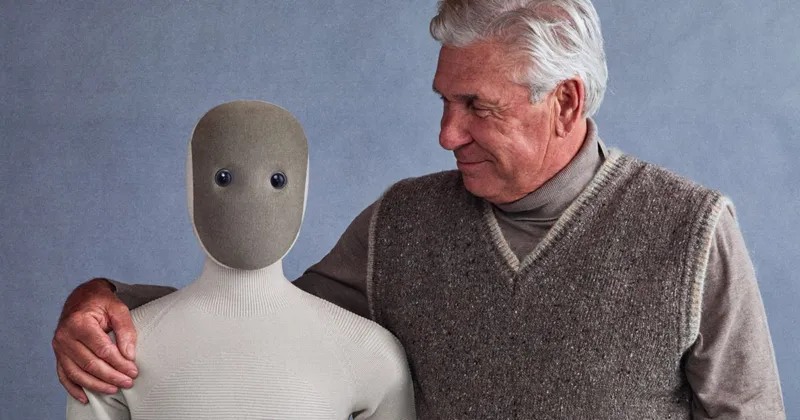
The short version: walking is table stakes for a humanoid that needs to move around a home, but touch is what turns a mobile robot into a useful helper. Buyers should ask less "can it dance?" and more "what happens when it touches something it did not expect?"
What is tactile sensing in a home robot?
Tactile sensing means the robot has some way to measure physical contact, not just see objects from a camera. That can mean fingertip pressure sensors, a force-torque sensor in the wrist, joint torque feedback, soft skin that detects body contact, or a full tactile array that measures where and how hard an object is pressing back.
The details matter. A simple bumper tells a vacuum it hit a wall. A good robot hand needs much richer feedback: light pressure, grip stability, slipping, object compliance, and whether the robot is pushing too hard. A care robot or home humanoid also needs body-level contact awareness so it can react safely if a person bumps into it.
Sanctuary AI's tactile-sensor announcement is a useful plain-English explanation. The company says touch helps with "blind picking," slippage detection, and preventing excessive force. It also makes the key critique of vision-only manipulation: with video alone, a robot may not know it touched something until after the object has already moved.
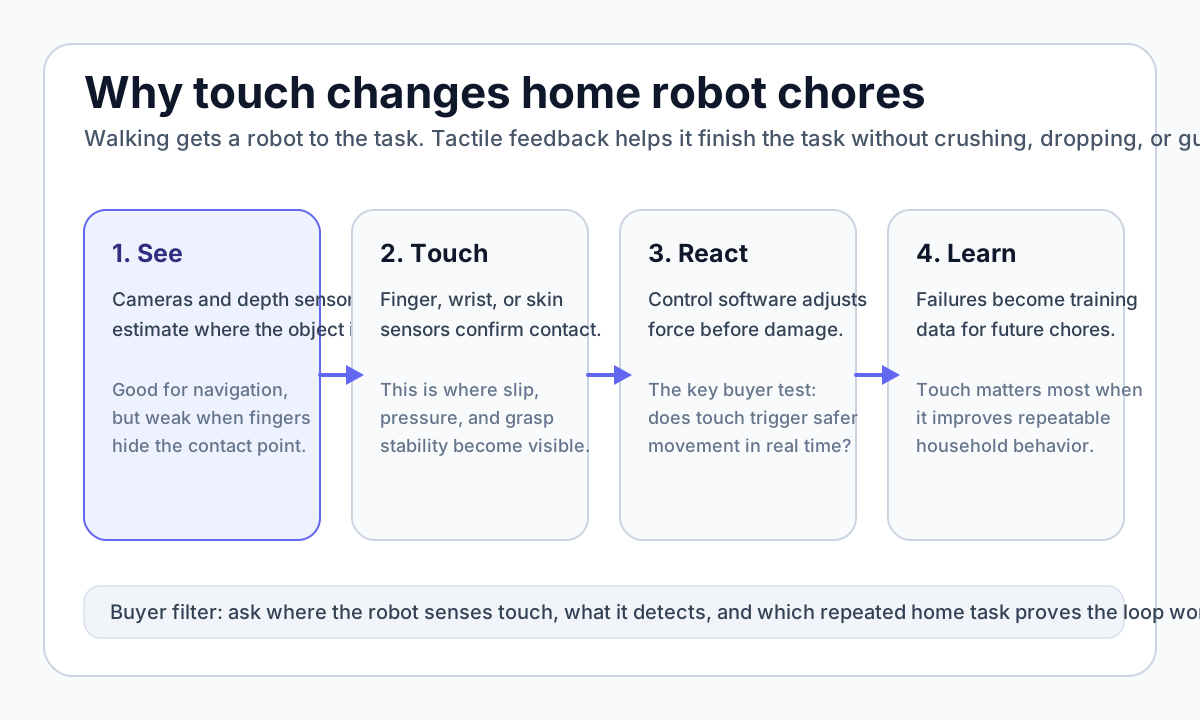
That is exactly the home problem. Cameras can tell a robot where a cup appears to be. Tactile feedback tells it whether the fingers actually have the cup, whether the cup is sliding, and whether the grip should relax before it crushes something fragile.
Which home robots already mention touch?
The ui44 database shows a clear split. Some robots are built around mobility and vision. Others explicitly mention tactile skin, force-torque sensors, pressure sensors, or dexterous hands with contact feedback. The second group is usually more relevant for chores that involve grasping, folding, carrying, or safe human contact.
Robot
- Touch-related claim in ui44 data
- Tactile skin, soft body, tendon-driven actuators
- Why it matters for buyers
- A home-focused humanoid has to be gentle around people, pets, and furniture, not just autonomous.
Robot
- Touch-related claim in ui44 data
- 1,000+ tactile sensors, 75-DoF hands, proprioception, thermal sensing
- Why it matters for buyers
- A strong example of touch-first dexterity, but not a consumer retail product.
Robot
- Touch-related claim in ui44 data
- Force sensors and tactile arrays in the ui44 record
- Why it matters for buyers
- Figure's home claim depends on manipulation, not only Helix navigation and planning.
Robot
- Touch-related claim in ui44 data
- Force-torque sensors on all joints plus sensor skin
- Why it matters for buyers
- A full-size humanoid positioned for industrial and everyday assistance, with touch framed as safety infrastructure.
Robot
- Touch-related claim in ui44 data
- 31 distributed pressure sensors and tactile feedback
- Why it matters for buyers
- A care-focused robot where touch is part of social and safety interaction.
Robot
- Touch-related claim in ui44 data
- Compliant gripper, RGBD camera at the gripper, contact-sensitive lightweight design
- Why it matters for buyers
- Not a humanoid, but a grounded example of manipulation-first home robotics.
| Robot | Touch-related claim in ui44 data | Why it matters for buyers |
|---|---|---|
| 1X NEO | Tactile skin, soft body, tendon-driven actuators | A home-focused humanoid has to be gentle around people, pets, and furniture, not just autonomous. |
| Phoenix | 1,000+ tactile sensors, 75-DoF hands, proprioception, thermal sensing | A strong example of touch-first dexterity, but not a consumer retail product. |
| Figure 03 | Force sensors and tactile arrays in the ui44 record | Figure's home claim depends on manipulation, not only Helix navigation and planning. |
| NEURA 4NE-1 | Force-torque sensors on all joints plus sensor skin | A full-size humanoid positioned for industrial and everyday assistance, with touch framed as safety infrastructure. |
| Fourier GR-3 | 31 distributed pressure sensors and tactile feedback | A care-focused robot where touch is part of social and safety interaction. |
| Stretch 3 | Compliant gripper, RGBD camera at the gripper, contact-sensitive lightweight design | Not a humanoid, but a grounded example of manipulation-first home robotics. |
This does not mean every tactile claim is equally proven. "Tactile skin" can cover a wide range of hardware. A robot may sense contact on the body but not in the fingertips. Another may have wrist force sensing but no fine fingertip slip detection. Some robots expose tactile data to autonomy software; others may use it mainly for safety stops or teleoperation.
That is why buyers should treat tactile sensing as a question, not a checkbox. Where is the sensor? What can it detect? How fast does the robot react? Which public demo proves it works outside a staged lab setup?
Why can touch matter more than walking?
Walking is visually obvious. Touch is quiet. But for household chores, touch can be the bigger difference between a robot that looks impressive and a robot that finishes useful work.
A bipedal robot that walks across a room still has to complete a contact-rich sequence: approach the counter, identify the object, align the fingers, close the grip, lift without slip, avoid bumping nearby objects, carry the item, place it down, and release at the right time. If any step fails, the walking demo does not help.
For buyers, the practical tasks are rarely pure locomotion. They are tasks like:
- picking up a mug without squeezing the handle awkwardly;
- pulling a towel without dragging other laundry off the table;
- opening a cabinet without yanking the whole robot off balance;
- handing a pill bottle to an older adult without pinching fingers;
- placing a plate down gently instead of dropping it from a few centimeters;
- recognizing that a drawer is jammed and stopping before force becomes unsafe.
Those are touch problems. Vision helps with planning, but contact feedback is what lets the robot close the loop when the real world disagrees with the plan.
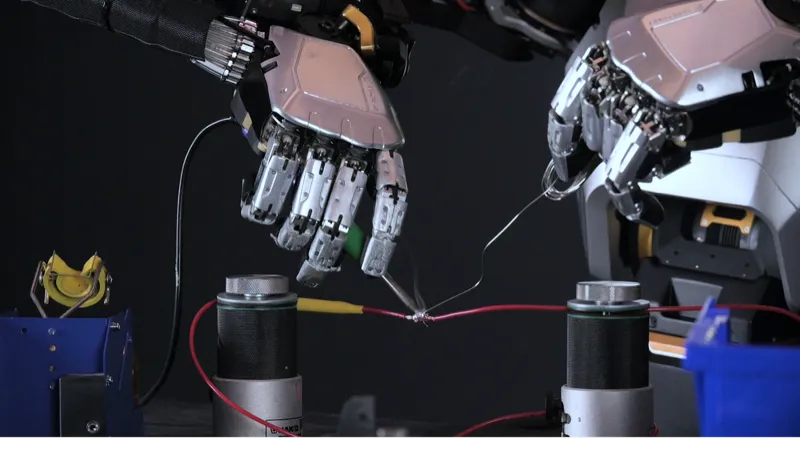
Phoenix is the clearest database example of touch as a dexterity strategy. ui44 lists Phoenix at 170 cm, 70 kg, with 75 degrees of freedom in its hands and 1,000+ tactile sensors. Sanctuary's own tactile announcement says touch broadens the range of tasks by improving fine manipulation when vision is occluded.
That is not the same as saying Phoenix is ready for a kitchen. It has no public consumer price and is aimed at commercial pilots. But it shows the direction of travel: serious manipulation companies are not betting on cameras alone.
What does the database say about walking-first robots?
The contrast is useful. Unitree G1 is one of the most visible affordable humanoids, starting at $13,500 in the ui44 database. It is compact at 132 cm and 35 kg, supports optional dexterous hands, and is clearly important for research and education. But the current ui44 sensor record lists depth camera, 3D LiDAR, microphones, and joint encoders; it does not list fingertip tactile arrays.
That does not make G1 bad. It means its strongest public story is locomotion, research access, and low price for a humanoid platform. If your goal is learning, programming, demonstrations, or mobility research, that may be enough. If your goal is reliable home chores, you should ask what the hands feel and how the robot reacts to uncertain contact.
1X NEO takes a different route. It is listed at $20,000 for early adopters, 167 cm tall, 30 kg, with about 4 hours of battery life. Its official page emphasizes a soft body, tendon-driven actuators, gentle motion, and Expert Mode for chores NEO does not yet know. In ui44's data, NEO also lists tactile skin. That combination is more directly home-facing than a pure walking demo, even though autonomy and teleoperation transparency remain important buyer questions.
Figure 03 is another instructive case. Figure's official site now frames Figure 03 as a general-purpose humanoid for everyday home help, using Helix to navigate unpredictable environments. ui44 lists Figure 03 at 168 cm, 60 kg, with about 5 hours of battery life, force sensors, and tactile arrays, but no public price and no consumer checkout. The tactile claim is promising; the availability and task-proof questions remain open.
What can tactile sensing not solve?
Touch is not magic. It is one layer in a larger system. A robot with excellent pressure sensors can still fail if the gripper is poorly designed, the arm lacks reach, the autonomy model chooses the wrong action, or the product has no safe recovery behavior.
Tactile sensing also does not remove the need for vision. A robot still needs to find the object, understand the scene, avoid people and pets, and decide what the chore is. Touch helps when the robot reaches the uncertain contact phase. It does not replace perception, planning, or common sense.
There are also cost and durability questions. Skin-like sensors can wear, tear, drift, or become expensive to service. Finger sensors are exposed to liquids, dust, pet hair, detergent, sharp objects, and normal household abuse. A useful home robot needs a repair plan, not just impressive sensor vocabulary.
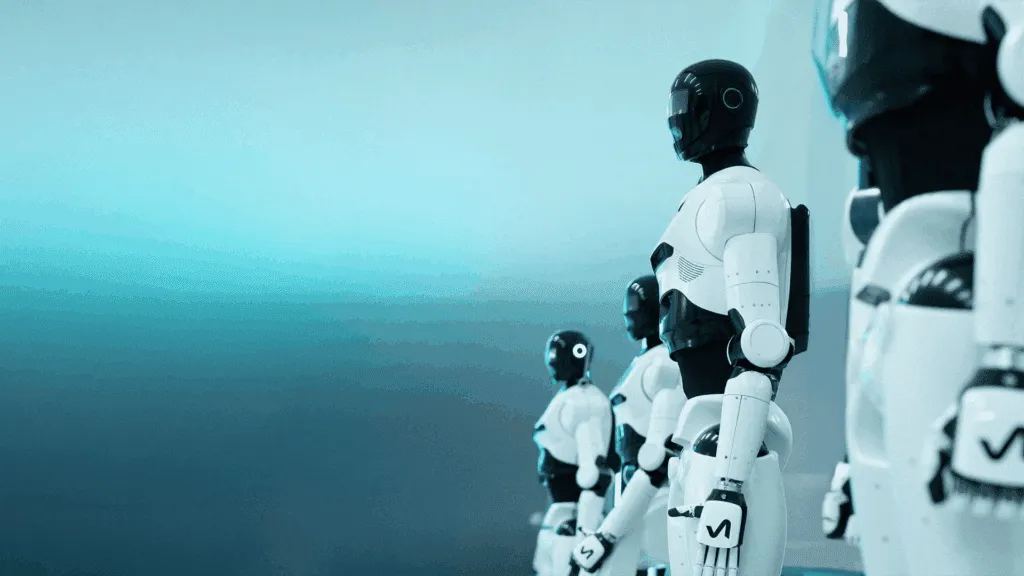
The NEURA 4NE-1 illustrates the trade-off. ui44 lists it at €98,000, 180 cm, 80 kg, with force-torque sensors on all joints, sensor skin, a 15 kg payload, and about 2 hours of runtime. That is a serious sensing stack, but the size and price are far beyond normal consumer buying. The same technology path may matter for homes later, but today it is still early-adopter, research, and enterprise territory.
Fourier's GR-3 is more explicitly care-oriented. The official GR-3 page says 31 distributed pressure sensors enable real-time touch detection and social response. ui44 lists it as a 165 cm, 71 kg humanoid with a soft-shell exterior, tactile feedback, force-torque sensors, and 5 kg per-arm payload. That is exactly the kind of hardware language to watch for eldercare and companion-assistance robots, but price and broad availability are still not public.
What should buyers ask about robot touch claims?
If a manufacturer says its robot has tactile sensing, do not stop there. Ask the questions that separate marketing from useful contact control.
Buyer question
Where is touch sensed?
- Good sign
- Fingertips, wrists, joints, and body zones are described separately.
- Weak sign
- The spec says "tactile" with no location.
Buyer question
What does it detect?
- Good sign
- Pressure, slip, shear, contact location, or force limits are explained.
- Weak sign
- Only a generic "safe interaction" phrase appears.
Buyer question
How does the robot react?
- Good sign
- The demo shows live grip adjustment or stopping before excessive force.
- Weak sign
- The robot only completes a scripted pick-and-place.
Buyer question
Which chore proves it?
- Good sign
- Repeated towel, cup, drawer, appliance, or handoff tests are shown.
- Weak sign
- The robot performs dancing, waving, or race clips only.
Buyer question
Can it be repaired?
- Good sign
- Pads, fingertips, skins, or grippers have a service plan.
- Weak sign
- No warranty or consumable-part details.
Buyer question
Is the claim tied to autonomy?
- Good sign
- Touch data feeds learning, recovery, or task success detection.
- Weak sign
- Sensors exist but are only mentioned as hardware.
| Buyer question | Good sign | Weak sign |
|---|---|---|
| Where is touch sensed? | Fingertips, wrists, joints, and body zones are described separately. | The spec says "tactile" with no location. |
| What does it detect? | Pressure, slip, shear, contact location, or force limits are explained. | Only a generic "safe interaction" phrase appears. |
| How does the robot react? | The demo shows live grip adjustment or stopping before excessive force. | The robot only completes a scripted pick-and-place. |
| Which chore proves it? | Repeated towel, cup, drawer, appliance, or handoff tests are shown. | The robot performs dancing, waving, or race clips only. |
| Can it be repaired? | Pads, fingertips, skins, or grippers have a service plan. | No warranty or consumable-part details. |
| Is the claim tied to autonomy? | Touch data feeds learning, recovery, or task success detection. | Sensors exist but are only mentioned as hardware. |
This is also where Hello Robot Stretch 3 is a useful counterexample. Stretch 3 is not marketed as a futuristic skin-covered humanoid. It is a $24,950, 24.5 kg mobile manipulator with a 2 kg payload, 2-5 hour runtime, a compliant gripper, RGBD camera at the gripper, ROS 2 support, and teleoperation tools. Hello Robot's product page emphasizes real-home reach, a lightweight body, and manipulation from a web browser.
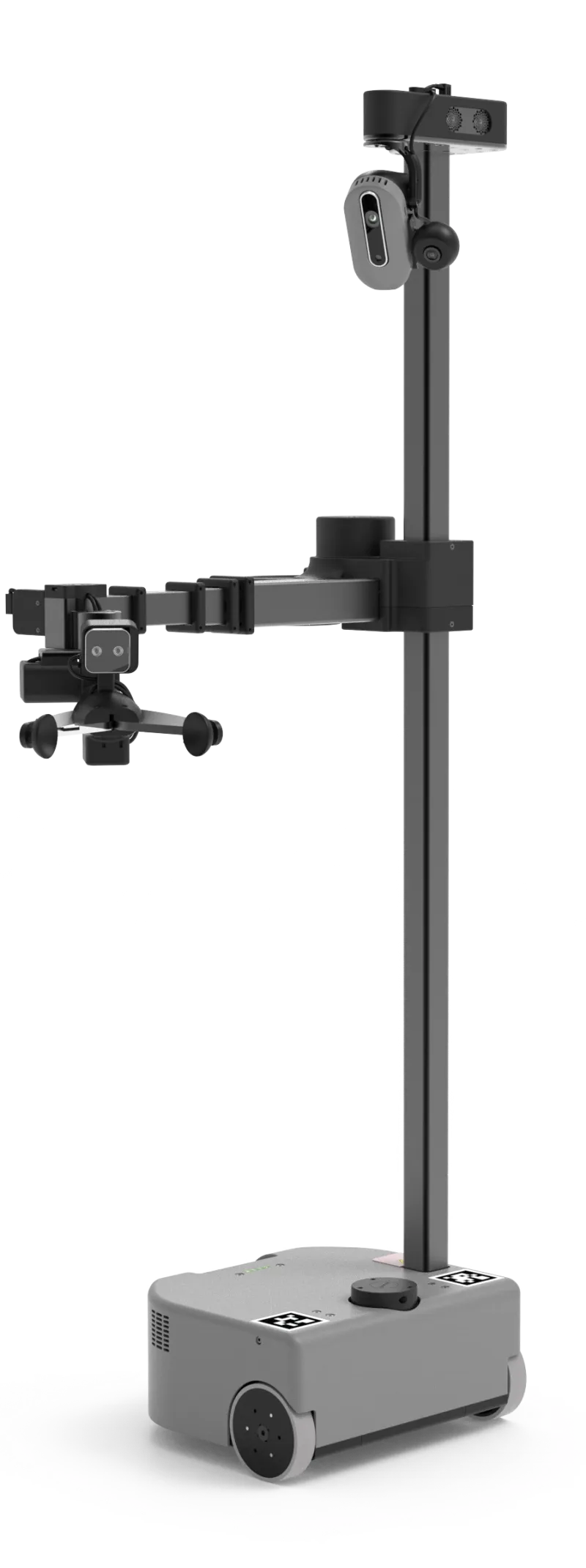
That is less glamorous than a full humanoid, but it is grounded. For many home robot tasks, a slow compliant arm with good cameras, teleoperation, and a clear research community can be more credible than a fast walking body with vague hand specs.
Should you prioritize tactile sensing over walking?
If you are buying or tracking a robot for physical chores, yes: tactile sensing should move near the top of the checklist. Walking matters if the robot must use stairs, navigate clutter, or operate across many rooms. But manipulation is what makes the machine useful once it arrives.
A simple rule helps:
- For mobility demos: ask about speed, balance, stairs, battery life, and fall recovery.
- For household chores: ask about hands, payload, force limits, tactile sensing, task recovery, and supervision.
- For care or companionship: ask about soft contact, pressure sensing, voice, privacy, escalation, and whether the robot can safely stop when a person intervenes.
That rule cuts through hype. A robot that can jog may still be a poor home assistant. A robot that moves slowly but can feel contact, adjust its grip, and recover from small failures may be closer to doing something useful.
The best future home robots will need both: safe mobility and reliable touch. But if you have to judge an early product from limited specs, treat tactile sensing as a serious signal. It is not proof of usefulness by itself. It is the hardware layer that gives useful home manipulation a fighting chance.
The next time a humanoid video goes viral, watch the hands. Do they only wave, or do they feel? That difference may tell you more about home readiness than the walking clip ever will.
Written by
ui44 Team
Published April 27, 2026
Share this article
Open a plain share link on X or Bluesky. No embeds, no widgets, no cookie baggage.