This guide compares official product documentation rather than hands-on test results. It focuses on cleaning, companionship and home-assistant interactions, with announced systems clearly separated from documented controls.
First published and sources checked: October 11, 2026. Offers and feature rollouts can change; confirm the exact model, region and software before buying.
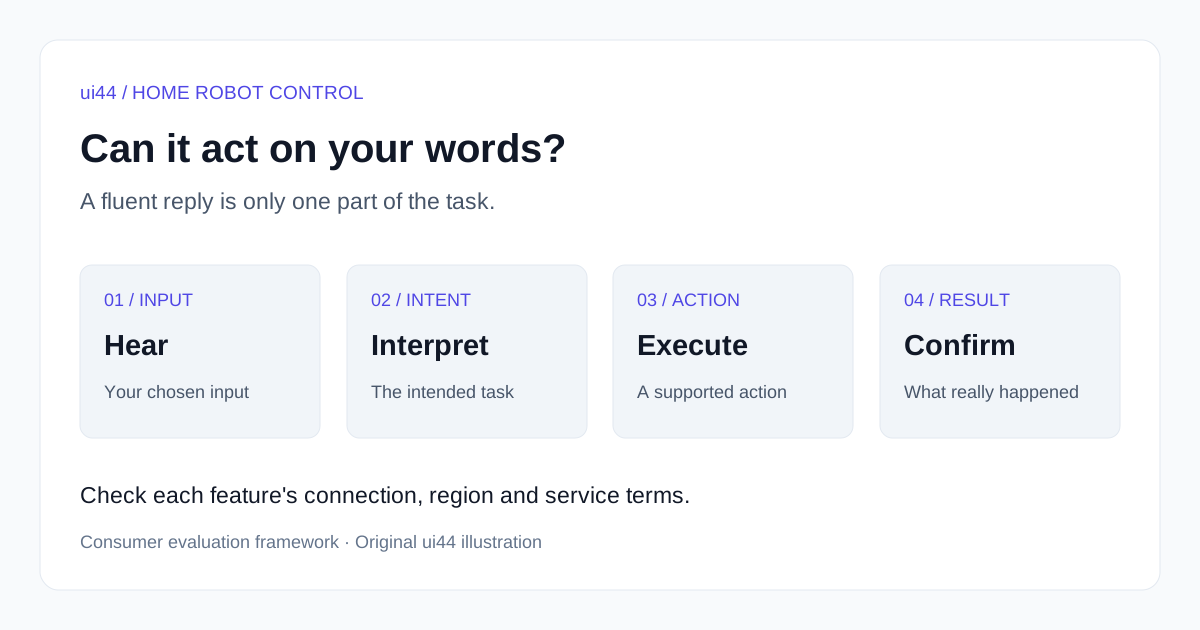
Original ui44 illustration. These are separate evaluation questions, not a claim that every listed robot implements the same processing pipeline.
What do you want the robot to do with your words?
Start with the outcome, because three different features can all be advertised as natural-language interaction. Conversation produces a response: an answer, a story or a follow-up question. Command execution changes the robot's behavior: it starts a supported cleaning job, moves to a mapped location or changes a setting. Planning selects or sequences supported actions toward a goal. A product can offer one without the other two.
For example, a companion explaining how to clean a spill has answered a question. A vacuum starting a kitchen cleaning job has executed an instruction. A system choosing a cleaning schedule from household preferences is making a planning decision within a defined service. None of these alone demonstrates that a robot can find an unfamiliar spill, decide whether it is safe to clean, fetch a suitable tool and report that the floor is dry.
These distinctions are more useful than sorting products into a universal "intelligence" ladder. Someone who cannot comfortably use a phone may value a reliable spoken start command more than a long conversation. Someone seeking company may care about interruption, turn-taking and comprehensible responses, with no need for the robot to move. The purchase should follow that need.
Also separate the input device from the processing location. A microphone built into a robot removes the need to speak into a separate speaker; it does not establish that speech processing or conversation works offline. Likewise, an app's text-chat interface may accept a request without providing a spoken interface at the robot. Ask which interface the manufacturer actually supports for your particular task.
Compare the capability boundary, not the chatbot label
The product notes below are based on official pages checked on October 11, 2026. They describe documented claims and limitations, not comparative hands-on results. A store listing or an announcement is not proof that every advertised feature is enabled on every delivered unit.
Product
X8 Pro Omni
- What the documentation supports
- YIKO-GPT voice/text interaction claims
- Important boundary
- In-app real-time chat still marked pending
Product
X12 OmniCyclone
- What the documentation supports
- Voice start, pause and return; advertised planning
- Important boundary
- Planning claims do not establish unrestricted requests
Product
Loona
- What the documentation supports
- Conversation and documented follow-me behavior
- Important boundary
- Internet-dependent conversation; no lifetime AI entitlement established
Product
EBO Max
- What the documentation supports
- Voice-initiated video calls
- Important boundary
- Initial route setup is separate from conversation
Product
ElliQ
- What the documentation supports
- Conversation, messages and calls
- Important boundary
- U.S./English, Wi-Fi and active membership
Product
Astro
- What the documentation supports
- Alexa-related features, movement and monitoring
- Important boundary
- Invitation-based offer; some monitoring needs a paid plan or trial
Product
onero H1
- What the documentation supports
- Announced action-model capabilities
- Important boundary
- Consumer voice interface not established
Product
Ballie
- What the documentation supports
- Dated Gemini and home-assistant announcement
- Important boundary
- No current delivered voice-control offer established
| Product | What the documentation supports | Important boundary |
|---|---|---|
| X8 Pro Omni | YIKO-GPT voice/text interaction claims | In-app real-time chat still marked pending |
| X12 OmniCyclone | Voice start, pause and return; advertised planning | Planning claims do not establish unrestricted requests |
| Loona | Conversation and documented follow-me behavior | Internet-dependent conversation; no lifetime AI entitlement established |
| EBO Max | Voice-initiated video calls | Initial route setup is separate from conversation |
| ElliQ | Conversation, messages and calls | U.S./English, Wi-Fi and active membership |
| Astro | Alexa-related features, movement and monitoring | Invitation-based offer; some monitoring needs a paid plan or trial |
| onero H1 | Announced action-model capabilities | Consumer voice interface not established |
| Ballie | Dated Gemini and home-assistant announcement | No current delivered voice-control offer established |
The sections below explain the source and scope of each row. This is not a ranking of reliability, and an unresolved requirement should stay unresolved until the manufacturer supplies model-specific evidence.
ECOVACS X8 Pro Omni: built-in voice and pending app chat are different
The X8 Pro Omni provides a particularly useful example of why footnotes matter. Its official U.S. page advertises YIKO-GPT as LLM-supported interaction through text or voice, including multi-round exchanges and commands. But footnote four still says the in-app real-time chat function is unavailable pending a future OTA update, and describes that function as supporting English conversation only.
Those statements should stay together. The headline does not establish that the pending app interface is already usable, and the footnote does not say that every built-in voice feature is missing. Nor should its English limitation be generalized to every ECOVACS model or voice function in every country.
The U.S. page showed the X8 as sold out when checked. That is a scoped store observation, not a discontinuation claim. A listed historical price is not a current offer, and a plausible "extra attention" phrase is not a verified command example. If this model is on your shortlist, ask for the currently supported skills in your app and a demonstration of the cleaning command you intend to use. The source does not establish a comparative recognition score or an unrestricted conversation-to-task interface.
ECOVACS X12 OmniCyclone: bounded voice commands and advertised planning
The X12 OmniCyclone has stronger model-linked documentation for specific actions. The U.S. X12-family manual, linked from its product page, documents voice control for starting, pausing and returning the robot to its station. English page 14 says intelligent functions, including voice interaction, require ECOVACS HOME App and acceptance of the privacy policy and user agreement; page 17 describes the controls. Basic manual operation is a separate path.
The U.S. product page also advertises AGENT YIKO 2.0 cleaning plans informed by preferences, routines, room layout and object density, with adjustments to suction, water flow and routes. That is a manufacturer planning claim. It does not prove that any spoken household goal becomes a negotiated schedule, or that a conversational request triggers every separately advertised stain-treatment behavior.
The page now presents model and bundle offers without a preorder label; a listing still does not confirm delivery to your address. A complete model-specific language list, voice-service fee schedule and offline command matrix were not established by the sources checked. An older generic YIKO support FAQ says task execution needs internet, while a later Australian ECOVACS explainer describes some simple offline commands. Neither settles every X12 firmware and region combination. Use the exact model manual and obtain clarification for any offline feature on which your purchase depends.
Loona: conversation and a separate repertoire of robot behaviors
Loona is a companion robot, but it would be misleading to say it only talks. KEYi's official product page shows a mobile robot with docking and interaction features, and its official quick-guide graphic gives a wake phrase and a follow-me instruction. That is a concrete example of a voice-triggered robot behavior, distinct from answering a general question.

The manufacturer's September 2026 tutorial distinguishes onboard movement and perception from internet-connected conversation, app and remote-access features. Do not extend that distinction into a promise that every spoken command works offline: a complete offline command list is a separate requirement. Equally, a chatbot answer does not establish that its content can direct arbitrary movements or chores.
The product FAQ describes ChatGPT-4o access as free "for the moment," which is not a lifetime entitlement. It also lists response languages; that should not be treated as evidence that every movement command supports the same languages. Ask about the language of the particular behavior you want, especially if the conversation language differs from the documented quick-guide example.
For a buyer, the useful trial has two parts: one conversation and one supported behavior. Confirm the mode changes and how to stop the behavior. Choose Loona for the documented interaction you enjoy, rather than assuming that the conversational service adds cleaning, object handling or general chore planning.
Enabot EBO Max: voice-initiated calls do not make every route autonomous
EBO Max is another case where conversation and actions need separate descriptions. Enabot's June 1 product blog describes video calls initiated by voice. This is a specific communication action, not simply a claim of fluent dialogue. The manufacturer also markets multimodal AI and memory, but those labels alone do not specify what instructions can initiate navigation or what a robot will remember reliably across household situations.
An April 20 Enabot guide describes manually setting initial routes and waypoints. That setup matters when a demonstration shows the robot moving to a familiar location: previously configured movement is different from interpreting any new destination in ordinary speech. Check who must perform the setup and how the user selects the resulting route.
The current official store presents a purchase offer; it does not support carrying forward a historical preorder label as the present status. The offered regional variant and delivery eligibility still need checking for your address. Remote app operation uses an internet connection, while the sources checked do not establish a complete offline AI or voice-command matrix. The official model page describes local storage and separately subscription-based cloud storage. That storage plan does not establish the terms of AI conversation. We leave full language coverage and ongoing AI-service entitlements unresolved here.
A practical demonstration would use the supported call path with a configured contact, then examine how navigation is initiated separately. Do not assume that recognizing a household member also grants that person account permissions or that a voice call can be placed to any unconfigured contact.
ElliQ: conversation plus specific communication actions
ElliQ is a useful reminder that a stationary companion can execute software actions without doing physical chores. The official FAQ describes proactive conversation alongside instructions for adding contacts, sending messages and placing calls. Those communication functions are more concrete than a general claim that the robot "understands you": the relevant question is whether the intended contact and action are supported and correctly selected.
The same FAQ specifies English-language availability within the United States and a Wi-Fi internet connection. It also says an active membership is required; the device is leased and must be returned when membership ends. The membership offer is therefore the place to check ongoing terms, rather than treating a hardware-looking price as an outright purchase. We omit dollar figures because this comparison concerns the service dependency, not a particular billing promotion.
For a household considering ElliQ, try a supported contact interaction with the intended user and check who manages contacts and account access. Do not confuse a wellness conversation with emergency response: the FAQ says ElliQ is not an emergency device. Claims about health outcomes need study populations, methods and limitations; conversation features alone cannot establish a clinical benefit.
Amazon Astro: separate Alexa requests from navigation and monitoring
Astro combines a mobile platform with Alexa-related features. Its current U.S. product listing describes following a user, delivering messages and reminders, and app-based live view. It also specifies Ring Home Premium or a trial for proactive patrolling, activity investigation and cloud video storage. Those are distinct service conditions, not one blanket bundle of "AI capabilities."
Amazon's 2021 introduction explains a split between on-device sensor/image processing and voice requests streamed to the cloud. The current listing also says Visual ID face recognition is processed on the device. Thus neither "all intelligence is in the cloud" nor "the robot works fully offline" follows from the evidence. The historical introduction is useful for that architectural distinction, not for current prices or retired service names.
The U.S. listing remains invitation-based, with limited quantities and no guaranteed invitation. Do not read an invitation request as a confirmed order. We did not establish a current, complete supported-language or offline-command matrix from these sources. In particular, this guide does not assume Astro has every feature offered by other Alexa devices or an Alexa+ upgrade. Ask about the exact Astro task and service before comparing it with an Echo or a cleaner.
SwitchBot onero H1: action-model claims do not establish voice control
onero H1 belongs in this comparison as a boundary case, not a demonstrated winner. A household action model and a conversational interface answer different questions. The relevant question for this guide is which spoken or typed requests a buyer can submit, through which interface, and what supported action follows on the delivered product.
The official H1 product page advertises Omni Sense VLA integration of visual, depth, touch and language information for manipulation. SwitchBot's January 2026 announcement describes an on-device model. Neither source checked provides a supported consumer voice-command list, complete language matrix or offline speech specification. A current delivery offer was not established from the product page; a displayed price or generic cart interface is not delivery evidence.
For that reason, we do not rank H1 against delivered cleaning commands or companion conversations. "Language" in a model name does not establish a microphone interface, and an on-device action model does not prove that every related service is local. Treat voice interaction and its service terms as unresolved here. Our H1 reality check covers the broader household-manipulation proposal.
Samsung Ballie: announced Gemini features are not a usable offer
Ballie illustrates another boundary: a detailed announcement can describe a future interaction without demonstrating a currently delivered product. Samsung's April 9, 2025 announcement described Gemini on Google Cloud alongside Samsung's models, using audio, camera and sensor inputs. It proposed conversational advice, lighting adjustments, reminders and scheduling, with a U.S. and Korea launch planned for summer 2025.
That dated plan is not shipment evidence. We have not established a current consumer delivery offer or a usable voice-control feature set from these materials. Language coverage, offline behavior and subscription terms therefore remain unverified rather than being inferred from Gemini or Samsung's other products. Ballie is included as an announced example, not a buying recommendation or a feature benchmark.
For the launch history and separately attributed shelving reports, see our Ballie status analysis. A buyer comparing voice interfaces should wait for a concrete model, service terms and released documentation before treating those announced actions as available household functions.
A practical demonstration before you depend on voice control
Choose one task you genuinely want to do without a phone. Write down the starting conditions and what success would look like. For a cleaning robot, that could be a mapped, accessible room and a supported cleaning mode. For a companion, it could be a short exchange at the volume and distance you normally use. The following is a suggested evaluation, not a claim that any listed product supports every step.
First, establish the supported path. Have the seller show the relevant manual or support entry, then demonstrate the documented command using the exact regional model and software version. Note whether a phone, linked speaker, account, cloud connection or paid plan is involved. If the demonstration uses a staff member's account, check that your household can obtain the same service. A demonstration with different permissions or a different plan does not answer your setup question.
Second, vary the wording within the same task. Try your normal phrasing rather than memorizing only the presenter's sentence. Ask how the system handles room names that sound alike. If it asks a clarifying question, check whether the answer actually updates the pending job or merely starts a new conversation. This tests the interaction you want to buy without demanding unsupported household autonomy.
Third, inspect the resulting action. Look at the destination, selected mode and job status. A friendly acknowledgment is not enough if the robot starts in the wrong room. Conversely, an unpolished verbal response may be acceptable if the task is correct and the controls are accessible. Decide which errors matter in your home before judging the demonstration by conversational smoothness.
Fourth, check correction and cancellation. Use only the manufacturer's supported controls and a safe setting. Can you stop the current task promptly? Can you tell which job was canceled? Does a second instruction replace the first, queue another task or require the app? Keep the physical stop or other manual control accessible; do not test safety by deliberately placing someone in the robot's path.
Finally, ask about failure rather than staging a dangerous one. Request the manufacturer's documented behavior for a lost connection, unavailable service or unrecognized request. A local stop button and an offline conversation mode are different capabilities. Record the feature that remains available, not the vague statement that "the robot still works."
A useful record is short: model, region, firmware, language, input method, account or plan, request, actual action and recovery method. It gives support something concrete to investigate if the behavior changes after an update. Our software-support guide covers the wider update questions; the purpose here is to establish your particular voice-control path.
Check connection, language and service terms feature by feature
A household can tolerate some online dependence and still need a dependable fallback. Identify which part of the interaction relies on an external service: receiving speech, interpreting it, generating an answer, scheduling a task or providing remote access. Do not infer the whole chain from the location of a single model or sensor. A camera-processing claim says little about where a spoken request is sent.
If offline use matters, ask for documentation naming the exact offline commands on the model you will receive. There is a meaningful difference between pressing start on the robot, using local speech for a short command list, and holding an open-ended conversation without internet. A general brand FAQ may describe older firmware or another product family. When model-specific support and a broader marketing page differ, get the discrepancy resolved before making that feature a purchase condition.
For language support, check more than the app's menu language. The wake phrase, recognized commands, generated speech, conversational mode and customer support may have different language coverage. A translated store page does not prove that the robot understands speech in that language. In a multilingual household, ask whether switching languages is automatic, account-wide or a manual setting; leave it unresolved if the official documentation does not say.
Regional eligibility also belongs in this check. Confirm the store region, account country, required app and service availability for your address. An imported unit can have different support arrangements even when the casing and model name look familiar. This guide does not treat a feature described on a U.S. page as a promise for every country.
Next distinguish a hardware purchase from continuing access to conversation. Look for included services, trials, optional plans and what remains after a plan ends. Do not assume a free trial is lifetime access, or that paying for a robot automatically includes every future AI feature. Where the retrieved materials do not settle a subscription question, ask the vendor for the terms attached to your order rather than estimating an ownership cost from a stale headline price.
For shared use, ask who can issue commands and who can read the resulting history. Voice recognition, face recognition, account access and permission to perform a task are separate questions. Recognition may personalize an answer without serving as authorization. Before enabling cameras or linked services, use our home-robot privacy checklist to examine data access and deletion. This article's narrower recommendation is to identify the data and permissions required for the one interaction you want.
Choose for the household task, not an AI ranking
For cleaning, prioritize a documented command that starts the correct supported job, with understandable status and an accessible way to stop it. Conversation about cleaning is secondary if it cannot alter that job. A feature advertised for a future update should not be the reason an otherwise unsuitable cleaner wins your shortlist.
For companionship, evaluate the exchange itself: can the person hear it, interrupt it and recover from misunderstanding? Check the continuing service requirements and whether someone else must manage the account. These questions do not require treating the companion as a medical service or assuming that it can perform physical care tasks.
For a moving home assistant, keep navigation and monitoring permissions separate from conversation. Ask which destinations and actions the manufacturer supports, how they are selected and what feedback confirms completion. A robot's ability to describe a scene does not by itself establish permission or ability to change it.
For a general household manipulator, insist on evidence for the actual instruction-to-action workflow. An attractive demonstration may show only part of that workflow, and an on-device model does not establish an available voice interface. Our teleoperation and autonomy guide explains human assistance boundaries without assuming that every demo uses the same arrangement.
If voice is essential for accessibility, include the intended user in the trial and retain a usable alternative input. Button, app, text and speech controls should be evaluated for that person rather than assumed interchangeable. Our gesture-control guide explores complementary inputs. The best outcome here is a modest task that the person can initiate and verify reliably, with clear help when it fails.
Frequently Asked Questions
Does ChatGPT support mean that a robot can carry out my request?
No. The name of a conversational service does not define the robot's action
permissions or physical skills. Look for a documented connection between your
request and a supported action. A response about tidying may be conversation,
while a command that changes a cleaning job is control. Evaluate those outputs
separately even when they appear in the same interface.
Is a built-in voice assistant automatically offline?
No. Built-in describes where you interact with the assistant, not necessarily
where every part of the request is processed. Consult the model-specific support
material for offline commands. If the documentation confirms only button-based
cleaning without Wi-Fi, it has not also confirmed offline speech or
conversation.
Which robot has the best natural-language control?
The sources checked here do not establish a comparative winner. Choose a task,
then compare documented inputs, executable actions, limitations and recovery.
Manufacturer descriptions alone cannot rank recognition accuracy in your room,
with your voice, language and background noise. A repeatable demonstration of
your task is more useful than counting assistant or model names.
Should I count an announced OTA feature when buying?
Treat it as pending until the manufacturer documents its release for your model
and region, and you can confirm the required software. Ask whether the product
still meets your needs without that feature. A promised date, a feature image
and a usable feature on your account are three different kinds of evidence.
What if a product page does not explain subscriptions or regional support?
Leave that part of the comparison unknown. Ask for the terms applying to the
specific hardware, service, country and account you intend to use. Missing
information is not evidence that a feature is free, unlimited or available
worldwide. Keep the answer with the order information if the feature is
important to your decision.
Written by
ui44 Team
Published October 11, 2026
Share this article
Open a plain share link on X or Bluesky. No embeds, no widgets, no cookie baggage.