A senior-friendly robot vacuum is not just "easy to use." It should empty itself, avoid common trip hazards, recover from normal home mess, accept simple commands, and keep working when the phone is not in someone's hand.
In the ui44 database, we currently track 51 cleaning robots, including about 34 floor-cleaning robot vacuums or vacuum-mop hybrids. The spec sheets are crowded with suction numbers, mop temperatures, AI cameras, and dock claims. For seniors, the hierarchy is different. Bending down to empty a bin, cutting hair from a brush, fixing a stuck robot under a chair, or decoding an app error is the real cost.
This guide reframes the category around five accessibility features that matter more than raw suction.
Quick answer: what should you look for?
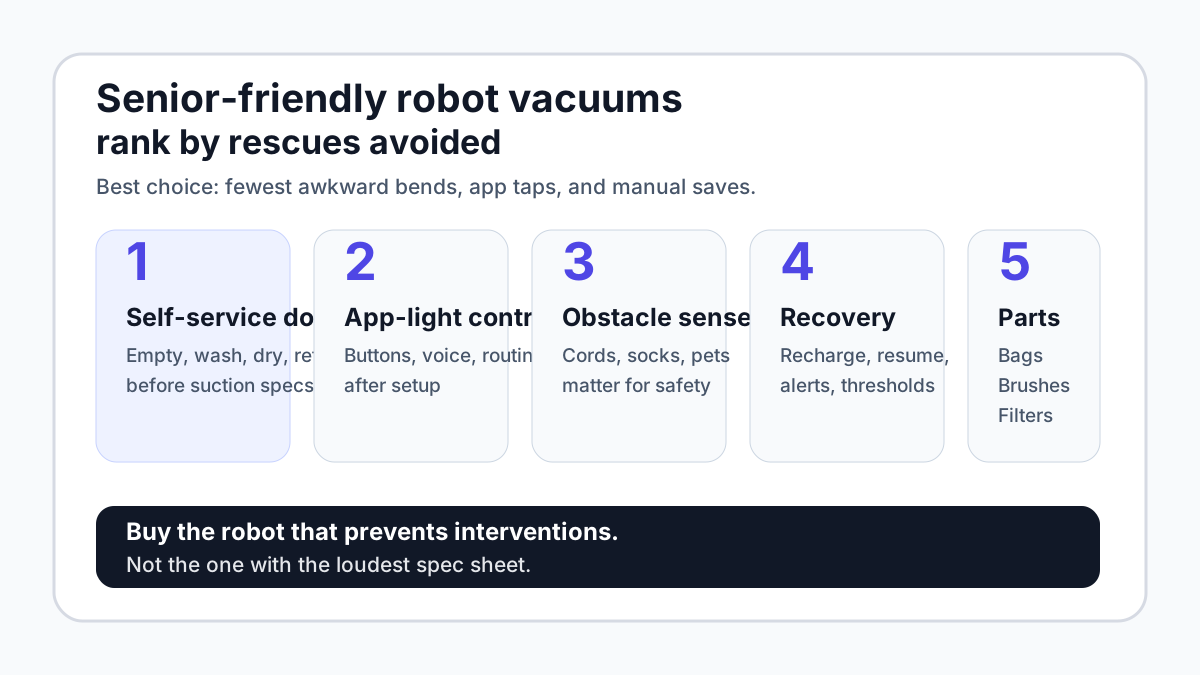
If you are buying one robot vacuum for an older adult, prioritize these in order:
- A self-service dock that empties debris and, if mopping is needed, washes and dries the mop.
- App-light daily control: onboard buttons, reliable voice commands, or a caregiver-created schedule.
- Obstacle avoidance for cords, socks, pet bowls, slippers, and clutter that can become fall hazards.
- Reliable recovery: recharge-and-resume, threshold handling, clear alerts, and a dock the robot can find.
- Low-maintenance parts: anti-tangle brushes, available bags/filters/pads, and support from a stable brand.
Notice what is missing: the biggest suction number. Suction still matters, especially for carpet and pet hair, but a 30,000 Pa robot that needs frequent human rescue is a poor fit for someone who wants cleaning to become less physical.
The CDC lists throw rugs and clutter among home hazards that can contribute to falls for older adults. A robot vacuum will not solve fall risk by itself, but it should also not add a new object that gets stranded in walking paths.
Feature 1: a dock that removes bending, not just chores
The most senior-friendly upgrade in modern robot vacuums is not AI. It is the dock.
A basic robot vacuum still asks the user to bend down, remove a bin, carry dust to the trash, clean a filter, and restart the robot. That is fine for some households. It is not ideal when mobility, grip strength, eyesight, or balance is part of the buying decision.
A better dock handles at least debris emptying. A stronger vacuum-mop dock adds mop washing, hot-air drying, water refilling, and dock self-cleaning. The point is not luxury; it is reducing repetitive physical interaction.
For example, the iRobot Roomba Combo 10 Max is listed in ui44 at $1,399.99 with an AutoWash Dock that empties debris, refills water, washes and dries the mop pad, and self-cleans. It also supports Alexa, Google Assistant, Siri, Matter, and Apple Home. That is the kind of dock-first design that can make a robot easier to live with after setup.
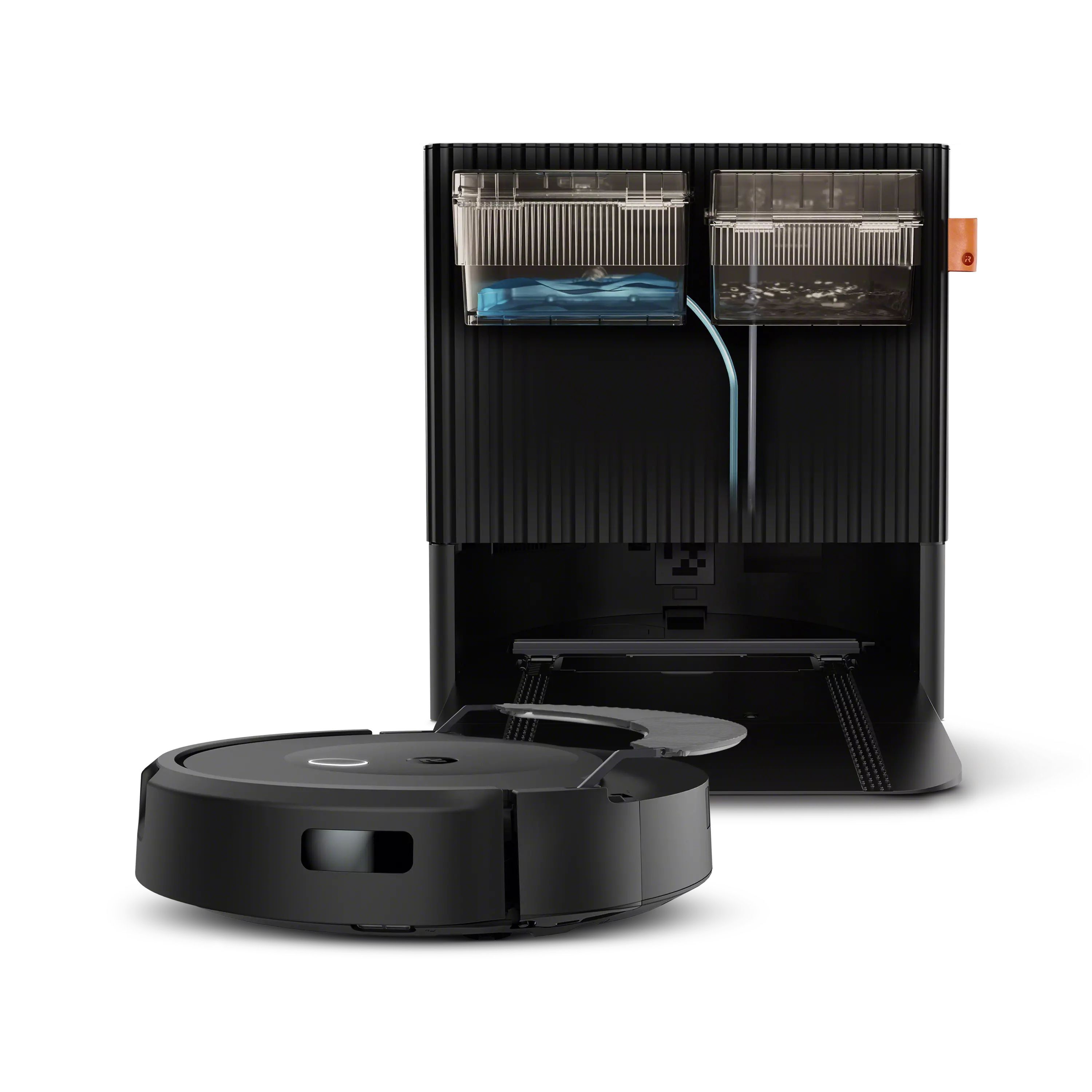
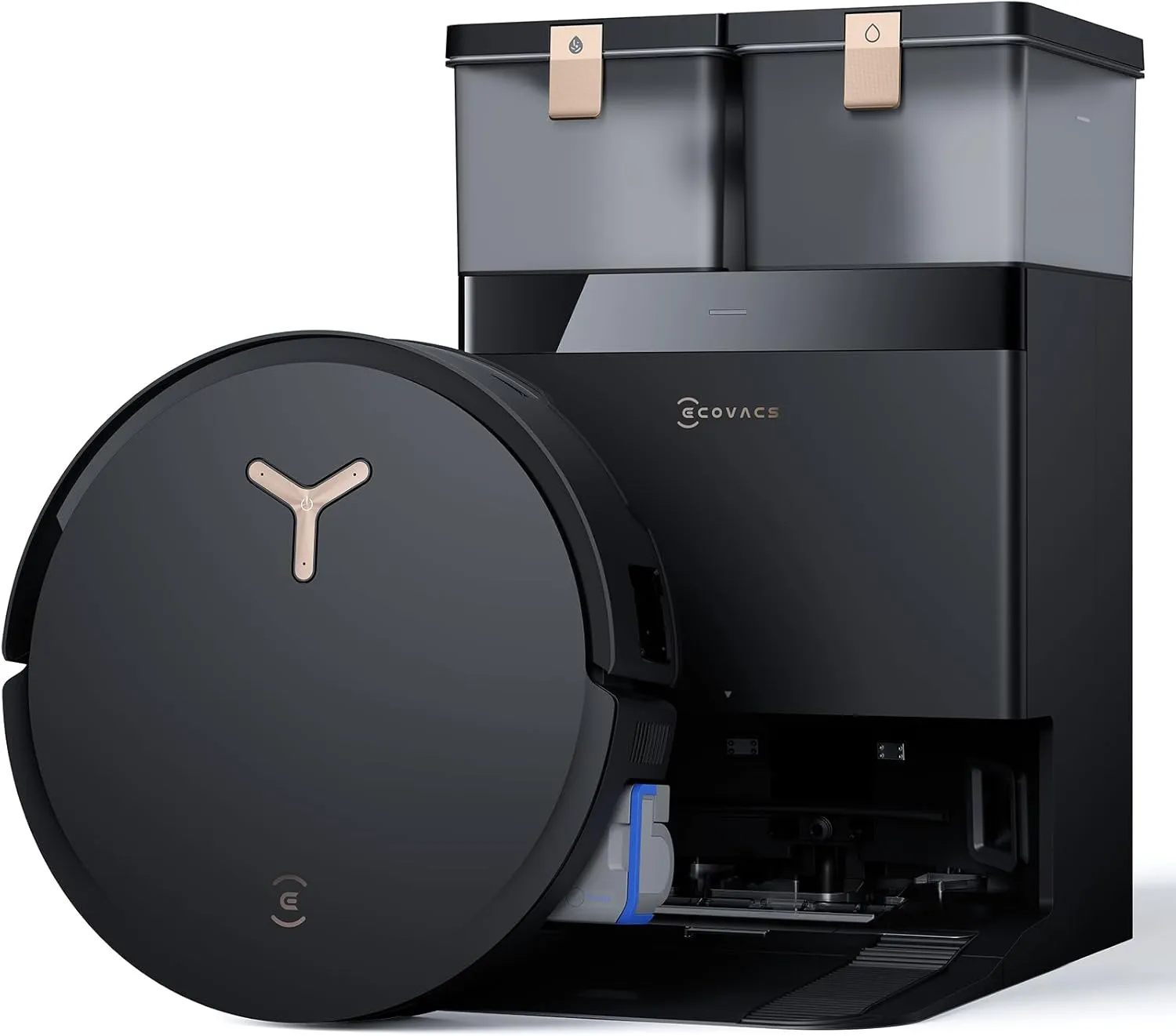
The Ecovacs Deebot X8 Pro Omni, listed at $1,099.99, takes a similar hands-off approach with auto-emptying, hot-water mop washing, hot-air drying, cleaning-solution dispensing, and a maintenance-free mop tray claim. The eufy Omni E25, listed at $1,299.99, also combines self-emptying, mop washing and drying, water-tank automation, and Matter smart-home support.
The caveat: docks are not magic. Someone still has to replace dust bags or empty a washable bin, refill clean water, dump dirty water, change pads, and clean sensors. For seniors, ask where the dock will sit and whether those tanks or bags are easy to reach. A dock hidden behind a chair is not accessible.
Feature 2: daily control without app dependence
The hardest truth in this category is that almost every premium robot vacuum still expects a smartphone during setup. Room maps, Wi-Fi pairing, firmware updates, schedules, and no-go zones usually live in an app.
So the practical goal is not "no app ever." The goal is app-light daily use after a helper finishes setup.
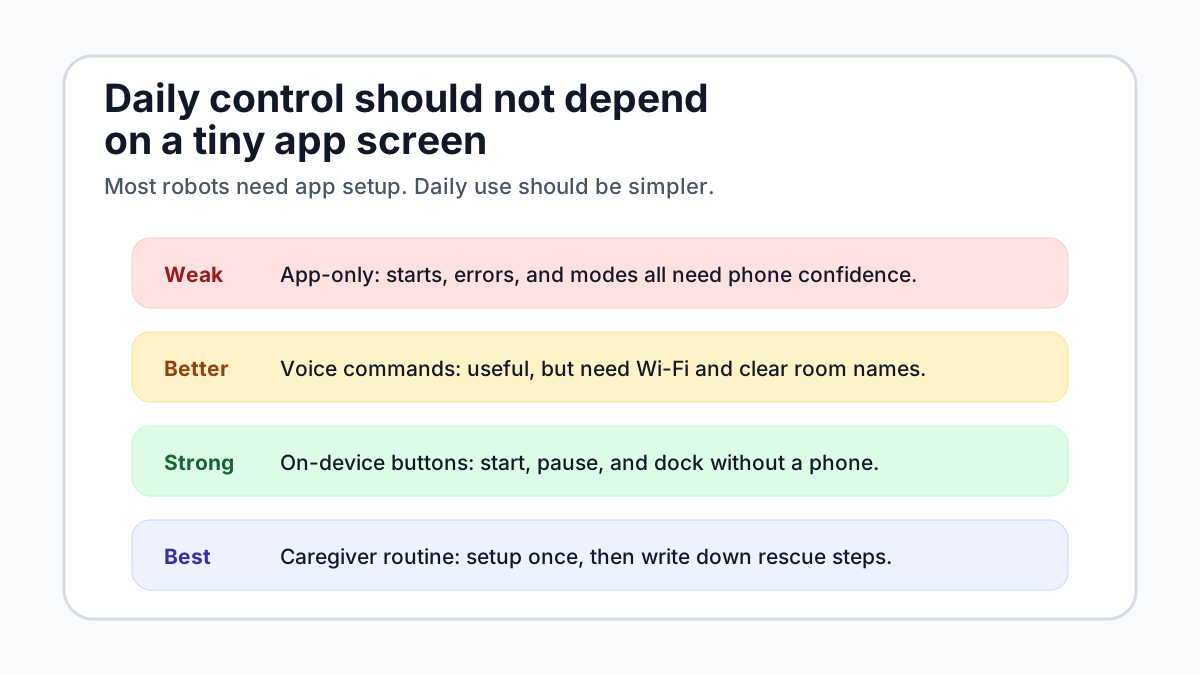
The Shark PowerDetect UV Reveal 2-In-1 is notable because ui44's database records app-free operation via on-device buttons. It does not list voice assistants, but it does give the user a physical fallback for starting and controlling the robot. For some households, that is more accessible than a long list of integrations.
Voice can be excellent when it is reliable. The Roomba Max 705 Vac, listed at $499.99, supports Alexa, Google Assistant, and Siri, and includes voice-command cleaning with an AutoEmpty Dock. The Roomba Combo j5+ lists roughly 600 supported voice commands. The Roborock Qrevo Curv 2 Flow is especially interesting because it includes Hello Rocky onboard/offline voice plus Alexa, Google Assistant, and Siri. Ecovacs uses YIKO-GPT for more conversational natural-language control on the X8 Pro Omni.
Voice is not automatically senior-friendly, though. It can fail when room names are unclear, Wi-Fi drops, accounts disconnect, or the robot cannot understand a command. During setup, label rooms with ordinary words: "kitchen," "hall," "bedroom," not clever nicknames. Then write a one-page card: start, pause, dock, call helper, replace bag.
Feature 3: obstacle avoidance is an accessibility feature
Obstacle avoidance is usually marketed to pet owners. For seniors, it also has an accessibility angle.
A robot that pushes cords into a walking path, gets wedged under a recliner, drags a sock, or stops in the hallway can create exactly the kind of clutter people are trying to reduce. This does not mean every buyer needs the most expensive camera system. It does mean random-bounce robots and weak obstacle detection are poor fits for a home where rescue is difficult.
Look for LiDAR or structured-light navigation, front cameras or object-recognition sensors, cliff sensors, and clear support for no-go zones. The Roomba Max 705 Vac lists ClearView Pro LiDAR, a PrecisionVision AI camera system, object avoidance for cords, socks, and pet waste, and up to 75 days of AutoEmpty debris storage. That combination is more relevant than suction alone.
The Roomba Combo 10 Max includes object avoidance for stairs, cords, socks, and shoes, plus Dirt Detective room prioritization. Ecovacs X8 Pro Omni uses embedded dToF LiDAR, an AIVI 3D camera system, dual structured light, and real-time reactions to sudden environmental changes. Roborock Qrevo Curv 2 Flow lists Reactive AI obstacle avoidance for 200+ object types.
Still, be skeptical of perfect claims. Cameras can miss black cords, shiny objects, pet toys, or items half-hidden under furniture. The safest setup is boring: clear charging space, remove loose fringe rugs, route charging cables, block under-furniture traps, and create no-go zones around delicate areas.
Feature 4: error recovery matters more than peak performance
A robot vacuum is senior-friendly only if normal failures are easy to recover from. Ask these questions before buying:
- Can it return to the dock reliably from every room?
- Does it recharge and resume automatically?
- Can it cross the thresholds in this specific home?
- Does it avoid wetting carpets when mopping?
- Are error messages clear enough for a non-technical person?
- Can a family member help remotely without exposing unnecessary camera data?
Thresholds deserve special attention. A robot that cannot leave the kitchen may be harmless, but a robot stuck halfway over a transition strip is a trip hazard. Dreame's X60 Max Ultra Complete, for example, is recorded in ui44 with double-layer threshold crossing up to 8.8 cm, built-in "OK, Dreame" voice, auto-emptying, hot-water mop washing, and hot-air drying. Roborock Saros 20 and other high-end models also chase threshold performance. That is useful only if the robot stays predictable and does not become a moving obstacle.
Privacy also belongs in the recovery conversation. Camera-based robots can be better at avoiding clutter, but they may capture sensitive household scenes. If the older adult is not comfortable with camera maps, cloud features, or remote viewing, compare policies carefully. ui44's home robot privacy checklist, mapping data guide, and privacy-first robot vacuum guide are worth reading before choosing a camera-heavy model.
Feature 5: maintenance should be predictable and visible
Maintenance is where many "easy" robots stop being easy.
A premium dock reduces daily work, but it can increase the number of consumables. Dust bags, filters, side brushes, roller brushes, mop pads, cleaning solution, odor cartridges, and batteries all matter. Before buying for a parent, check whether replacement parts are easy to order in the same country and whether the robot has clear support pages.
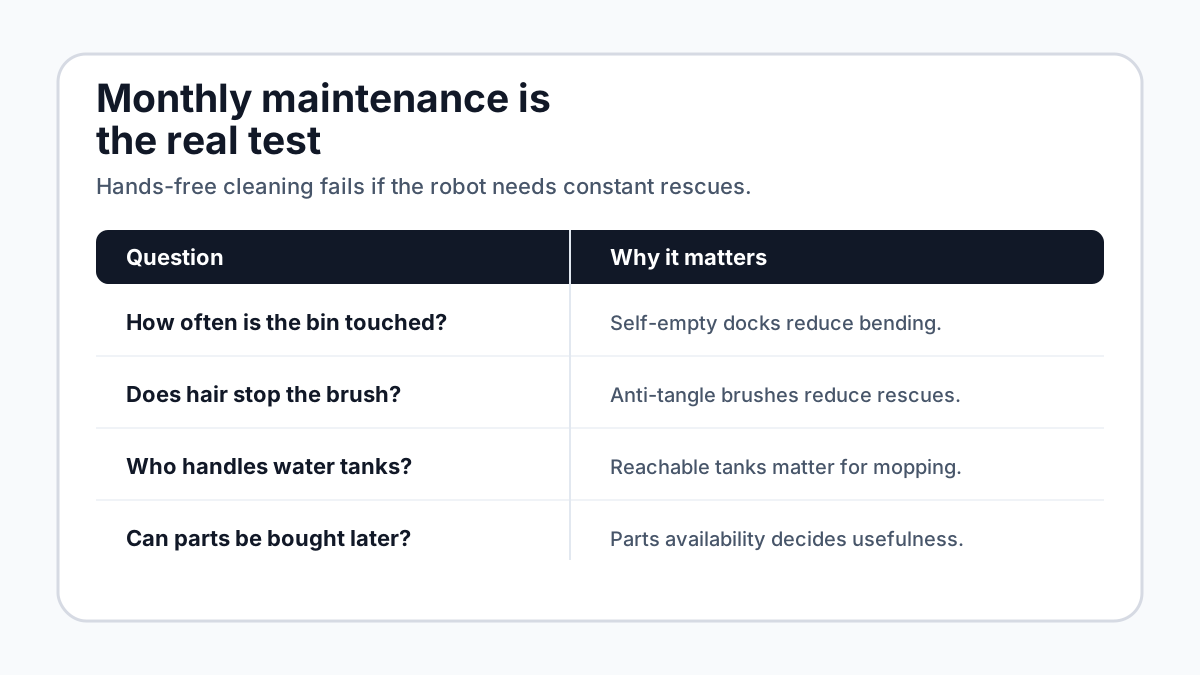
Anti-tangle design is especially valuable when the user cannot easily flip over a robot and cut hair from a brush. Ecovacs X8 Pro Omni lists ZeroTangle 2.0. Roborock Qrevo Curv 2 Flow lists a DuoDivide anti-tangle main brush. eufy Omni E25 lists DuoSpiral anti-tangle brushes. iRobot's rubber brush design is one reason Roombas remain popular with pet owners.
Bagless docks can reduce consumable purchases, but they still require emptying and washing. Bagged docks add recurring cost, but they can be cleaner and easier for allergy-sensitive households. There is no universal winner. For seniors, the best choice is the one the household can maintain without improvisation.
Shortlist: which models fit which senior-friendly scenario?
Scenario
Lowest intervention vacuum-only setup
- Robot to inspect first
- Roomba Max 705 Vac
- Why it fits
- $499.99, voice commands, LiDAR/camera navigation, object avoidance, AutoEmpty Dock up to 75 days
- Watch-out
- No mopping; still app-based setup
Scenario
Premium vacuum-mop automation
- Robot to inspect first
- Roomba Combo 10 Max
- Why it fits
- AutoWash Dock, voice-directed room cleaning, Matter/Apple Home support, carpet-safe mop retraction
- Watch-out
- Expensive; water/pad maintenance remains
Scenario
Conversational built-in assistant
- Robot to inspect first
- Ecovacs Deebot X8 Pro Omni
- Why it fits
- YIKO-GPT natural-language control, auto-empty, hot-water wash/dry, 150-day tray claim
- Watch-out
- Feature-rich app and camera system may be too much
Scenario
Physical-button fallback
- Robot to inspect first
- Shark PowerDetect UV Reveal
- Why it fits
- App-free operation via on-device buttons, bagless self-emptying dock, local image processing
- Watch-out
- No listed voice assistant; single-floor mapping
Scenario
Offline voice option
- Robot to inspect first
- Roborock Qrevo Curv 2 Flow
- Why it fits
- Hello Rocky onboard voice, hot-water dock, obstacle avoidance, anti-tangle brush
- Watch-out
- Verify local availability and support
Scenario
Smart-home/Matter buyer
- Robot to inspect first
- eufy Omni E25
- Why it fits
- Matter, all-in-one station, 20,000 Pa suction, anti-tangle brushes
- Watch-out
- Not truly no-app; camera/privacy review needed
| Scenario | Robot to inspect first | Why it fits | Watch-out |
|---|---|---|---|
| Lowest intervention vacuum-only setup | Roomba Max 705 Vac | $499.99, voice commands, LiDAR/camera navigation, object avoidance, AutoEmpty Dock up to 75 days | No mopping; still app-based setup |
| Premium vacuum-mop automation | Roomba Combo 10 Max | AutoWash Dock, voice-directed room cleaning, Matter/Apple Home support, carpet-safe mop retraction | Expensive; water/pad maintenance remains |
| Conversational built-in assistant | Ecovacs Deebot X8 Pro Omni | YIKO-GPT natural-language control, auto-empty, hot-water wash/dry, 150-day tray claim | Feature-rich app and camera system may be too much |
| Physical-button fallback | Shark PowerDetect UV Reveal | App-free operation via on-device buttons, bagless self-emptying dock, local image processing | No listed voice assistant; single-floor mapping |
| Offline voice option | Roborock Qrevo Curv 2 Flow | Hello Rocky onboard voice, hot-water dock, obstacle avoidance, anti-tangle brush | Verify local availability and support |
| Smart-home/Matter buyer | eufy Omni E25 | Matter, all-in-one station, 20,000 Pa suction, anti-tangle brushes | Not truly no-app; camera/privacy review needed |
For a side-by-side spec check, use the ui44 comparison tool or browse the broader Cleaning robot category.
Setup checklist for an adult child or caregiver
- Place the dock where the user can reach bags, tanks, and buttons without
- Run the first map while someone is home, then name rooms with plain words.
- Create no-go zones around cords, rug fringe, pet bowls, medical equipment,
- Schedule cleaning for times when the robot will not surprise someone walking
- Test the voice commands the older adult will actually use.
- Print or write a short rescue card: pause, dock, empty bag, clear brush, call
- Put replacement bags, filters, and mop pads in one labeled box near the dock.
- Revisit after two weeks and check the error history, not just the floor.
What should you avoid?
Avoid a robot vacuum that is cheap only because it shifts labor back to the user. Red flags include a tiny manual dustbin, no self-empty dock, app-only daily control, weak mapping, unclear parts availability, no obstacle avoidance, or a mop system that requires frequent hand washing.
Also avoid buying only for one impressive demo feature. A robot arm like the Roborock Saros Z70 is fascinating, and the SwitchBot K20+ Pro points toward modular home robots, but the best senior-friendly floor cleaner is usually the one with boring reliability: dock, buttons, voice, obstacle avoidance, recovery, and parts.
Bottom line
For seniors, the best robot vacuum is the one that quietly lowers household effort without creating new work. Start with the dock, then control, then obstacle avoidance, then recovery, then maintenance.
If a model requires frequent app troubleshooting, brush surgery, awkward tank handling, or rescue from the same doorway every week, it is not senior-friendly, no matter how advanced the spec sheet looks. The smartest robot in this category is the one that lets the person forget about it most of the time.
Related in the database
Use this article as a privacy verification workflow
Turn the article into a privacy verification pass grounded in the robots, manufacturers, and components it actually references.
Robot Vacuums for Seniors: 5 Access Features already points you toward 9 linked robots, 6 manufacturers, and 3 countries inside the ui44 database. That matters because strong buyer guidance is easier to apply when you can move immediately from a claim or warning into concrete product pages, manufacturer directories, component explainers, and country-level context instead of treating the article as an isolated opinion piece. The fastest next step is to turn the article into a shortlist workflow: open the linked robot pages, verify which specs are actually published for those models, then compare the surrounding manufacturer and component context before you decide whether the underlying claim changes your buying plan.
For this topic, the useful discipline is to separate the editorial lesson from the catalog evidence. The article gives you the framing, but the robot pages tell you what each product actually ships with today: sensor stack, connectivity methods, listed price, release timing, category, and support-relevant compatibility notes. The manufacturer pages then show whether you are looking at a one-off launch, a broader lineup pattern, or a company that spans multiple categories. That layered workflow reduces the risk of buying on a single marketing phrase or a single support FAQ.
Use the robot pages to confirm which products actually expose cameras, microphones, Wi-Fi, or voice systems, then use the manufacturer pages to decide how much of the privacy question seems product-specific versus brand-wide. On this route cluster, Roomba Combo 10 Max, Deebot X8 Pro Omni, and Robot Vacuum Omni E25 form the fastest reality check. If you want a quick working shortlist, open Compare Roomba Combo 10 Max, Deebot X8 Pro Omni, and Robot Vacuum Omni E25 next, then keep this article open as the reasoning layer while you compare structured data side by side.
Practical Takeaway
Every robot, manufacturer, category, component, and country reference below resolves to a real ui44 page, keeping the follow-up path grounded in database records rather than generic advice.
Suggested next steps in ui44
- Open Roomba Combo 10 Max and note the listed sensors, connectivity methods, and voice stack before you interpret any policy claim.
- Cross-check the wider brand context on iRobot so you can see whether the privacy question touches one model or a broader lineup.
- Use the linked component pages to confirm how common the relevant sensors and connectivity layers are across the database.
- Keep a short note of which policy layers you checked, which device features are actually present on the robot page, and which items still depend on region- or app-level confirmation.
- Finish with Compare Roomba Combo 10 Max, Deebot X8 Pro Omni, and Robot Vacuum Omni E25 so the policy reading sits next to structured product data.
Robot profiles worth opening next
Use the linked product pages as the evidence layer
The linked robot pages are where this article becomes operational. Instead of asking whether the headline is interesting, use the robot entries to inspect the actual mix of sensors, connectivity options, batteries, pricing, release timing, and stated capabilities attached to the products mentioned in the article. That is the easiest way to see whether the warning or opportunity described here affects one product family, a specific design pattern, or an entire buying lane.
Roomba Combo 10 Max
iRobot · Cleaning · Available
Roomba Combo 10 Max is tracked on ui44 as a available cleaning robot from iRobot. The database currently records a listed price of $1,400, a release date of 2024-07, Not officially disclosed battery life, Automatically recharges via AutoWash Dock charging time, and a published stack that includes Camera, Detection Sensors, and PrecisionVision Navigation plus Wi-Fi and iRobot Home App.
For privacy-focused reading, this page matters because it shows the concrete device surface behind the policy discussion. Use it to verify whether Roomba Combo 10 Max combines sensors and connectivity in a way that could change the in-home data footprint, and compare the listed capabilities such as Vacuum + Mop (2-in-1), Cleaning modes: Vacuum only, Mop only, or Vacuum & Mop simultaneously, and AutoWash Dock (empty, refill, wash, dry, self-clean) with any cloud, app, or voice layers, including Amazon Alexa and Google Assistant.
Deebot X8 Pro Omni
Ecovacs · Cleaning · Available
Deebot X8 Pro Omni is tracked on ui44 as a available cleaning robot from Ecovacs. The database currently records a listed price of $1,100, a release date of 2025-01, Up to 291 minutes (low power mode) battery life, 4h37min charging time, and a published stack that includes dToF LiDAR (Embedded), AIVI 3D 3.0 Camera, and Dual Structured Light plus Wi-Fi and Bluetooth.
For privacy-focused reading, this page matters because it shows the concrete device surface behind the policy discussion. Use it to verify whether Deebot X8 Pro Omni combines sensors and connectivity in a way that could change the in-home data footprint, and compare the listed capabilities such as 18,000 Pa Suction Power, OZMO Roller Instant Self-Washing Mopping, and ZeroTangle 2.0 Anti-Hair-Wrap with any cloud, app, or voice layers, including YIKO-GPT (built-in LLM assistant) and Amazon Alexa.
Robot Vacuum Omni E25
eufy · Cleaning · Available
Robot Vacuum Omni E25 is tracked on ui44 as a available cleaning robot from eufy. The database currently records a listed price of $1,300, a release date of 2025-06, Vacuum and Mop: 125 min (Standard); Vacuum: 216 min (Standard) battery life, Not officially disclosed charging time, and a published stack that includes LiDAR navigation sensor, RGB camera, and LED assist light plus Wi-Fi and Bluetooth.
For privacy-focused reading, this page matters because it shows the concrete device surface behind the policy discussion. Use it to verify whether Robot Vacuum Omni E25 combines sensors and connectivity in a way that could change the in-home data footprint, and compare the listed capabilities such as Vacuum + mop cleaning, HydroJet self-cleaning roller mop, and 20,000 Pa suction with any cloud, app, or voice layers, including Amazon Alexa and Google Assistant.
PowerDetect UV Reveal 2-In-1
Shark · Cleaning · Available
PowerDetect UV Reveal 2-In-1 is tracked on ui44 as a available cleaning robot from Shark. The database currently records a listed price of $950, a release date of 2026-03, 3+ hours (NeverStop Battery) battery life, 4 hours charging time, and a published stack that includes LiDAR, RGB Camera, and UV Stain Detect Light plus Wi-Fi and SharkClean App (iOS / Android).
For privacy-focused reading, this page matters because it shows the concrete device surface behind the policy discussion. Use it to verify whether PowerDetect UV Reveal 2-In-1 combines sensors and connectivity in a way that could change the in-home data footprint, and compare the listed capabilities such as Vacuuming and Mopping, UV Stain Detect (invisible mess detection), and HyperSonic Mopping (7× scrubbing power, 2× stain removal vs Dreame X40) with any cloud, app, or voice layers.
Roomba Max 705 Vac
iRobot · Cleaning · Available
Roomba Max 705 Vac is tracked on ui44 as a available cleaning robot from iRobot. The database currently records a listed price of $500, a release date of 2025-04, Not officially disclosed battery life, Automatically recharges via dock charging time, and a published stack that includes ClearView Pro LiDAR, PrecisionVision AI camera system, and Cliff sensors plus Wi-Fi and Roomba Home App.
For privacy-focused reading, this page matters because it shows the concrete device surface behind the policy discussion. Use it to verify whether Roomba Max 705 Vac combines sensors and connectivity in a way that could change the in-home data footprint, and compare the listed capabilities such as Vacuum-only cleaning, 180x power-lifting suction (iRobot reference baseline), and Dual anti-tangle rubber brushes with any cloud, app, or voice layers, including Amazon Alexa and Google Assistant.
Manufacturer context behind the article
Check whether this is one product story or a broader company pattern
Manufacturer pages add the privacy context that individual product pages cannot show on their own. They help you check whether cameras, microphones, cloud accounts, app controls, and policy assumptions appear across a broader lineup or stay tied to one specific product story.
iRobot
ui44 currently tracks 5 robots from iRobot across 1 category. The company is grouped under USA, and the current catalog footprint on ui44 includes Roomba j9+, Roomba Combo j5+, Roomba Combo 10 Max.
That wider brand context matters because privacy questions rarely stop at one FAQ page. A manufacturer route helps you see whether the article is centered on one premium model or on a company that has several relevant products and therefore more than one place where the same policy or app assumptions might matter. The category mix here currently points toward Cleaning as the most useful next route if you want to see whether this article reflects a wider pattern inside the brand.
Ecovacs
ui44 currently tracks 7 robots from Ecovacs across 3 categorys. The company is grouped under China, and the current catalog footprint on ui44 includes Deebot X8 Pro Omni, Deebot X12 OmniCyclone, Deebot T90 Pro Omni.
That wider brand context matters because privacy questions rarely stop at one FAQ page. A manufacturer route helps you see whether the article is centered on one premium model or on a company that has several relevant products and therefore more than one place where the same policy or app assumptions might matter. The category mix here currently points toward Cleaning, Lawn & Garden, Companions as the most useful next route if you want to see whether this article reflects a wider pattern inside the brand.
eufy
ui44 currently tracks 6 robots from eufy across 2 categorys. The company is grouped under Singapore, and the current catalog footprint on ui44 includes Robot Vacuum Omni S1 Pro, Robot Vacuum Omni S2, Robot Lawn Mower C15.
That wider brand context matters because privacy questions rarely stop at one FAQ page. A manufacturer route helps you see whether the article is centered on one premium model or on a company that has several relevant products and therefore more than one place where the same policy or app assumptions might matter. The category mix here currently points toward Cleaning, Lawn & Garden as the most useful next route if you want to see whether this article reflects a wider pattern inside the brand.
Shark
ui44 currently tracks 1 robot from Shark across 1 category. The company is grouped under USA, and the current catalog footprint on ui44 includes PowerDetect UV Reveal 2-In-1.
That wider brand context matters because privacy questions rarely stop at one FAQ page. A manufacturer route helps you see whether the article is centered on one premium model or on a company that has several relevant products and therefore more than one place where the same policy or app assumptions might matter. The category mix here currently points toward Cleaning as the most useful next route if you want to see whether this article reflects a wider pattern inside the brand.
Broaden the scan without leaving the database
Categories, components, and countries add the wider context
Category framing
Category pages are useful when the article touches a buying pattern that shows up across brands. A category route helps you confirm whether the linked products sit in a narrow niche or whether the same question should be tested across a larger field of alternatives.
Cleaning
The Cleaning category page currently groups 62 tracked robots from 27 manufacturers. ui44 describes this lane as: Robot vacuums, mops, pool cleaners, and window cleaners — the workhorses of home automation that keep every surface spotless.
That makes the category route a practical follow-up when you want to check whether the products linked in this article are typical for the lane or whether they sit at one edge of the market. Useful starting examples currently include Scuba V3, EcoSurfer S2, Scuba V3 Ultra.
Country and ecosystem context
Country pages give extra context when support practices, launch sequencing, regulatory posture, or manufacturer mix matter. They are not a substitute for model-level verification, but they do help you see which ecosystems cluster together and which manufacturers sit in the same regional field when you broaden the search beyond the article headline.
USA
The USA route currently groups 89 tracked robots from 69 manufacturers in ui44. That gives you a useful regional lens when the article points toward support practices, launch sequencing, or brand clusters that may share similar ecosystem assumptions.
On the current route, manufacturers like Faraday Future, iRobot, Boston Dynamics make the page a good way to broaden the scan without losing the regional context that often shapes availability, documentation style, and adjacent alternatives.
China
The China route currently groups 189 tracked robots from 87 manufacturers in ui44. That gives you a useful regional lens when the article points toward support practices, launch sequencing, or brand clusters that may share similar ecosystem assumptions.
On the current route, manufacturers like AGIBOT, Dreame, Unitree Robotics make the page a good way to broaden the scan without losing the regional context that often shapes availability, documentation style, and adjacent alternatives.
Singapore
The Singapore route currently groups 11 tracked robots from 6 manufacturers in ui44. That gives you a useful regional lens when the article points toward support practices, launch sequencing, or brand clusters that may share similar ecosystem assumptions.
On the current route, manufacturers like eufy, Dyson, InsBotics make the page a good way to broaden the scan without losing the regional context that often shapes availability, documentation style, and adjacent alternatives.
Questions to answer before you move from reading to buying
A follow-up FAQ built from the entities already linked in this article
Frequently Asked Questions
Which page should I open first after reading “Robot Vacuums for Seniors: 5 Access Features”?
Start with Roomba Combo 10 Max. That gives you a concrete product anchor for the article’s main claim. From there, branch into the manufacturer and component pages so you can tell whether the article is describing one specific model, a repeated brand pattern, or a wider technology issue that affects multiple shortlist options.
How do the manufacturer pages change the buying decision?
iRobot help you zoom out from one article and one product. On ui44 they show lineup breadth, category spread, and the neighboring robots tied to the same company. That context is useful when you are deciding whether a risk belongs to a single model, whether it shows up across a brand’s portfolio, and whether you should keep looking at alternatives before committing.
When should I switch from reading to side-by-side comparison?
Move into Compare Roomba Combo 10 Max, Deebot X8 Pro Omni, and Robot Vacuum Omni E25 as soon as you understand the article’s main warning or promise. The article explains what to watch for, but the compare view is where you can check whether price, status, battery life, connectivity, sensors, and category fit still make the robot a good match for your own home and budget.
Where to go next in ui44
Keep the research chain inside the database
If you want to keep going, these follow-on pages give you the cleanest expansion path from article to research session. Open the comparison route first if you are deciding between products today. Open the manufacturer, category, and component routes if you still need to understand the broader pattern behind the claim.
Written by
ui44 Team
Published May 19, 2026
Share this article
Open a plain share link on X or Bluesky. No embeds, no widgets, no cookie baggage.