Commercial model
$1,399 list price
A published price gives buyers a starting point for budgeting, ROI modeling, and peer comparison before deeper vendor conversations begin.
Weight
11.5 kg
Battery
up to 9 h
Speed
12 m
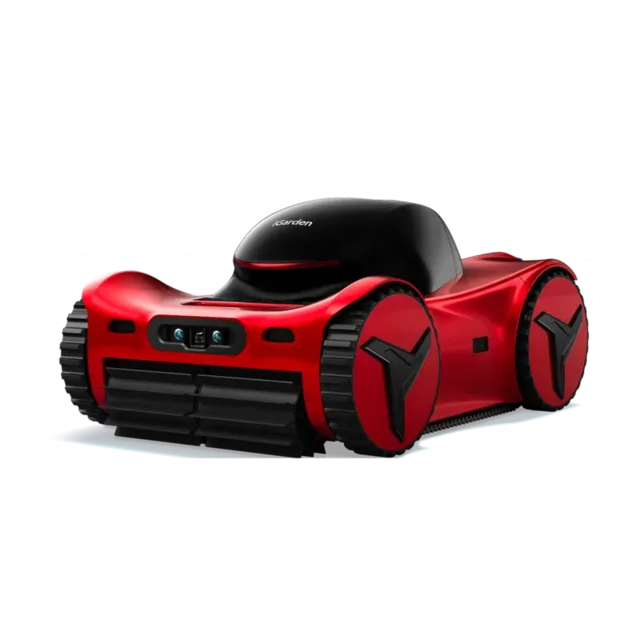
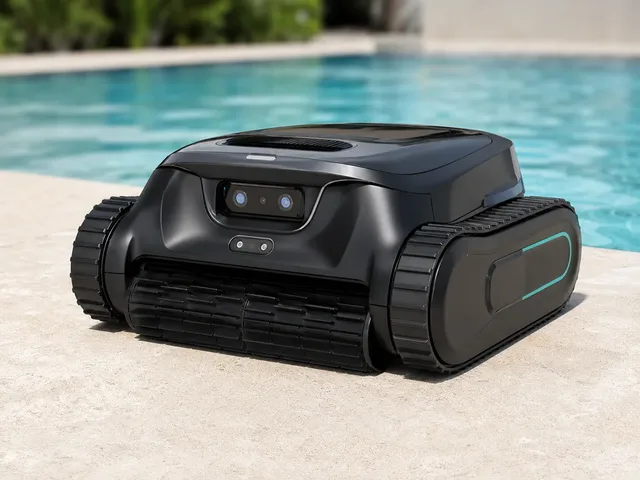
iGarden's M1-AI 90 is the top PRD-M1-100AI-US variant in the official M1-AI Series, superseding the earlier M1 Pro Max 100 AI naming on the redirected store page. It is a cordless robotic pool cleaner for in-ground or above-ground pools with more complex shapes, steps, walls, and waterlines. Official iGarden materials position it as the brand's premium dual-vision model, combining a biomimetic AI vision system, dual-pump suction, tracked wall-climbing traction, dual-layer filtration, and app-based scheduling. iGarden says it can clean pools up to 26 × 49 ft (about 1,274 sq ft), and the current store variant selector lists 9 hours of runtime for the M1-AI 90.
Listed price
$1,399
iGarden's current official store page redirects the old M1 Pro Max URL to the canonical M1-AI Series page and lists the top PRD-M1-100AI-US / M1-AI 90 variant at $1,399 USD, down from $2,199, as of 2026-06-01. The February 2026 launch PR corrected the original M1 Pro Max launch price to $1,599, so treat this as current official store/variant pricing rather than launch MSRP.
Release window
Feb 6, 2026
Current status
Available
iGarden
Last verified
Jun 1, 2026
Share this robot
Open a plain share composer on X or Bluesky for this robot profile.
Technical overview
A fast read on the mechanical profile, sensing package, and platform integrations behind M1-AI 90.
Height
Not officially disclosed
Weight
11.5 kg
Dimensions
Not officially disclosed
Battery Life
up to 9 h
Charging Time
5.5 h
Max Speed
12 m
Operational profile
Capabilities
9
Connectivity
0
Key capabilities
Ecosystem fit
Explore further
Benchmark set
Shortcuts to the closest alternatives in the current ui44 set.
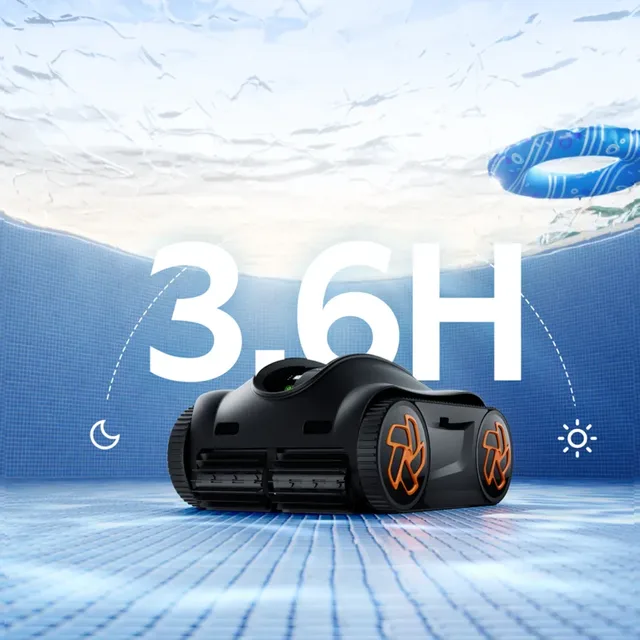
Cleaning
K36
iGarden
$499
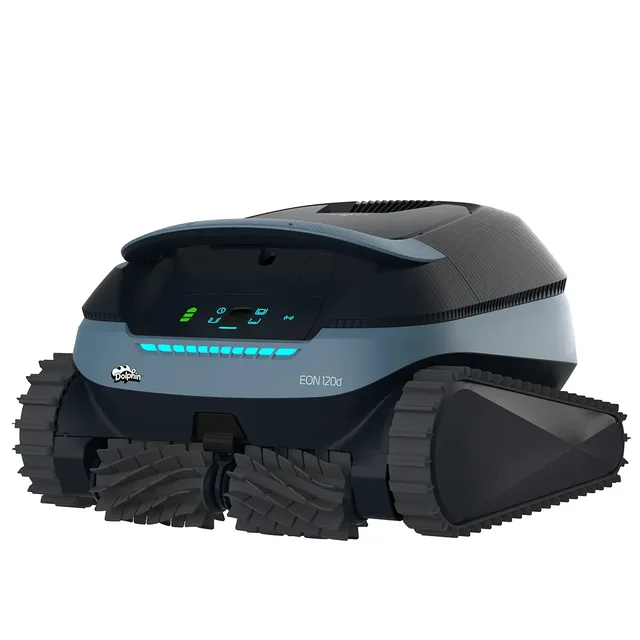
Cleaning
Dolphin EON 120d
Maytronics
$1,199
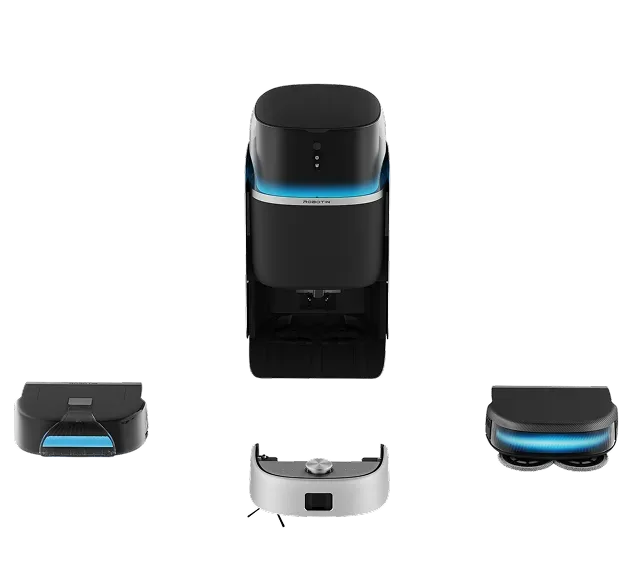
Cleaning
R2 Pro
Robotin
$1,699
Cleaning
Scuba V3
Aiper
$800
The M1-AI 90 is a Cleaning robot built by iGarden. iGarden's M1-AI 90 is the top PRD-M1-100AI-US variant in the official M1-AI Series, superseding the earlier M1 Pro Max 100 AI naming on the redirected store page. It is a cordless robotic pool cleaner for in-ground or above-ground pools with more complex shapes, steps, walls, and waterlines. Official iGarden materials position it as the brand's premium dual-vision model, combining a biomimetic AI vision system, dual-pump suction, tracked wall-climbing traction, dual-layer filtration, and app-based scheduling. iGarden says it can clean pools up to 26 × 49 ft (about 1,274 sq ft), and the current store variant selector lists 9 hours of runtime for the M1-AI 90.
At a listed price of $1,399, it positions itself in the mid-range segment of the cleaning market. See all iGarden robots on the iGarden page.
Detailed specifications for the M1-AI 90
Weight
11.5kg netWeighing 11.5kg net, the M1-AI 90 balances structural integrity with portability and maneuverability.
Battery Life
Up to 9 hours (M1-AI 90 variant)With a battery life of Up to 9 hours (M1-AI 90 variant), the M1-AI 90 can operate for full cleaning sessions before needing to return to its dock. Battery life is measured under typical operating conditions and may vary based on workload intensity and environmental factors.
Charging Time
5.5 hoursA charging time of 5.5 hours means the ratio of operation to downtime is an important consideration for applications requiring near-continuous availability. Some deployments use multiple robots in rotation to maintain uninterrupted service.
Maximum Speed
12m/minA top speed of 12m/min is calibrated for the robot's primary operating environment and safety requirements.
AI Platform
AI-supported pool recognition, 3D path planning, targeted turbo suction, and scheduled maintenance timersThe M1-AI 90 uses AI-supported pool recognition, 3D path planning, targeted turbo suction, and scheduled maintenance timers as its intelligence backbone. This AI platform powers the robot's decision-making, perception processing, and autonomous behavior. The sophistication of the AI stack directly impacts how well the robot handles unexpected situations and adapts to new environments.
The M1-AI 90 integrates 2 sensor types, forming the perceptual foundation that enables autonomous operation.
This sensor configuration enables the M1-AI 90 to map rooms, detect obstacles, identify furniture and floor types, and avoid hazards like stairs and cables. Multiple sensor modalities provide redundancy and more robust perception than any single sensor type alone.
Explore sensor technologies: components glossary · full components directory
Cleaning robots handle the repetitive task of floor maintenance — vacuuming, mopping, or both — on a daily or scheduled basis. The best models learn your home layout, avoid obstacles intelligently, and integrate with your existing smart home ecosystem.
The M1-AI 90 offers 9 distinct capabilities, each contributing to the robot's practical utility.
These capabilities work together with the robot's 2 onboard sensor types and AI-supported pool recognition, 3D path planning, targeted turbo suction, and scheduled maintenance timers AI platform to deliver practical, real-world performance.
The M1-AI 90 integrates with the following platforms and ecosystems, extending its utility beyond standalone operation.
This ecosystem compatibility enables the M1-AI 90 to work as part of a broader automation setup rather than operating in isolation.
9
Capabilities
2
Sensor Types
AI
AI-supported pool…
The M1-AI 90 by iGarden integrates 3 distinct technology components across sensing, connectivity, intelligence, and interaction layers. The physical platform features a weight of 11.5kg net, a top speed of 12m/min, providing the foundation on which this technology stack operates.
The perception layer is built on Biomimetic dual-AI vision system, Sonar-based communication. These work in concert to give the robot a detailed understanding of its operating environment. This multi-sensor approach provides redundancy and enables the robot to function reliably even when individual sensors encounter challenging conditions such as low light, reflective surfaces, or cluttered spaces.
AI-supported pool recognition, 3D path planning, targeted turbo suction, and scheduled maintenance timers serves as the computational brain, processing sensor data, making navigation decisions, and orchestrating the robot's autonomous behaviors. The quality of this AI platform directly influences how well the robot handles novel situations, adapts to changes in its environment, and improves its performance over time through learning.
Cleaning robots are among the most accessible consumer robotics products, purchased by homeowners and renters looking to automate routine floor maintenance. They range from budget-friendly models for small apartments to premium systems for large multi-story homes.
Navigation intelligence (LiDAR vs camera-based), suction power, battery life, dustbin capacity, and smart home integration are the primary factors for cleaning robots. Consider multi-floor support, no-go zone capability, and whether the robot handles both vacuuming and mopping. Self-emptying dock availability is increasingly a baseline expectation.
Price Context
The M1-AI 90 is currently available for purchase. Check the manufacturer's website or authorized retailers for the latest stock and ordering information.
Engineering compromises and where this cleaning robot excels
With 9 distinct capabilities, the M1-AI 90 is designed as a versatile platform rather than a single-task device. This breadth means the robot can handle varied scenarios and workflows, reducing the need for multiple specialized robots and increasing its utility across different situations.
A battery life of Up to 9 hours (M1-AI 90 variant) provides substantial operational runway. For cleaning applications, this means longer work sessions between charges, fewer interruptions, and the ability to complete larger tasks or cover more area in a single charge cycle.
Unlike many robots that remain in development or prototype stages, the M1-AI 90 is available for purchase today. This means you can evaluate the actual shipping product rather than making decisions based on projected specifications that may change before release.
At $1,399, the M1-AI 90 is competitively priced within the cleaning market. This price point makes the technology accessible to a broader audience and represents a lower barrier to entry for those exploring cleaning robotics.
With 2 sensor types, the M1-AI 90 takes a minimalist approach to perception. While this keeps costs down and reduces complexity, it may limit the robot's ability to handle edge cases or operate in environments that demand multi-modal awareness. Buyers should verify that the available sensors cover their specific use-case requirements.
Note: This strengths and trade-offs assessment is based on the M1-AI 90's documented specifications as tracked in the ui44 database. Real-world performance depends on deployment conditions, firmware maturity, and environmental factors. For the most current information, check the iGarden manufacturer page or visit the official product page. Use the comparison tool to evaluate these trade-offs against competing robots in the same category.
Understanding the engineering behind this category
Modern cleaning robots are far more sophisticated than the random-bounce machines of a decade ago. Today's best models use technologies borrowed from self-driving cars and industrial automation to systematically clean homes with minimal human intervention. Understanding the technology inside your cleaning robot helps you make the most of its capabilities and choose the right model for your needs.
Cleaning robots use two primary navigation approaches: LiDAR-based and camera-based. LiDAR navigation spins a laser sensor on top of the robot to create accurate 2D floor plans, enabling systematic back-and-forth cleaning patterns that cover the entire floor efficiently. Camera-based navigation (also called vSLAM or visual SLAM) uses an upward or forward-facing camera to identify ceiling and wall features for positioning. LiDAR systems generally provide more accurate mapping and better performance in dark rooms, while camera systems can sometimes detect obstacles at greater range and enable advanced features like 3D object recognition. Premium models increasingly combine both approaches along with AI-powered obstacle recognition to identify and avoid specific objects like shoes, cables, and pet waste.
AI in cleaning robots has evolved from basic route optimization to genuine environmental understanding. Current AI systems can identify room types, adjust suction power based on floor surface detection, recognize specific obstacle types, and learn cleaning patterns from user behavior. Machine learning models trained on millions of images help the robot distinguish between a sock (avoid) and a dust bunny (clean). Some robots even use AI to predict when rooms will need cleaning based on household activity patterns, and automatically schedule sessions when you're away from home.
A typical modern cleaning robot combines multiple sensor types for comprehensive environmental awareness. Floor-facing infrared or ultrasonic cliff sensors prevent falls down stairs. Forward-facing bumper sensors detect contact with obstacles. Side-wall sensors maintain consistent edge-cleaning distance. A top-mounted LiDAR or camera provides mapping data. Some premium models add 3D structured-light sensors for obstacle height detection, carpet-detection sensors for automatic suction boost, and even dirty-spot sensors that identify areas needing extra attention. The cleaning robot's software fuses all these inputs to build a complete picture of your home's layout, surfaces, and obstacles.
Cleaning robots typically run on lithium-ion batteries providing one to three hours of continuous operation. Smart power management adjusts suction power based on surface type — lower power on hard floors, maximum suction on carpets — to extend runtime. Recharge-and-resume functionality allows the robot to return to its dock, recharge, and then continue cleaning from where it left off, enabling full-home cleaning even with shorter battery life. Self-emptying dock stations add another dimension of automation by removing the need to manually empty the dustbin after every session.
Cleaning robots are designed for unsupervised operation in homes with children and pets. Safety features include cliff sensors preventing staircase falls, gentle bumper impacts that avoid damaging furniture, automatic shutoff when lifted or flipped, and child-lock features on companion apps. For homes with pets, look for models with tangle-free brush designs that resist hair wrapping, and anti-trap features that free the robot if it becomes stuck under furniture. Modern robots also implement virtual boundaries (no-go zones) to keep the robot away from sensitive areas like pet food bowls or fragile items.
Cleaning robot technology continues to advance in several directions. Self-washing and self-drying mop systems are becoming standard. Dock stations are gaining capabilities like hot-water washing and automatic detergent dispensing. AI obstacle recognition is improving to handle more edge cases. Future innovations may include robotic arms for picking up objects before cleaning, integration with home air quality monitoring, and cooperative multi-robot cleaning systems for larger homes. The trend toward fully autonomous floor maintenance — from cleaning to self-maintenance — continues to accelerate.
The M1-AI 90 by iGarden incorporates many of these technology pillars. For a detailed look at the specific sensors and components used in the M1-AI 90, see the sensor analysis and connectivity sections above, or browse the complete components glossary for explanations of every technology used across the robotics industry.
How this robot compares in the cleaning landscape
Priced at $1,399, the M1-AI 90 sits in the mid-range of the cleaning market — a competitive tier where buyers expect a strong balance of features and value.
With 2 sensor types, the M1-AI 90 takes a focused approach to perception, prioritizing the sensor modalities most relevant to its specific tasks rather than carrying a broad general-purpose sensor array.
Being currently available for purchase gives the M1-AI 90 a practical advantage over competitors still in development or prototype stages. Buyers can evaluate the actual product rather than relying on spec-sheet promises that may change before release.
Side-by-side specs, capability overlap analysis, and key differentiators.
For the full picture of iGarden's portfolio and market strategy, visit the iGarden manufacturer page.
What the public profile tells you, and what still needs direct vendor confirmation
From a buying and rollout perspective, the M1-AI 90 should be read as a cleaning platform aimed at homes or facilities that need repeatable floor-care automation. ui44 currently tracks 9 capability signals, 2 sensor inputs, and a last verification date of 2026-06-01. That mix gives buyers a useful first-pass picture, but it is still only the public layer of due diligence, especially when procurement, uptime, and support commitments are decided directly with iGarden.
Commercial model
$1,399 list price
A published price gives buyers a starting point for budgeting, ROI modeling, and peer comparison before deeper vendor conversations begin.
Integration posture
Integration details thin
The page does not list any connectivity standards, so procurement teams should verify network requirements, remote management options, and how the robot fits into existing software or facility infrastructure.
Spec disclosure
4/7 core specs public
ui44 currently has 4 of 7 core physical and operating specs filled in for this model, leaving 3 gaps that matter for deployment planning. Missing runtime, charge, speed, or payload details can materially change staffing and site-readiness assumptions.
The current profile is useful for scouting, but it still leaves meaningful operational unknowns. If this robot is heading toward a pilot or purchase discussion, the next step should be a structured vendor Q&A that fills the remaining runtime, charging, payload, safety, or integration blanks before anyone builds ROI assumptions around it.
If you want a faster apples-to-apples read, compare the M1-AI 90 against nearby alternatives in ui44's compare view, then cross-check the underlying AI, sensor, and subsystem terms in the components glossary. For manufacturer-level context, the iGarden profile helps anchor this robot inside the wider product lineup.
Practical guide from day one through years of ownership
Setting up a cleaning robot typically takes 15 to 30 minutes. Download the companion app, connect the robot to your Wi-Fi network, place the charging dock against a wall with clearance on both sides, and initiate the first mapping run. During the initial map, walk through your home to ensure doors are open and the robot can access all rooms you want cleaned. After mapping, use the app to name rooms, set no-go zones around pet bowls or delicate furniture, and configure your cleaning schedule. For combo vacuum-mop robots, set up the water tank and mop pads according to the manual. If you have a self-emptying dock, ensure the dustbag is properly installed.
Weekly maintenance takes just a few minutes: empty the dustbin (if not self-emptying), remove hair tangles from the main brush, and wipe sensor windows with a dry cloth. Monthly tasks include washing or replacing filters, checking side brushes for wear, and cleaning the charging contacts. For mopping models, replace mop pads when they show signs of wear and clean the water tank to prevent mineral buildup. Every three to six months, replace the main brush and filters according to the manufacturer's schedule. Keeping up with this simple routine ensures consistent cleaning performance and extends the robot's lifespan.
Cleaning robot manufacturers regularly release app and firmware updates that improve navigation, add features, and fix bugs. Enable automatic updates in the app to ensure you always have the latest improvements. Major updates occasionally add significant features — some robots have gained new room types, improved carpet detection, or enhanced obstacle avoidance through software updates alone. Keep the companion app updated as well, as new app versions often unlock features that require both app and firmware coordination.
Most cleaning robots last three to five years with proper maintenance. To maximize longevity: keep the robot's environment clear of small objects that could jam the brush or damage the suction motor, clean sensors regularly for accurate navigation, avoid running the robot over wet spills (unless it is designed for mopping), and replace consumable parts on schedule rather than waiting for performance degradation. Store replacement brushes, filters, and mop pads so they are ready when needed. If the battery noticeably loses capacity after two to three years, a battery replacement (often available from the manufacturer) can extend the robot's useful life significantly.
For iGarden-specific support resources and documentation, visit the iGarden page on ui44 or check the manufacturer's official website at iGarden's product page.
All M1-AI 90 data on ui44 is verified against official iGarden sources, including spec sheets, product pages, and press releases. Last verified: 2026-06-01. Official source: iGarden product page. If you find outdated or incorrect information, please let us know — accuracy is our top priority.
See how the M1-AI 90 stacks up — compare specs, browse the cleaning category, or search the full database.