Compare robots

Comparison ready

2 robots selected.

The comparison cards start below. Open the editor only when you need to swap the shortlist.

Share
Edit selected robots
412 robots 9 categories 173 priced

Comparing 2 robots

Green cells flag numeric leaders, while AI, sensors, and capability rows keep the real buying tradeoffs visible.

Updating comparison...

Sources and record checks

Record checks are not independent testing or confirmation of every claim. Official sites provide manufacturer context; source context explains the record.

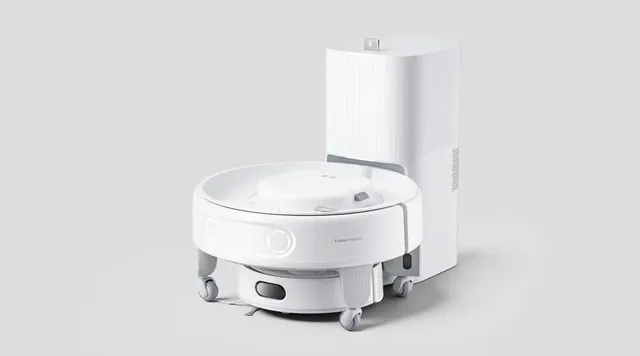
K20+ Pro

Record last checked: 2026-05-29

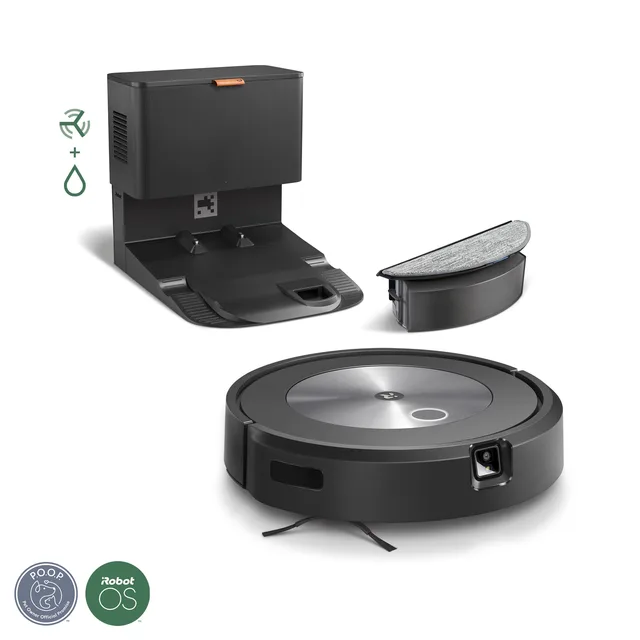
Roomba Combo j5+

Record last checked: 2026-05-07

Each row compares one spec across your shortlist. Green marks the best value.

Price

K20+ Pro
$699 USD
Price details

From $699.99 (base kit); bundles up to ~$1,200

Roomba Combo j5+
$730 USD
Price details

$729.99 in current iRobot product schema/data layer; iRobot US page schema reports OutOfStock and page copy says "Available at select retailers only" (checked May 2026).

Height

K20+ Pro
92 mm robot body
Roomba Combo j5+
8.6 cm (3.4 in)

Weight

K20+ Pro
2.3 kg robot body; 4 kg mobile base
Roomba Combo j5+
3.4 kg (7.5 lb)

Battery Life

K20+ Pro
3500 mAh battery capacity; runtime not officially disclosedNot safely comparable as a typed unit
Roomba Combo j5+
Not officially disclosed

Max Speed

K20+ Pro
Not disclosed
Roomba Combo j5+
Not officially disclosed

AI

K20+ Pro
AI obstacle avoidance, smart room mapping, autonomous scheduling
Roomba Combo j5+
iRobot OS with object avoidance and room-level cleaning automation

Sensors

K20+ Pro
DToF laser radar, Triple laser obstacle-avoidance sensors, Cliff/fall-prevention sensors, Carpet detection
Roomba Combo j5+
Front Obstacle Recognition Camera, Cliff Sensors, Bump Sensors, Dirt Detect Sensors

Connectivity

K20+ Pro
Wi-Fi (2.4GHz / 5GHz), Bluetooth, Matter (via SwitchBot Hub)
Roomba Combo j5+
Wi-Fi, Amazon Alexa, Google Assistant, Apple Siri

Status

K20+ Pro
Available
Roomba Combo j5+
Available

Category

K20+ Pro
Cleaning
Roomba Combo j5+
Cleaning
More specifications (4)

Includes rows even when values are not recorded.

Charging Time

K20+ Pro
About 4 hours
Roomba Combo j5+
Not officially disclosed

Degrees of Freedom

K20+ Pro
N/A
Roomba Combo j5+
N/A

Voice Assistants

K20+ Pro
Amazon Alexa, Google Assistant, Siri Shortcuts
Roomba Combo j5+
Amazon Alexa, Google Assistant, Apple Siri

Manufacturer

K20+ Pro
SwitchBot
Roomba Combo j5+
iRobot

Capabilities

K20+ Pro

3D-Printable Custom AttachmentsCentimeter-Level Obstacle AvoidanceCordless Vacuum Combo (handheld stick vac)D-ToF LiDAR NavigationFusionPlatform Modular System (ClawLock attachment)Matter Smart Home CompatibilityMobile Air Circulation (with Circulator Fan)Mobile Air Purification (with Air Purifier Kit)Mobile Security Patrol (with Pan/Tilt Cam)Multi-Room MappingRobot Vacuum CleaningSmart Delivery (up to 8 kg payload)USB-C Power Ports for Third-Party Devices

Roomba Combo j5+

4-Stage Cleaning SystemApp-based room and zone cleaningApprox. 600 supported voice commands via Alexa, Google Assistant, or SiriAuto-Empty Clean Base (up to 60 days)Dirt Detect targeted cleaningDual Multi-Surface Rubber BrushesEdge-Sweeping BrushNeat Row NavigationNo Mop ZonesObject Avoidance (80+ common objects; cords, shoes, pet items)Pet Waste Avoidance (P.O.O.P. Promise)Power-Lifting SuctionVacuum + Mop via swappable bin

How to Compare Robots

Use this flow to get to a clean shortlist fast. The route works best as a dense research workbench, not a marketing page.

1

Choose comparable robots

Start with robots that solve the same job. Use category anchors like Humanoid, Cleaning, Companions, Research before you worry about micro-spec wins.

2

Read the big deltas first

Check price, status, battery, sensors, and capabilities before getting lost in minor spec rows.

3

Switch to differences only

Once you have a shortlist, hide shared rows. That turns the table from a spec dump into a real decision tool.

Cross-category comparisons still have value

A dedicated cleaner versus a home assistant with cleaning features can reveal whether you really need a specialist or just broader household coverage. Compare around the same outcome, not the same marketing language. And when blank-page friction is the problem, use one of the prebuilt quick-start pairings in the workbench above — open one, swap robots, and keep moving.

Making Your Decision

Turn comparison rows into an actual recommendation — not just more reading.

1

Weighted priorities

Not all spec deltas matter equally. Rank your buying criteria before crowning a winner.

  • List must-haves — smart-home platform, clearance, shipping status, or anything that eliminates a robot instantly.
  • Pick your top 3 differentiators — navigation, noise, battery, support, or whatever changes daily use.
  • Score only the finalists against those. The robot that wins your real priorities beats the one with the most green cells.
2

Total cost of ownership

The sticker price is only one row. Subscriptions, consumables, and service access often decide the real winner.

Subscriptions

Cloud AI and premium app tiers can make a cheaper robot more expensive over three years.

Consumables

Brushes, pads, filters, and bags flip the value story on high-frequency robots.

Energy & battery

Large batteries and frequent charging reveal everyday operating demands.

Repair & warranty

Local servicing and spare-parts access are the quietest but most important long-term costs.

3

Environment check

Specs describe ideal conditions. Your rooms, pets, and Wi-Fi determine what actually performs.

  • Floor types — carpet, hardwood, tile, and transition handling.
  • Space layout — open plans vs. multi-room homes with tight doorways.
  • Wi-Fi coverage — cloud-heavy robots need stable signal everywhere.
  • Household — pets, kids, shared spaces, and noise tolerance.

Purchase and deployment access

Available listings: 125. Pre-order listings: 54. Active records: 130. Available indicates an ordering listing, not confirmed stock. Pre-order indicates a reservation listing, not immediate delivery. Active status alone does not confirm public purchase availability or deployment. Other statuses do not establish a current purchase listing. Confirm regional access, stock, reservation terms, and delivery with the manufacturer.

When it's too close to call

If two robots are still neck-and-neck, use softer signals that affect ownership quality more than spec sheets admit.

Return policy User community Ecosystem Aesthetics

Comparison FAQ

Questions buyers ask before the final click

Short answers to the questions that usually show up once the shortlist is live and the tradeoffs feel real.

Frequently Asked Questions

Using the workspace
How many robots can I compare at once?
You can compare up to four robots at once. Two or three is usually the cleanest decision view, but four-way comparisons work well for wider market scans.
What does 'Show differences only' do?
It hides rows where all selected robots share the same value, leaving only the rows that actually change your decision. It is especially useful for same-brand or same-category shortlists.
Can I compare robots from different categories?
Yes. You can compare any of the 412 robots in the database. Cross-category comparisons work best when the robots still compete for the same outcome in your home or workflow.
What makes a good comparison?
The best pairings share at least one real-world anchor: same job, similar price band, same room constraints, or competing brand tier. That keeps the table decision-focused instead of random.
Sharing & shortlisting
How do I share a comparison?
Once you have a live shortlist, a Share this comparison link appears in the workbench. It preserves your selected robots and the differences-only toggle in a permanent URL.
Can I save or bookmark a comparison for later?
Yes. Every live comparison has a stable route, so bookmarking the page preserves the exact configuration you built.
Can I compare by price alone?
Price is one row in the compare table, but if you want pure price sorting first, the all robots page is the better place to shortlist before coming back here.
Data & methodology
Are specifications up to date?
ui44 comparison data is sourced from official manufacturer documentation and re-verified on a rolling basis. Shipping products get the most frequent freshness checks.
What if a spec is missing?
A dash or 'Not specified' usually means the manufacturer has not published the detail clearly. It does not automatically mean the robot lacks the feature.
How should I compare robots at different development stages?
Status labels describe catalog records, not measured operational reliability. Available indicates a purchase listing, not verified stock or shipping dates. Active alone does not confirm public purchase access. Pre-order indicates a reservation listing, not engineering completion or a guaranteed delivery queue position. Development and Prototype identify recorded stages; Discontinued identifies a discontinued listing. Compare documented performance and current manufacturer terms, including any recorded sales notes, for the specific model and region.
Can I compare specific sensors or components more deeply?
Yes. The compare table gives you the side-by-side overview, then the components directory lets you go deeper on shared sensors, radios, and platform pieces across the catalog.